Step-By-Step-Guide
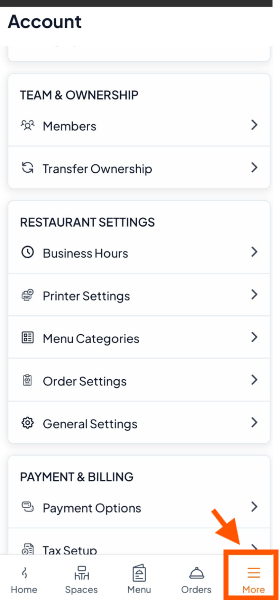
Step 1: Go to More
Open the Orderlay app.
At the bottom menu, tap More.
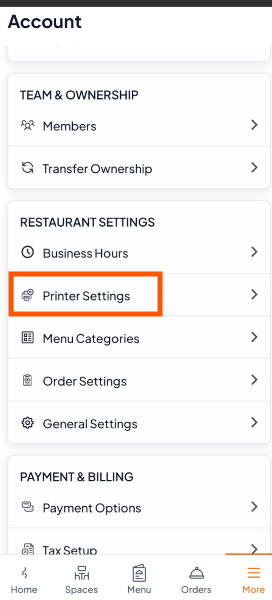
Step 2: Scroll to Restaurant Settings and tap "Printer Settings".
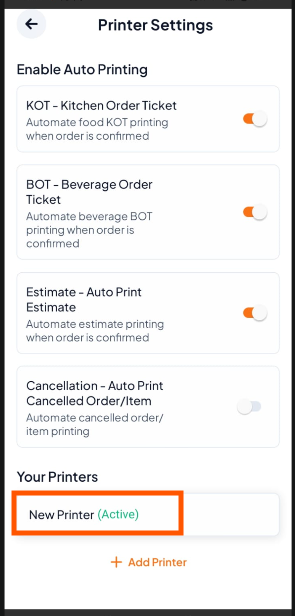
Step 3: Select Your Printer
Find your printer listed under Your Printers (e.g., “New Printer (Active)”).
Tap on it to open printer settings.
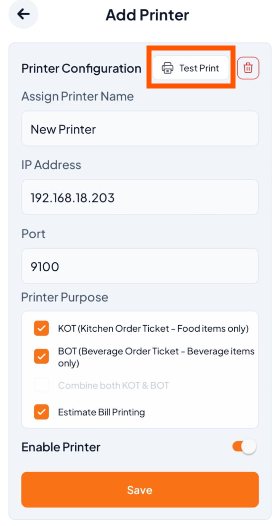
Step 4: Tap "Test Print"
On the printer setup screen, tap the Test Print button at the top.
If your printer is set up correctly, it will print a test page.