Step-By-Step-Guide
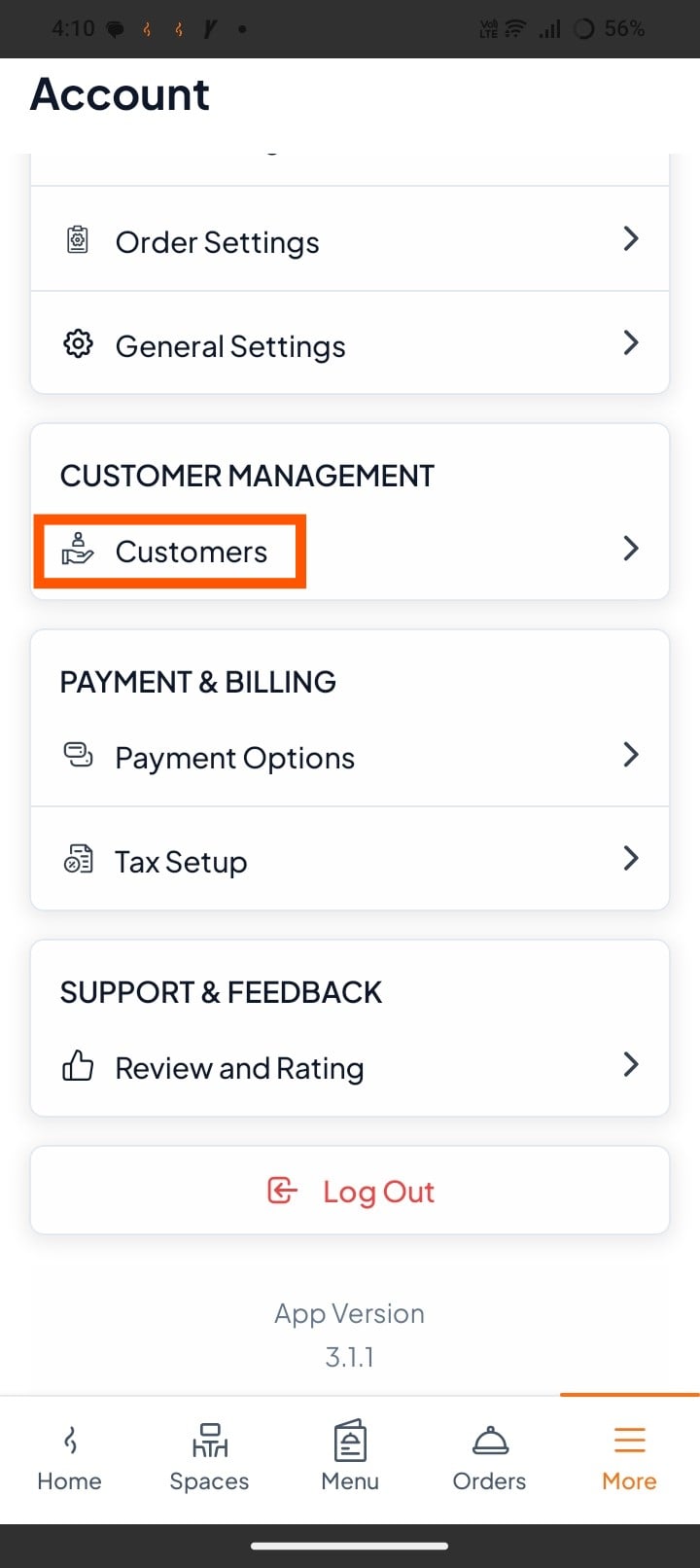
Step 1: Open Customers Section
Tap on "Customers" from the more section (under Customer Management).
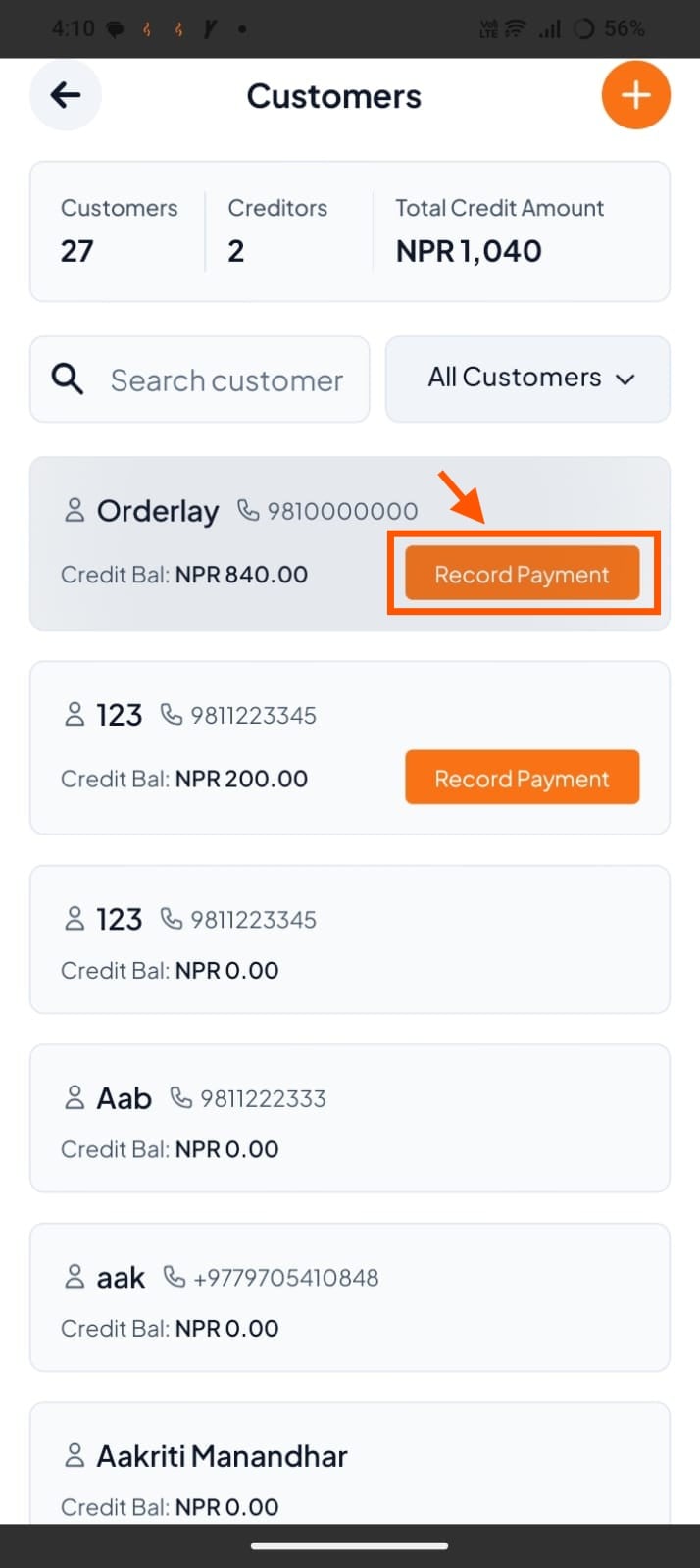
Step 2: Find the Customer with Credit
Look for the customer who has a Credit Balance. (Due Amount) – e.g., Orderlay with NPR 840.00.
Tap on "Record Payment"
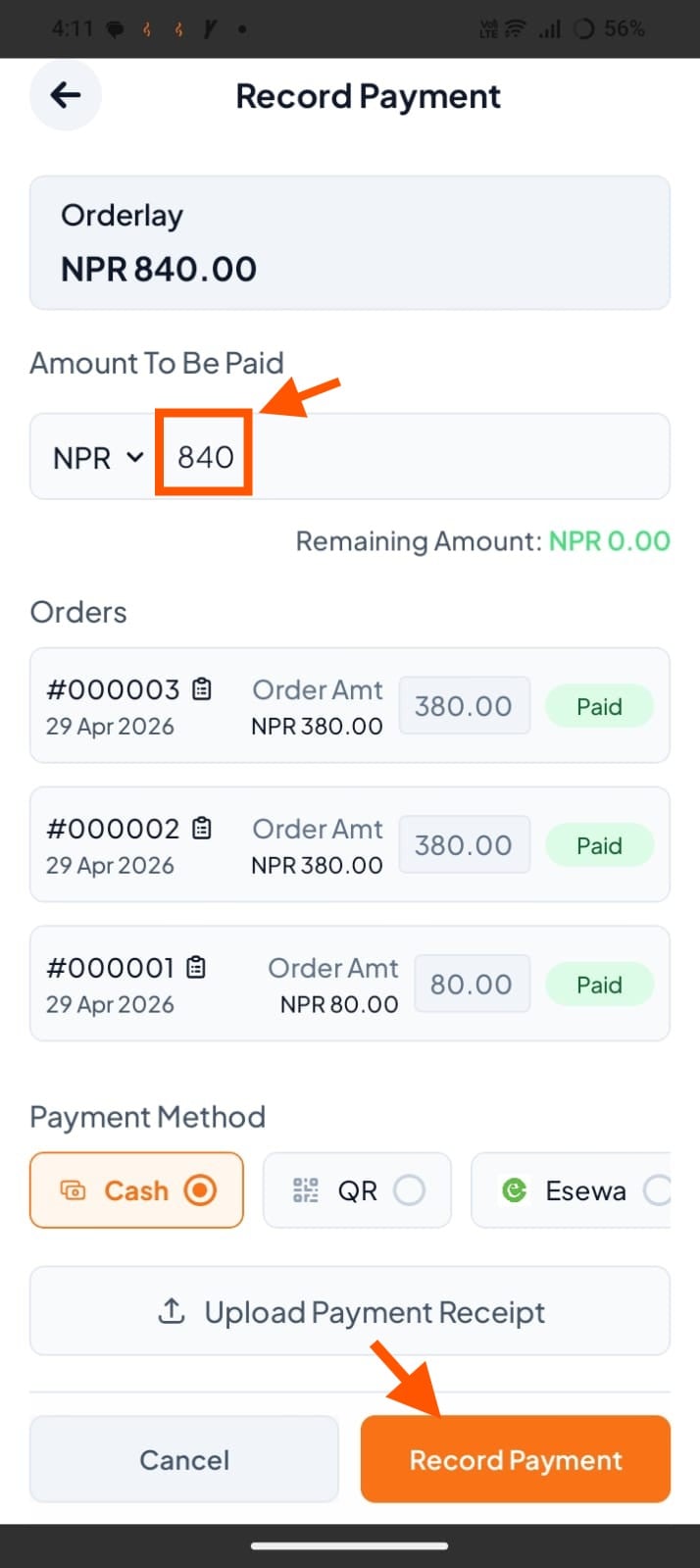
Step 3: Enter the amount to be paid
For full payment: Keep the amount as shown (e.g., NPR 840)
For partial payment: Enter the amount the customer is paying now. You can add the remaining amount later.
Select the Payment Method (Cash, QR, or eSewa). Optionally upload a payment receipt.
Tap Record Payment to complete.