Step-by-Step Guide
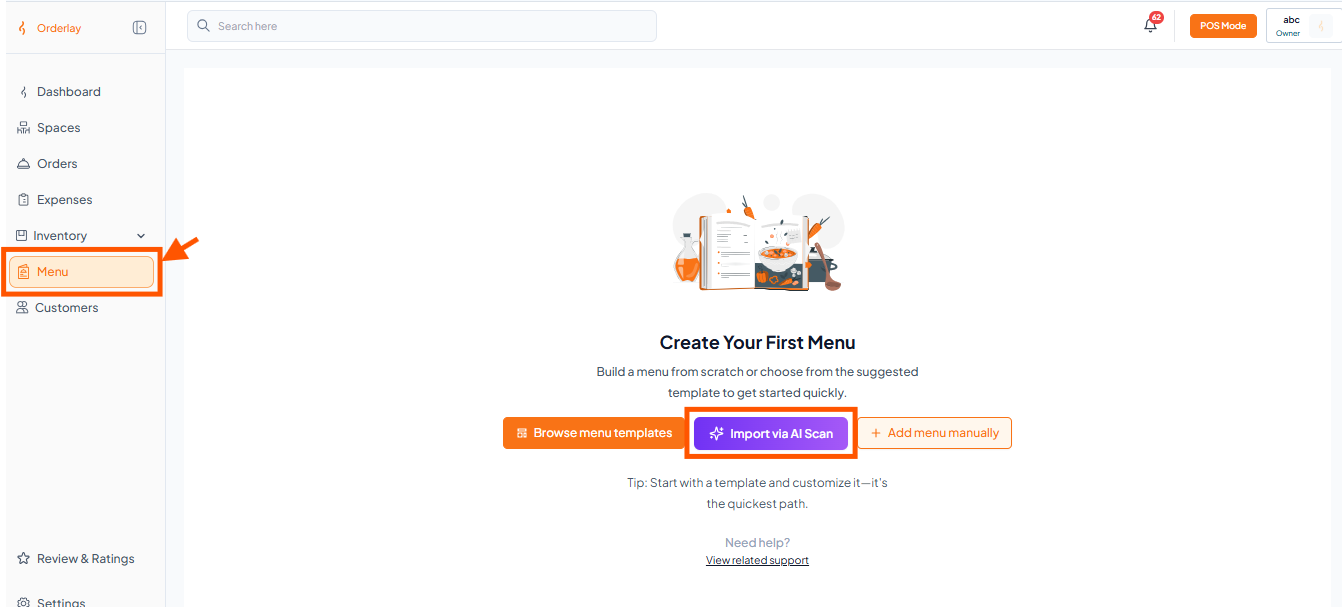
Step 1: Go to Menu & Click Import via AI Scan
From your Dashboard, click Menu in the left sidebar, then click "Import via AI Scan".
Step 2: Upload Menu Image
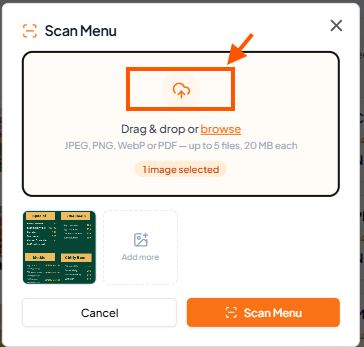
Drag & drop or browse to select a menu image
You can upload up to 5 image
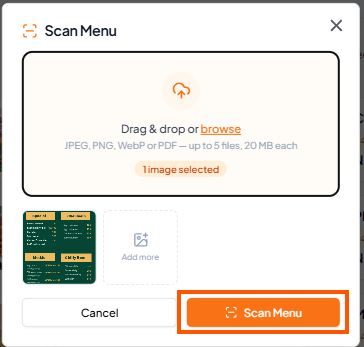
Step 3: Click "Scan Menu"
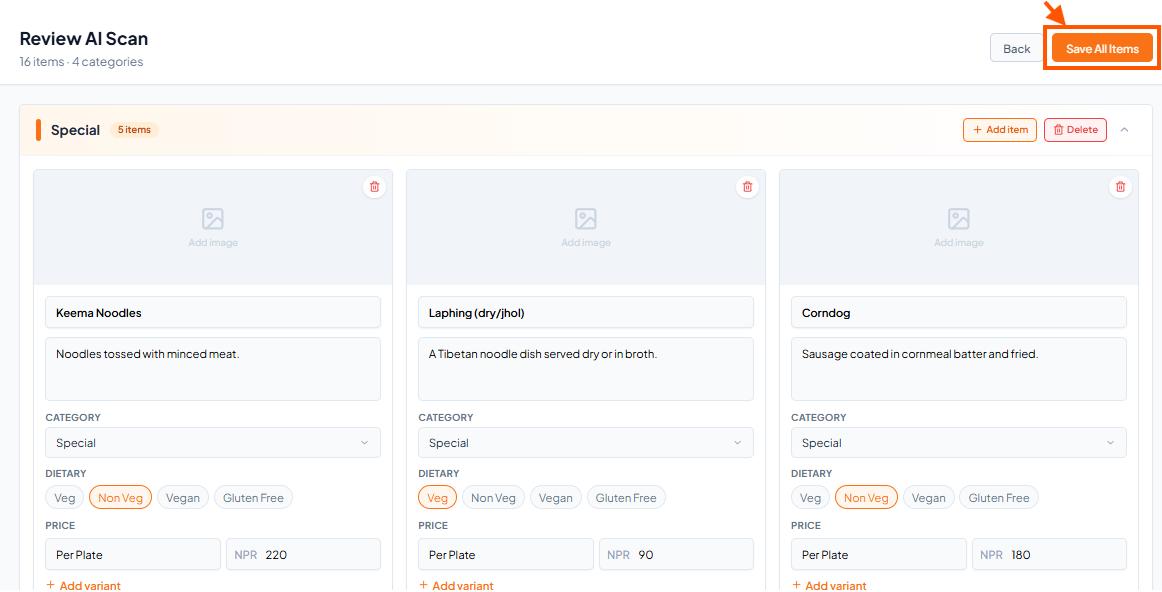
Step 4: Review AI Scan Results and Click "Save All Items"
Once you have reviewed and edited all items, click Save All Items.
All menu items will be added to your Menus section automatically.