
Step By Step Guide
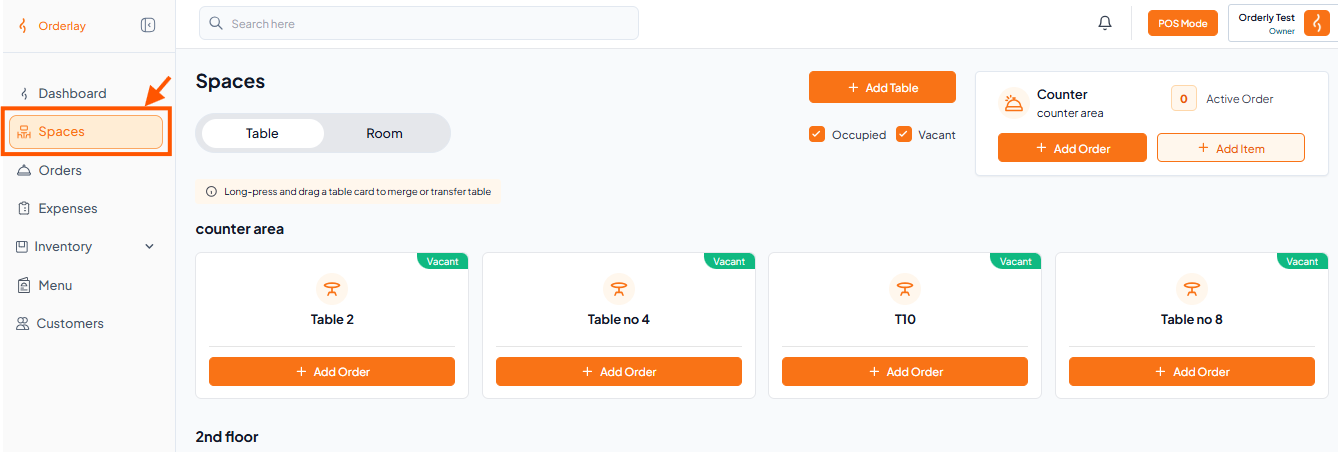
Step 1: Go to Spaces Section
From the left sidebar, click on Spaces.
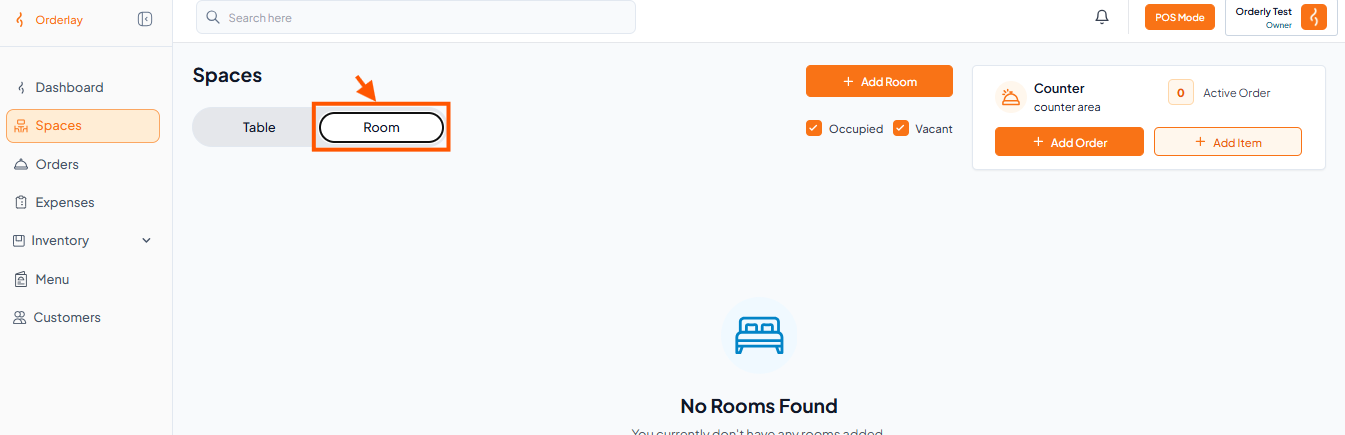
Step 2: Go to the Rooms Section
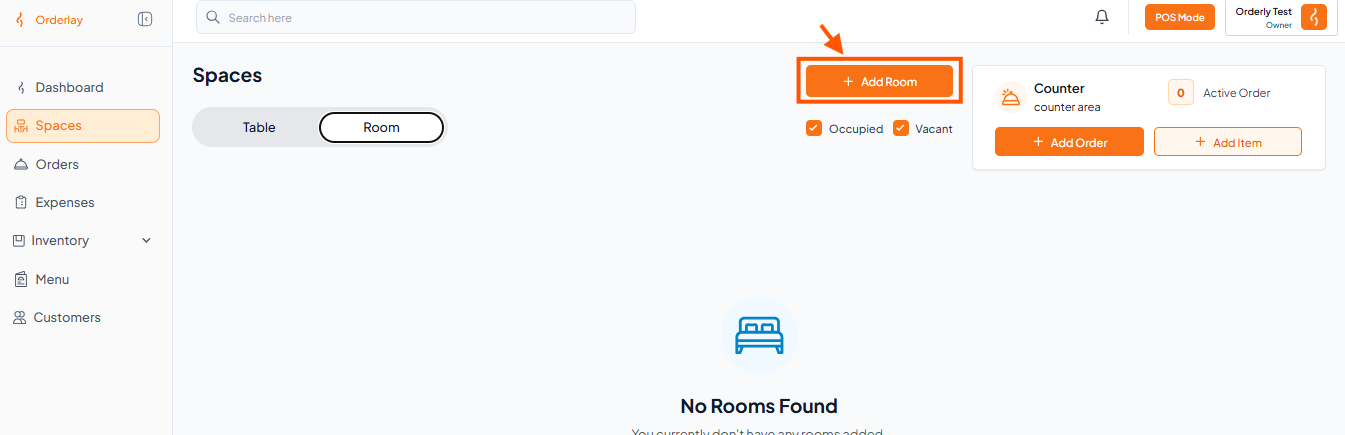
Step 3: Click on "+ Add Rooms"
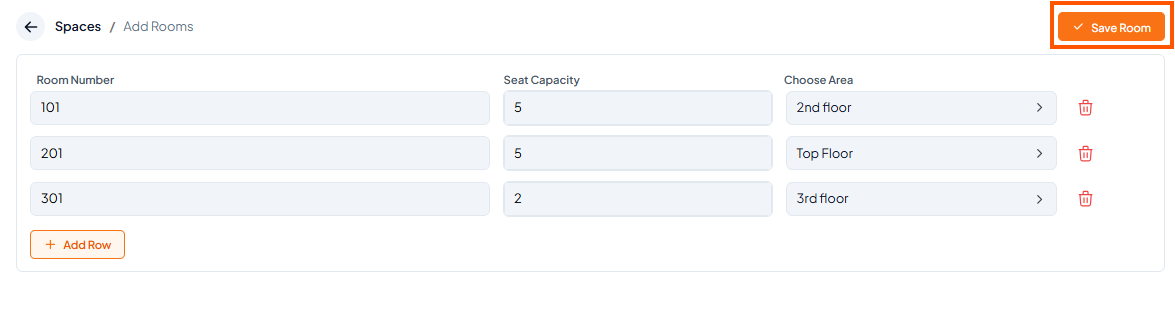
Step 4: Fill in Room Details
Room Number: Enter a unique name (e.g., Room no 1).
Seat Capacity: Select the number of guests (e.g., 2).
Area / Floor: Choose the appropriate section of your restaurant (e.g., Ground Floor).
→ For detailed instructions, see How to Adding New Area
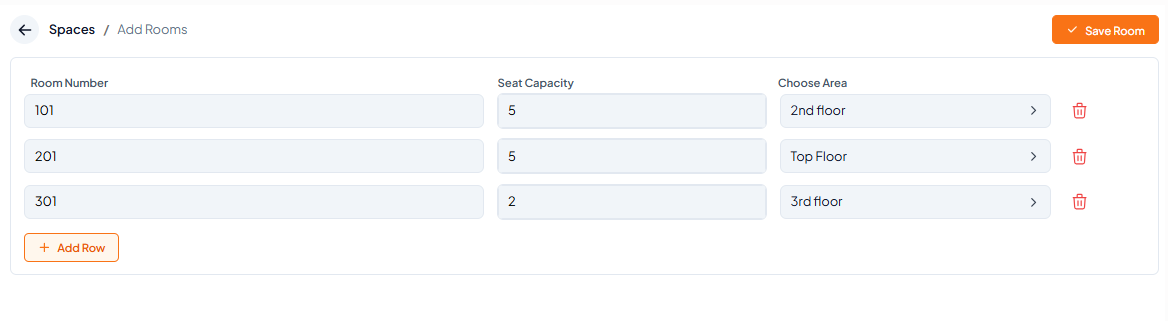
Step 5: Tap "Save Room" to finish
What’s Next?
After creating tables, generate a QR code for each table so customers can scan and order. Follow the guide: [How to Generate QR Codes for Your Tables and Rooms].