
Each new member must download the Orderlay App from App Store or Play Store and Create a personal account to accept the invitation.
Only users with the Owner or Manager role can invite new team members.
Step-By-Step-Guide
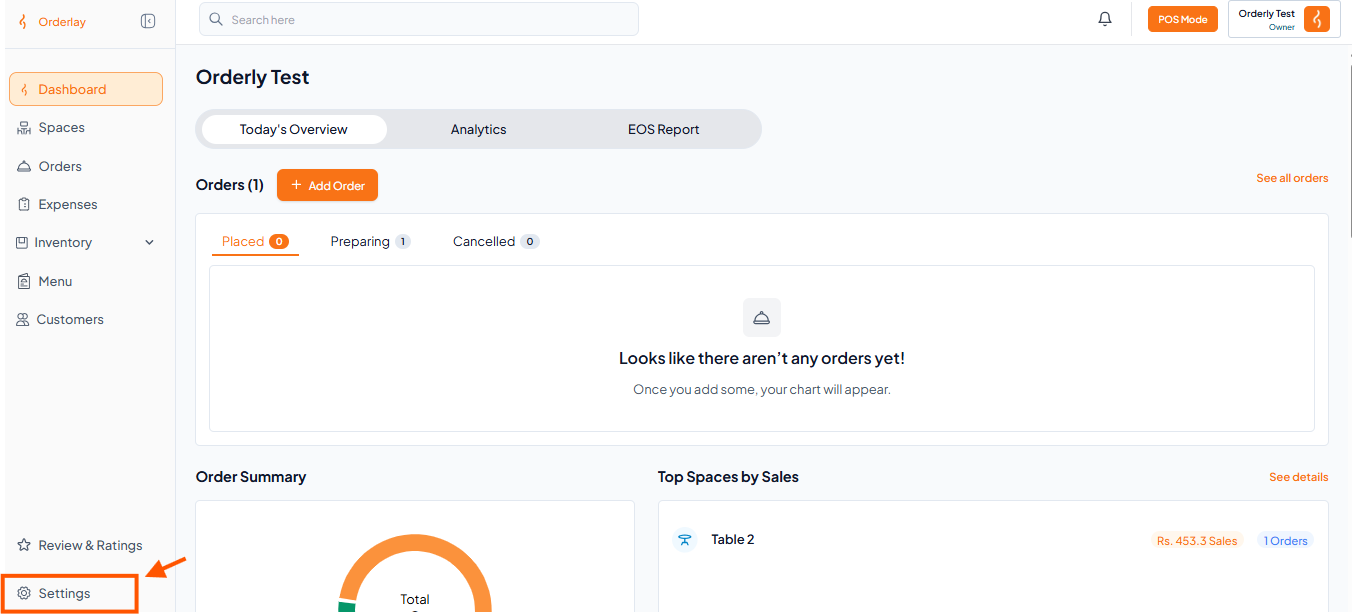
Step 1: Go to Settings
Log in to your Orderly Dashboard (web version). In the left sidebar, click Settings.
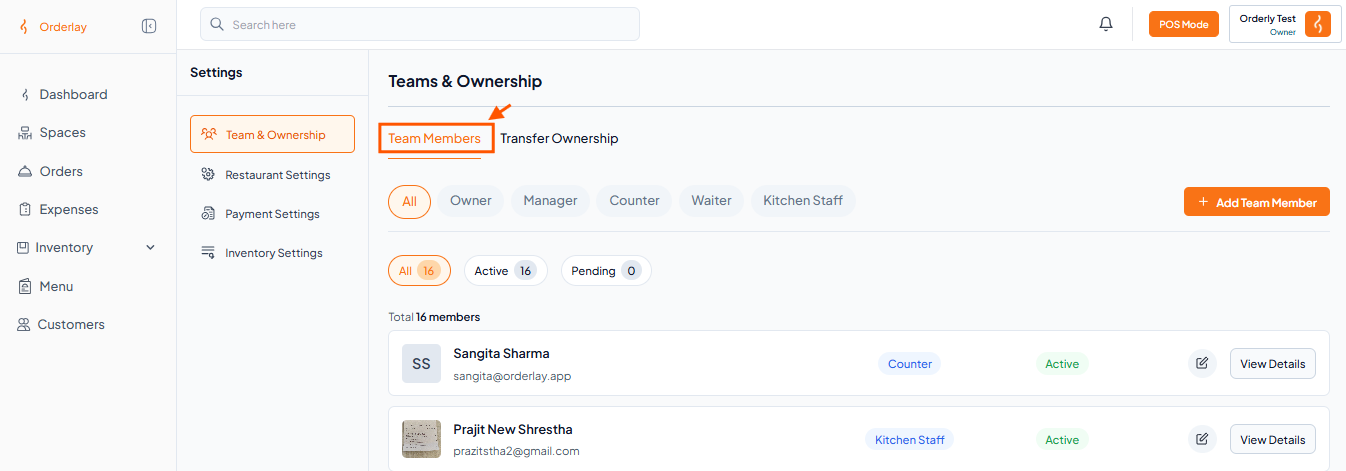
Step 2: Find Team & Ownership
In the Settings page, look for the Teams & Ownership section.
Click on Team Members to manage your team.
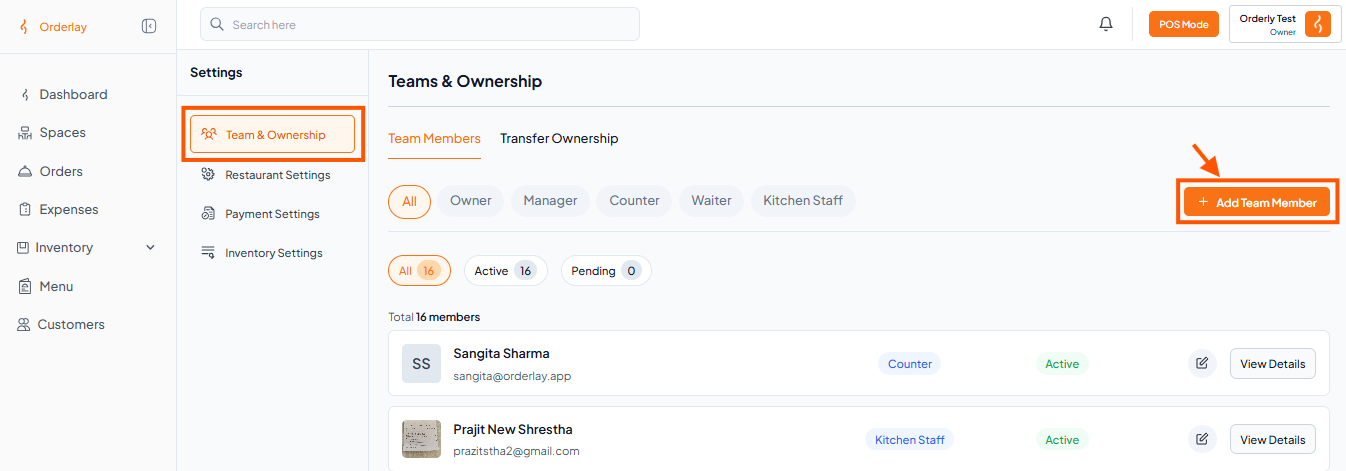
Step 3: Click the “+ Team Member” Button
Step 4: Fill in Their Details and Click "Invite Member"
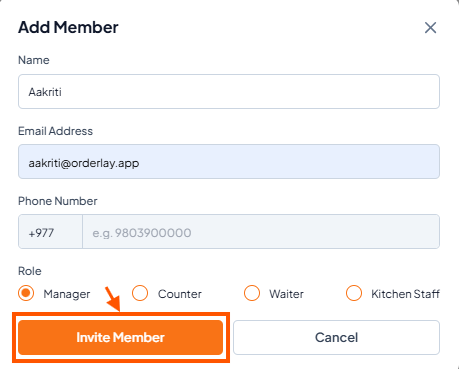

Once you’ve sent the invitation, the team member will need to accept it. You can share or use this guide: Accept a Team Invitation as a Staff Member.