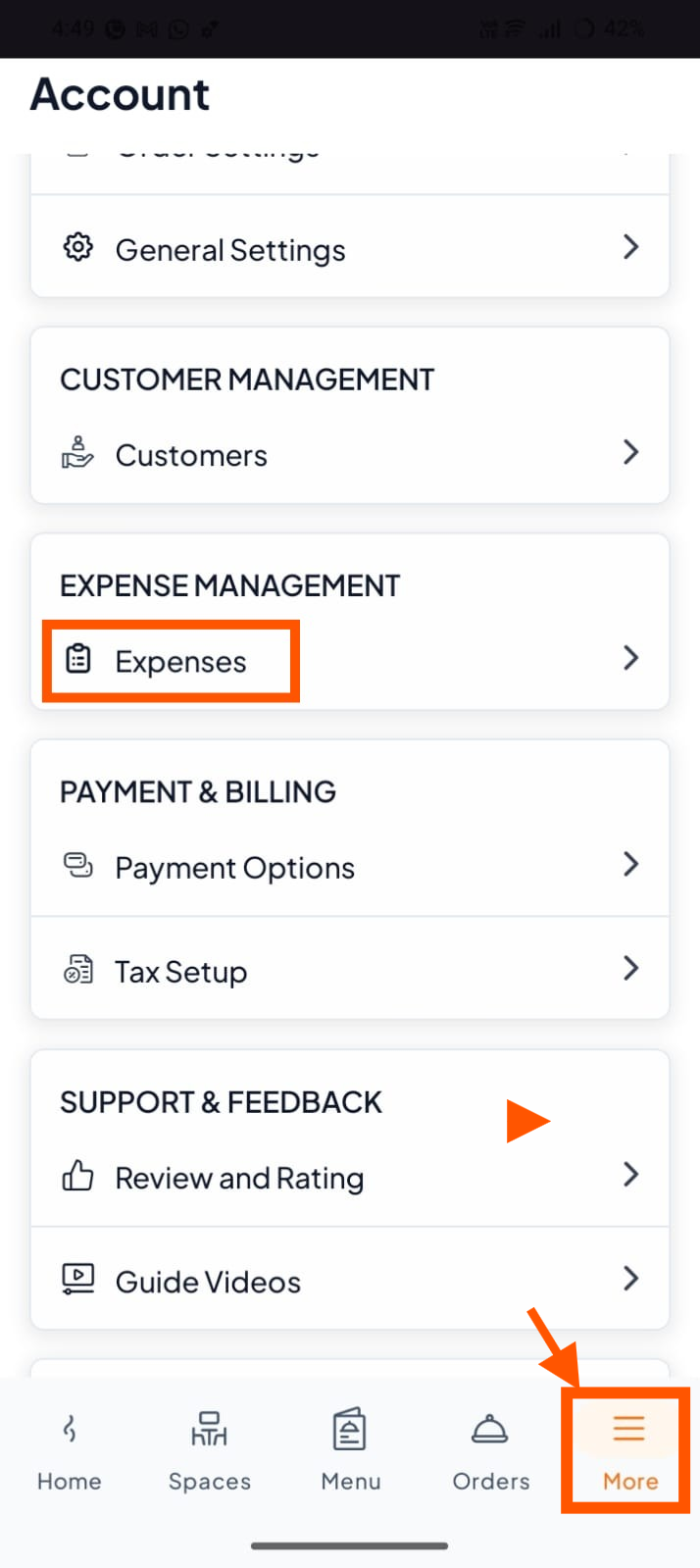
Step 1: Go to Expenses Section
From the bottom menu, tap More.
Then tap Expenses.
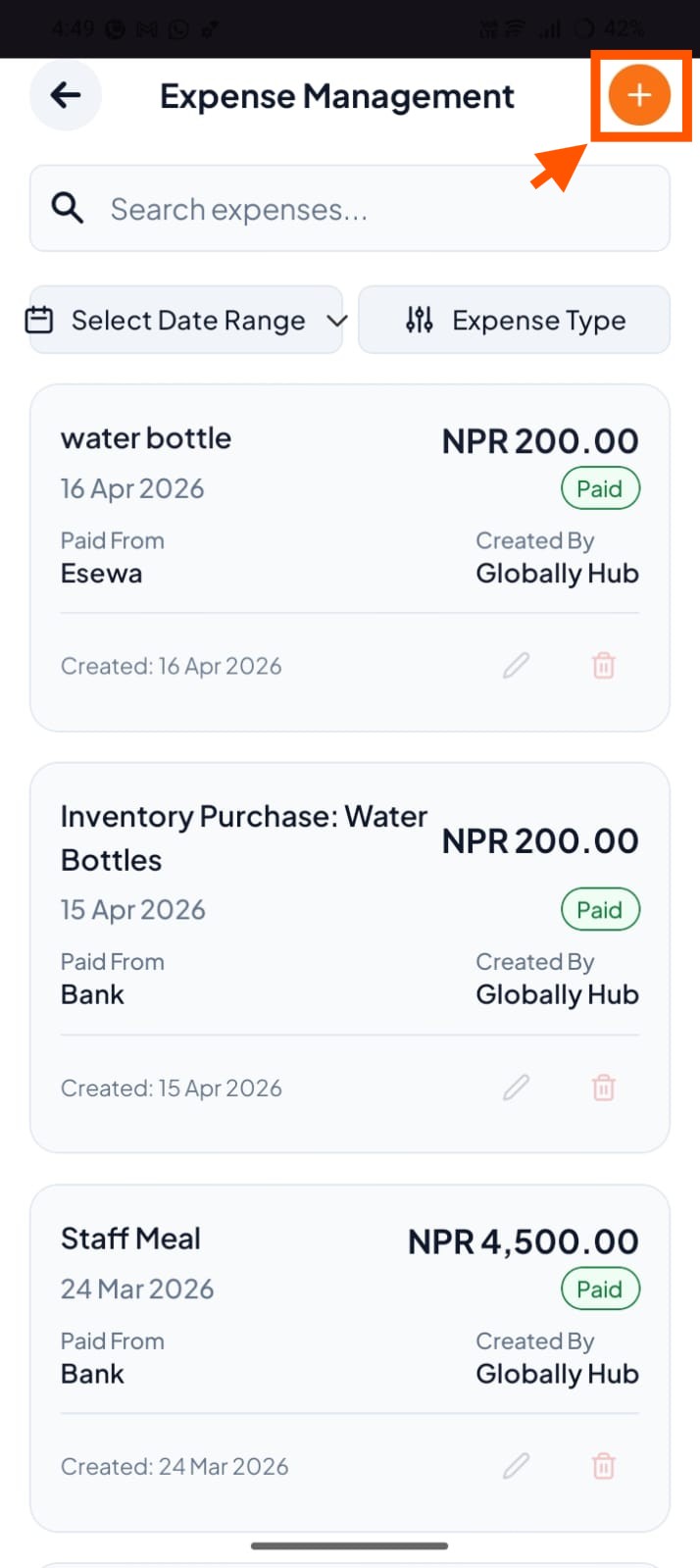
Step 2: Tap the "+" (Create Expense) Button
On the Expenses screen, look for the (+) button. Tap it.
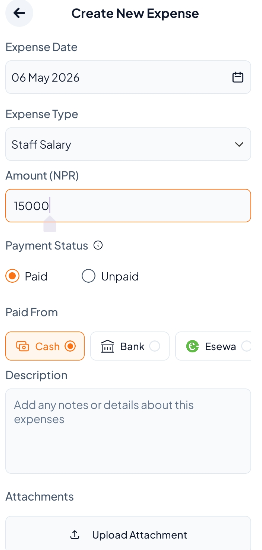
Step 3: Fill in Expense Details
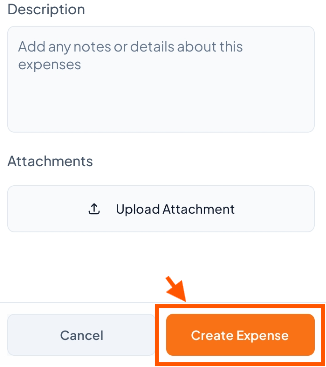
Step 4: Scroll and Tap "Create Expense"
After filling everything in, scroll down and tap Create Expense.
✅ The expense is recorded in your business reports.
✅ You can search and filter expenses by date and type.
