Step-By-Step-Guide
Step 1: Open the Sign-Up Page
Go to https://web.orderlay.app/sign-in or open the Orderlay Web App.
On the welcome screen, tap "Click Here"
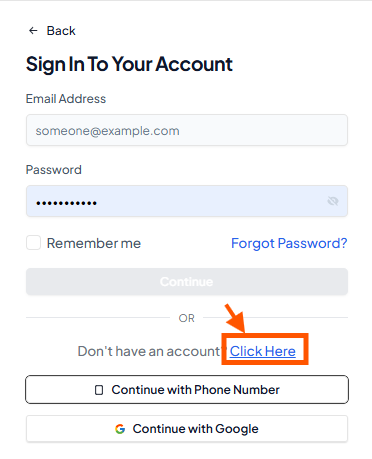

Note: You need a personal account before you can set up your restaurant account.
Step 2: Enter Your Information & Create Account
Sign up using phone number or email. In this example, we use phone number.
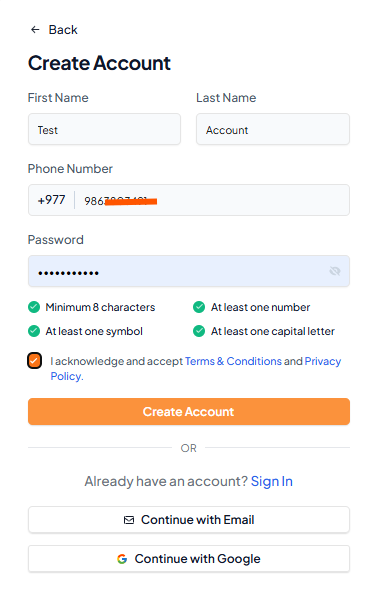
Create a strong password with at least 8 characters, including one capital letter, one number, and one symbol.
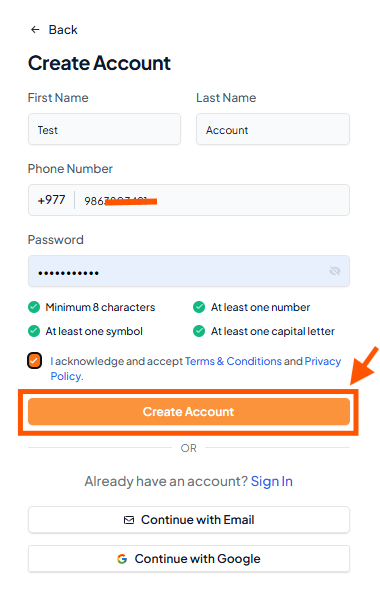
Don’t forget to tick the box to agree to the Terms & Conditions.
If you want to continue with email: Click "Continue with Email", enter your email, and the rest of the steps are the same.
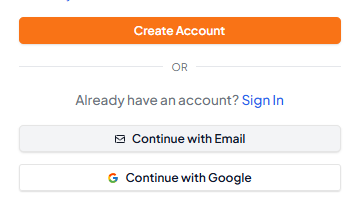
Step 3: Create Your Account
Tap "Create Account".
Verify your phone number or email by following the guide: Phone/email verification steps.