
Step-By-Step-Guide
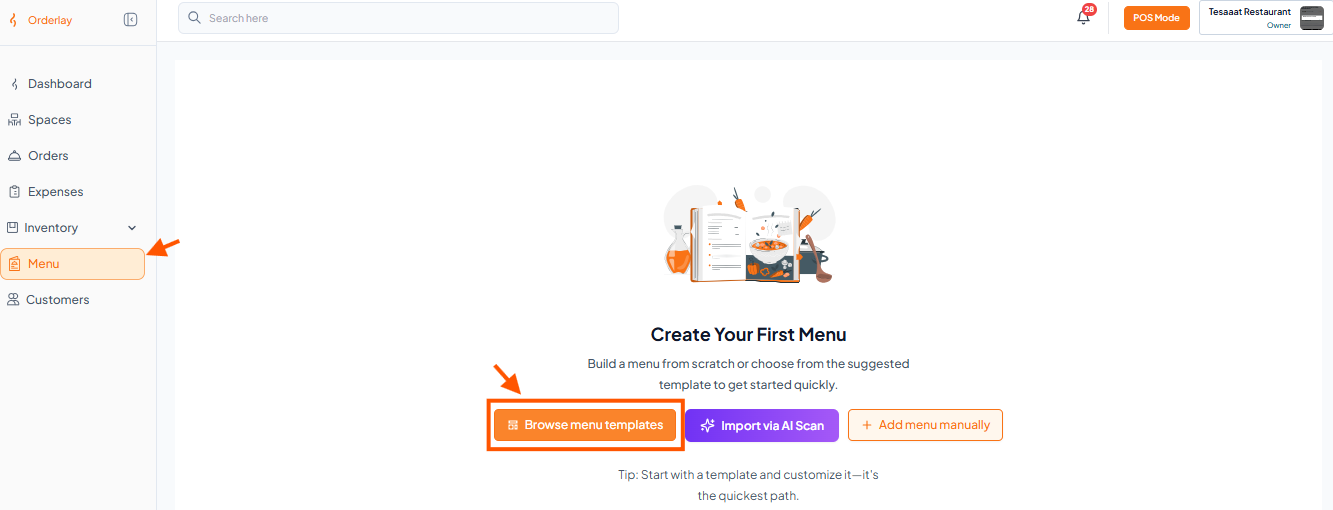
Step 1: Go to Menu Section & Click "Browse menu templates"
Step 2: Select the Items You Want to Add
Click the (+) icon to select items.
Step 3: Add Price for Each Item
Step 4: Click "Add to Menu"
Step 1: Go to Menu Section & Click "Browse menu templates"
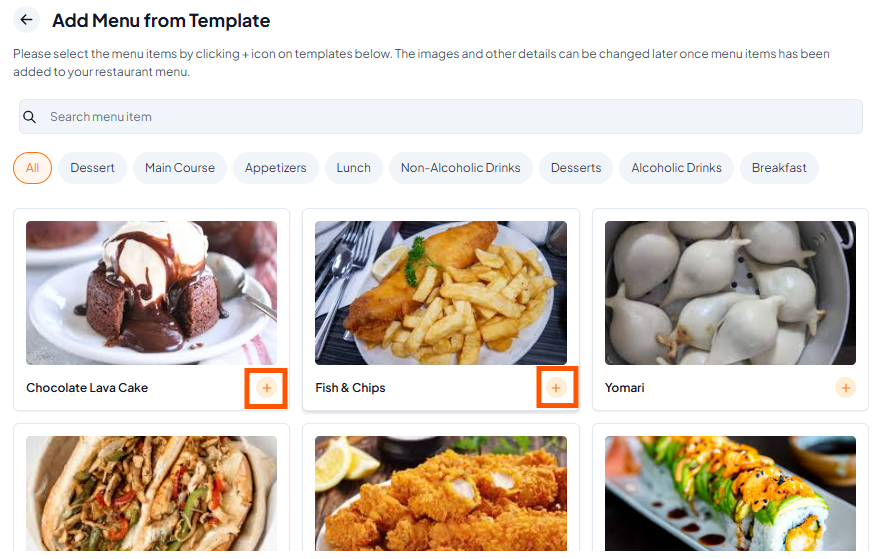
Step 2: Select the Items You Want to Add
Click the (+) icon to select items.
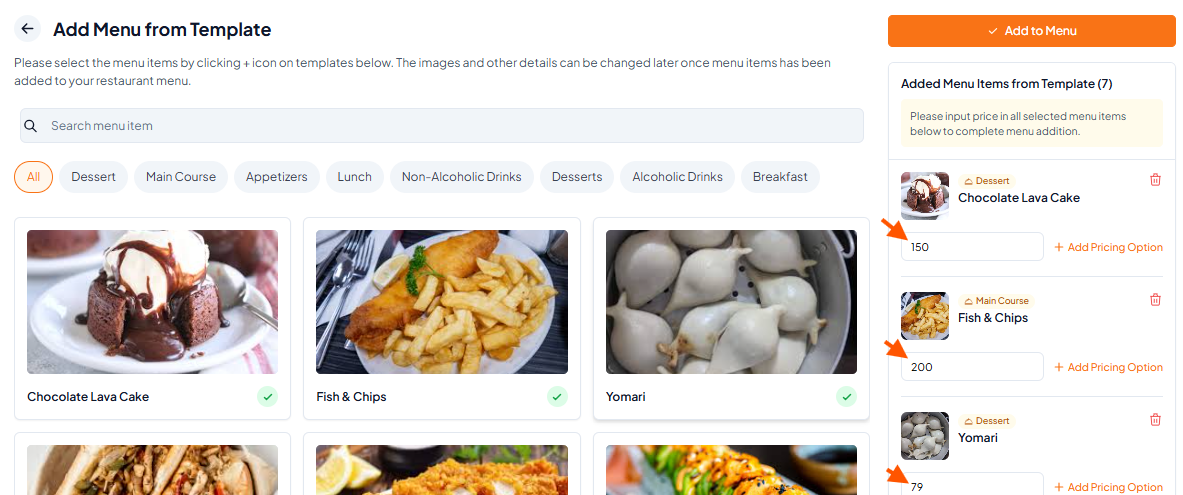
Step 3: Add Price for Each Item
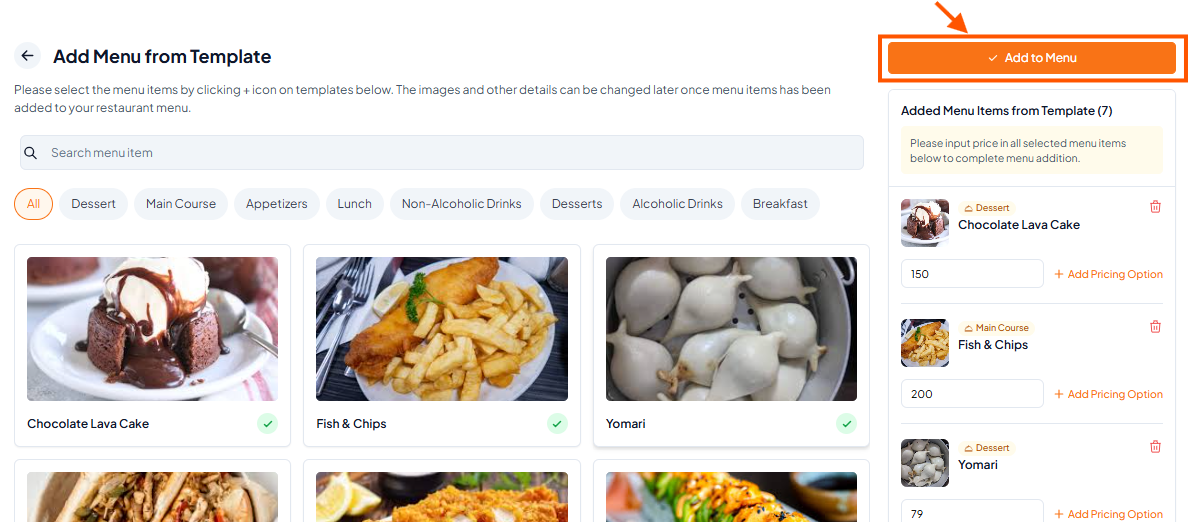
Step 4: Click "Add to Menu"