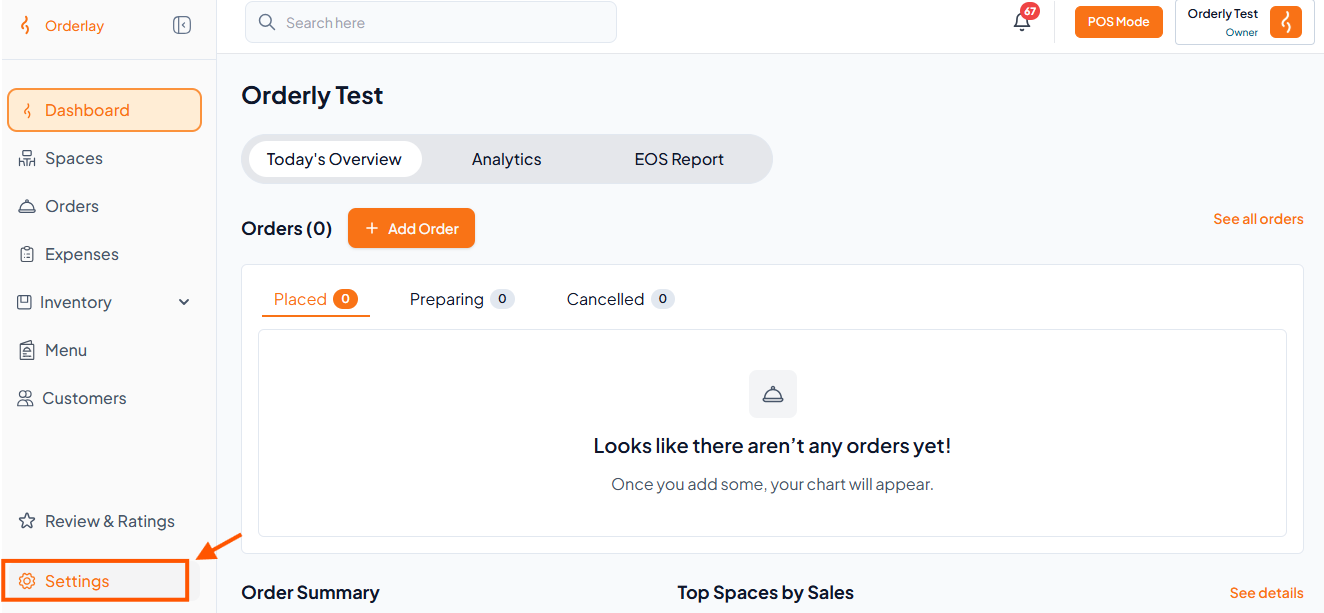
Step 1: Open Settings
From the Dashboard, click on "Settings" in the left menu.
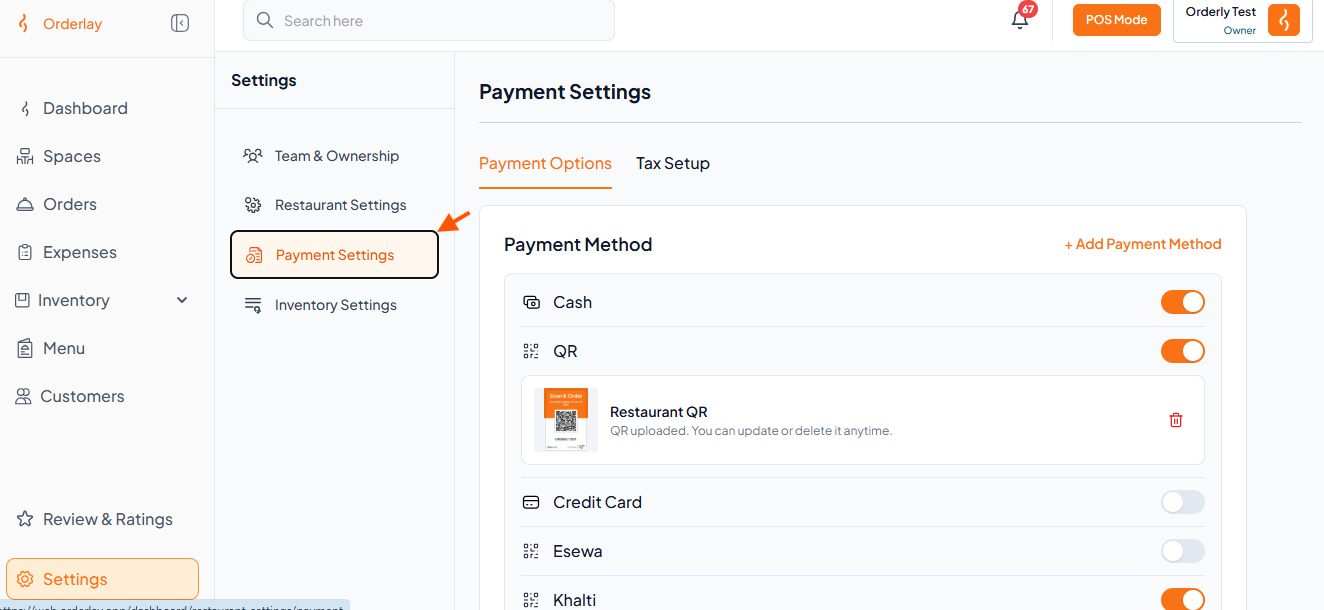
Step 2: Go to Payment Settings
Inside Settings, click Payment Settings.
Step 3: Click "Tax Setup"
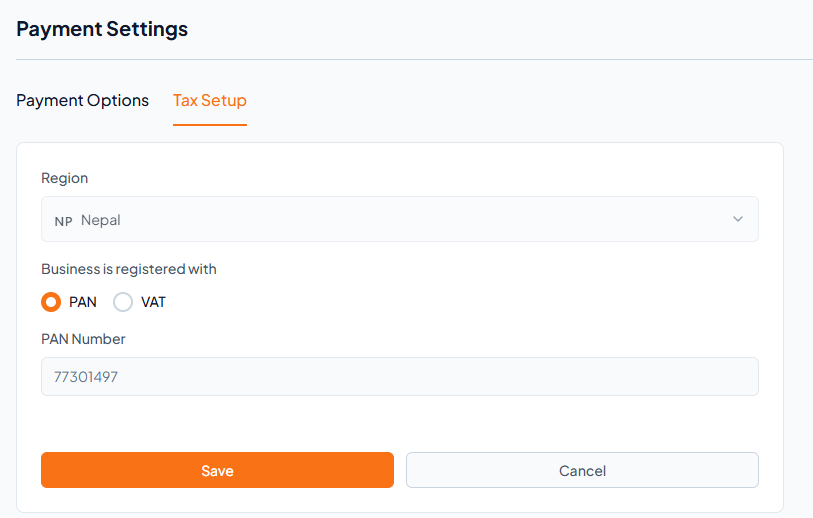
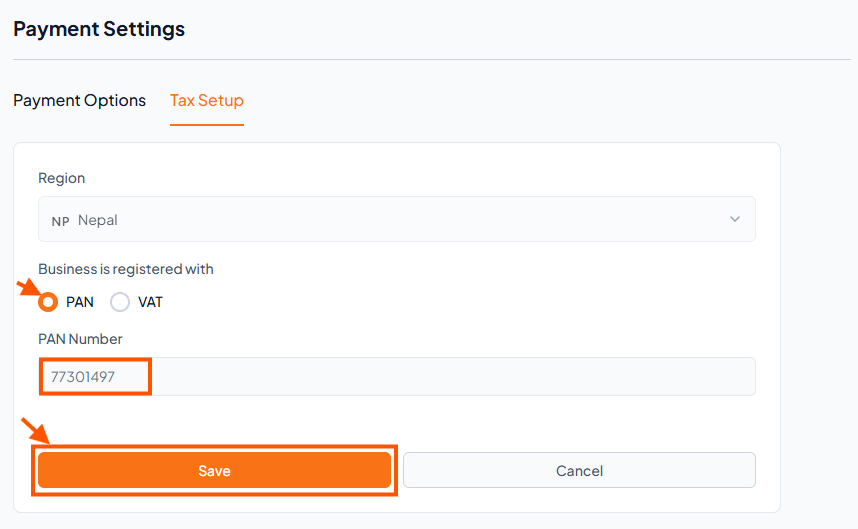
Step 4: Add Tax Details
Option A: If you have a PAN (no VAT)
Select PAN under Business is registered with.
Enter your PAN Number.
Tap Save.
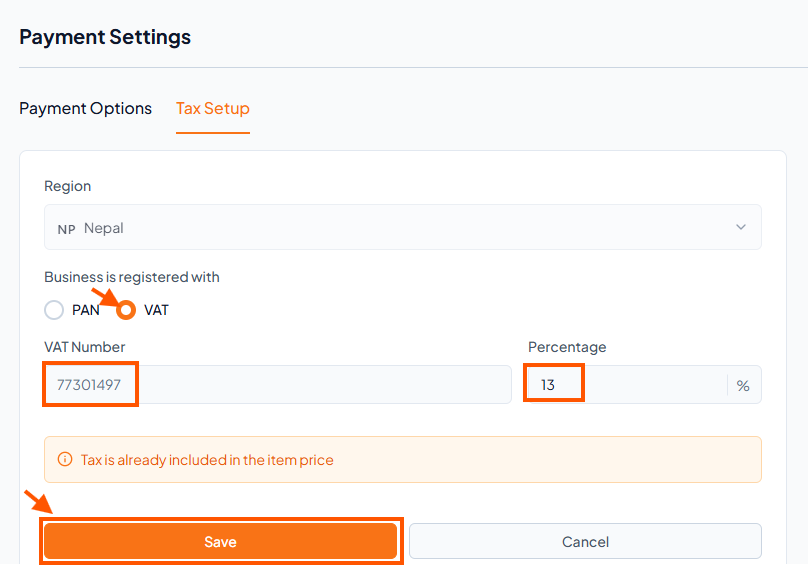
Option B: If you have VAT (no PAN)
Select VAT.
Enter your VAT Number.
Set the correct Percentage (e.g., 13%).
Tap Save.