
Step-By-Step-Guide
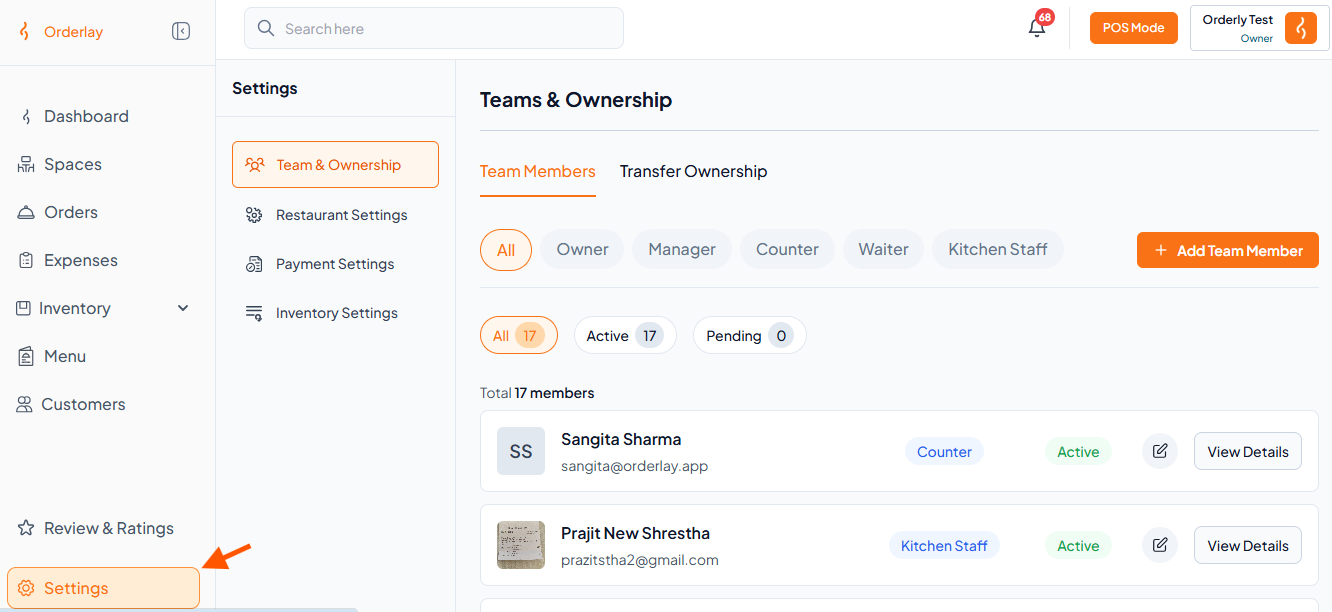
Step 1: Go to Settings
Step 2: Open Restaurant Settings
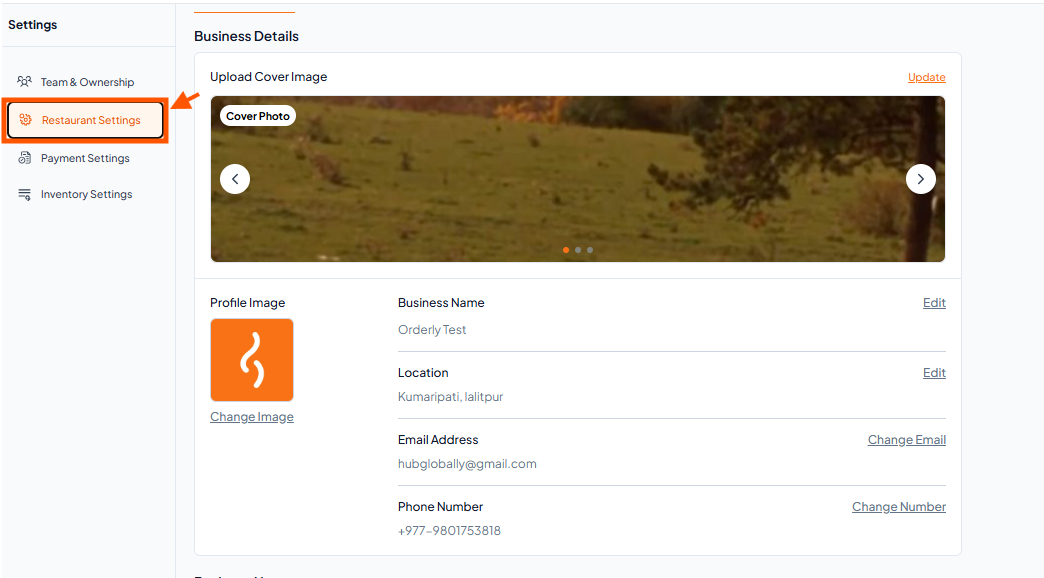
Inside the Settings page, click on Restaurant Settings from the available options
Step 3: Update Images
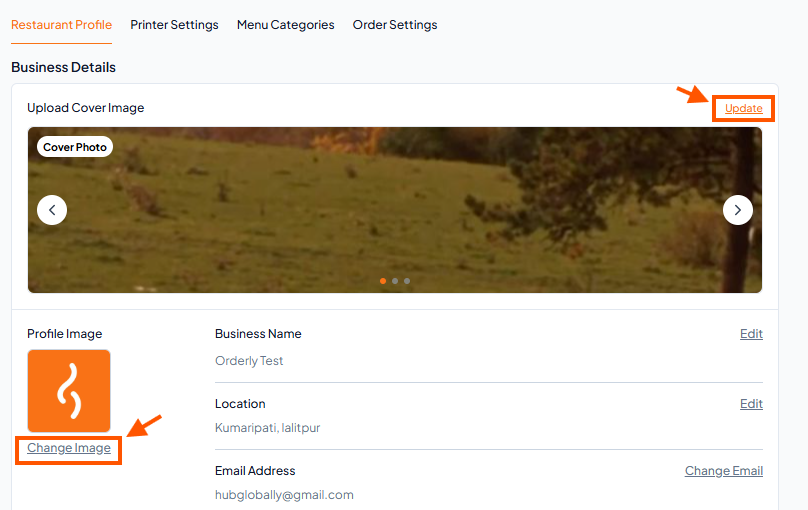
Click the Update button to change your logo and cover picture.
Step 1: Go to Settings
Step 2: Open Restaurant Settings
Inside the Settings page, click on Restaurant Settings from the available options
Step 3: Update Images
Click the Update button to change your logo and cover picture.