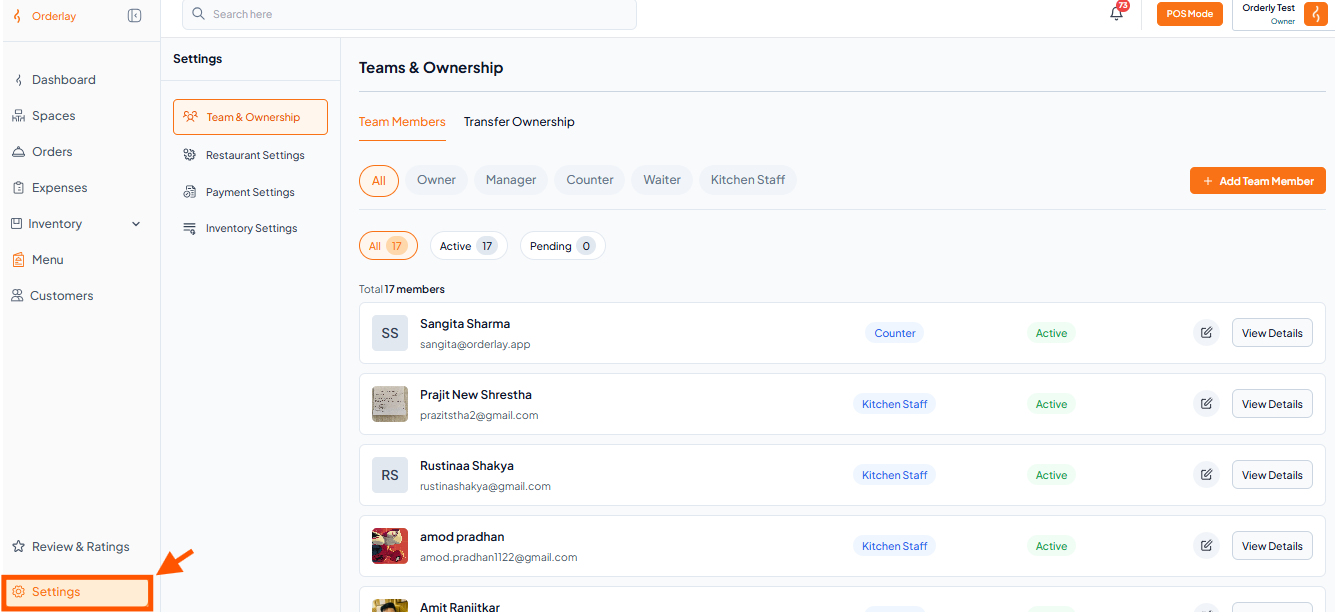
Step 1: From the left sidebar, click on "Settings"
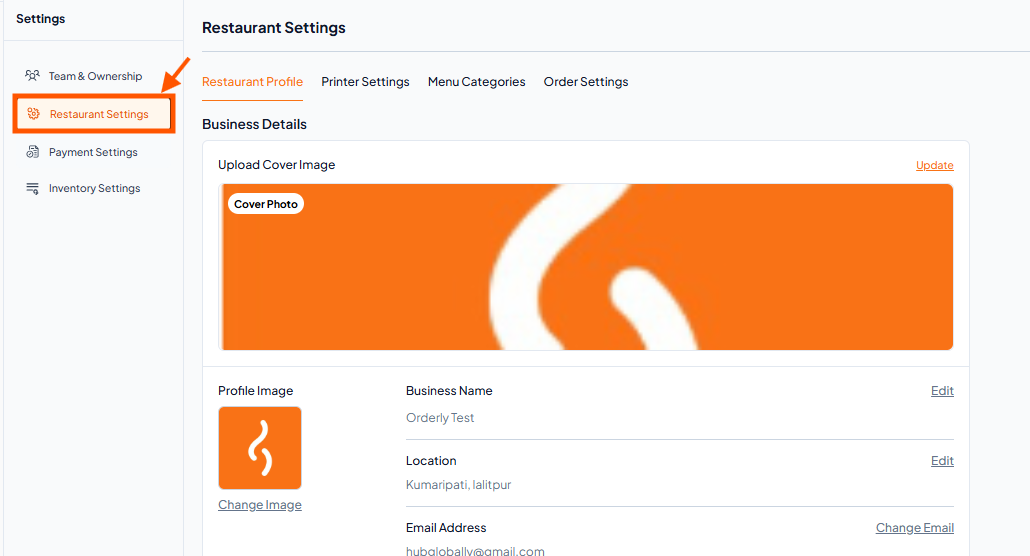
Step 2: Under Setting click on "Restaurant Settings"
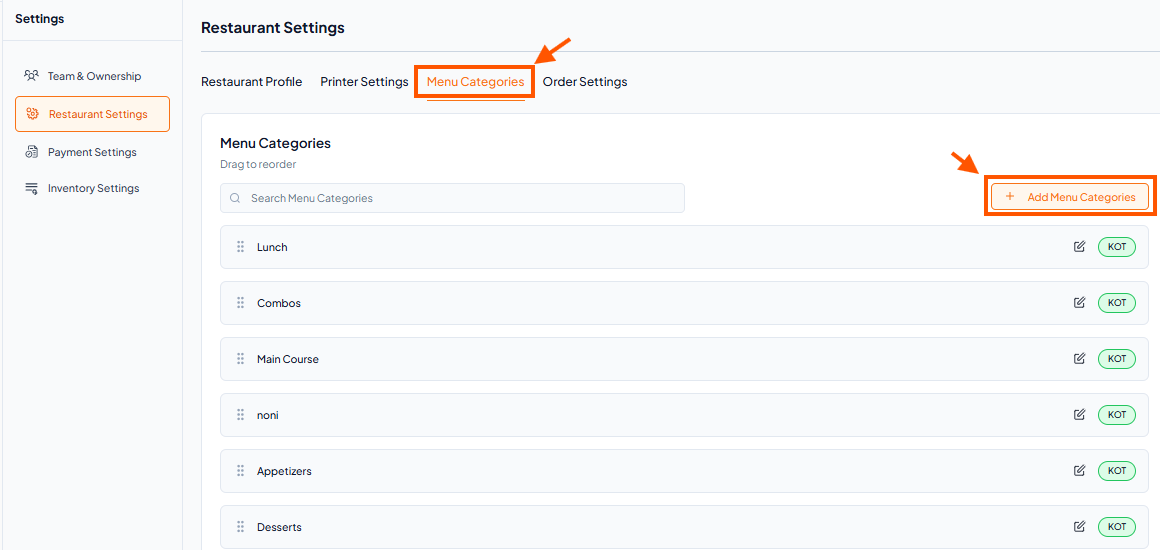
Step 3: Find Menu Categories and Click There, Then Click "Add Menu Category"
Step 4: Enter Category Details
Category Name: Enter a name for the category (e.g., Cake, Drinks).
Send Orders To: Choose where orders for this category should print: (KOT - Kitchen Order Ticket: For food items, BOT - Bar Order Ticket: For drink items.)
(Selecting the correct printer ensures smooth workflow and avoids confusion in the kitchen or bar.)
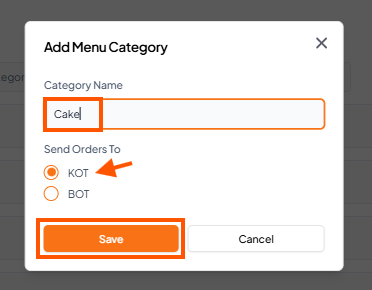
Step 5: Save
Click Save to create the category.
