Step-By-Step-Guide
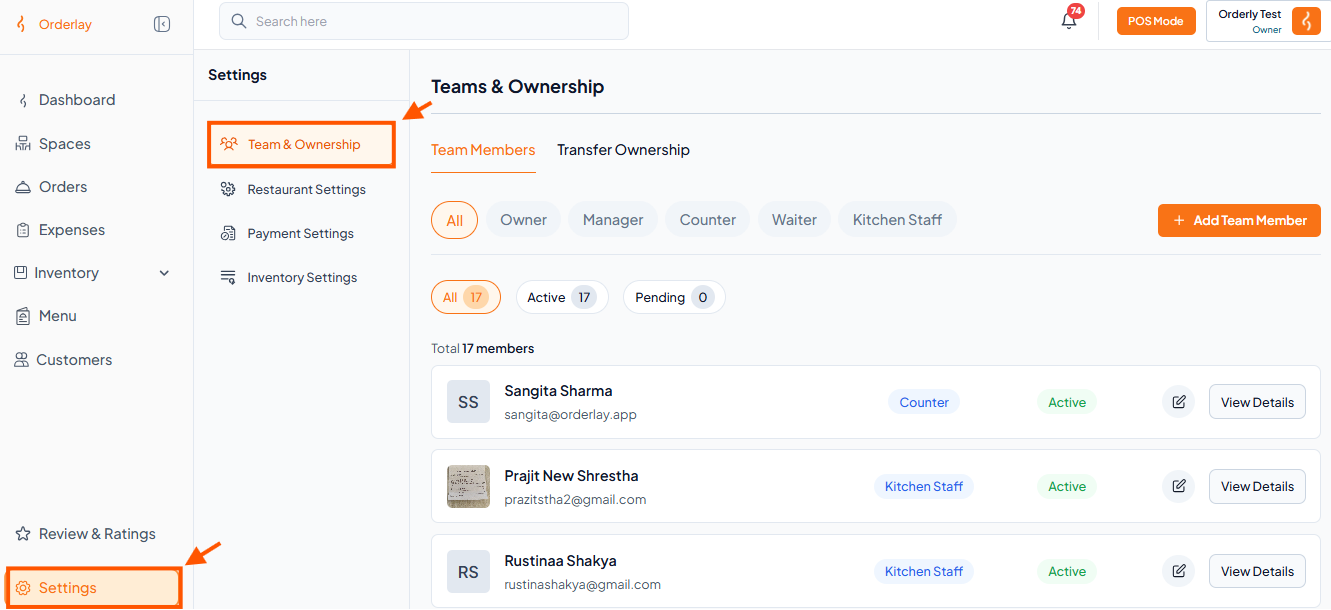
Step 1: In Settings, Click Teams & Ownership
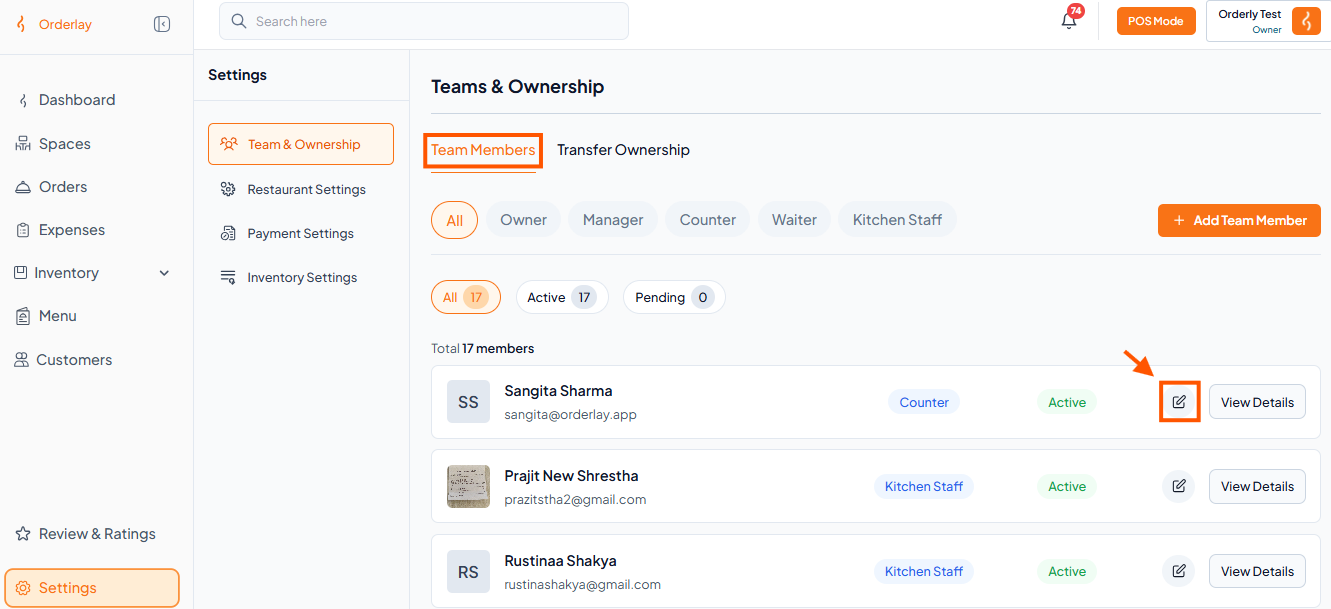
Step 2: Find the Member You Want to Edit or Remove in Team Members
To Edit – Click the Edit Icon next to the member's name.
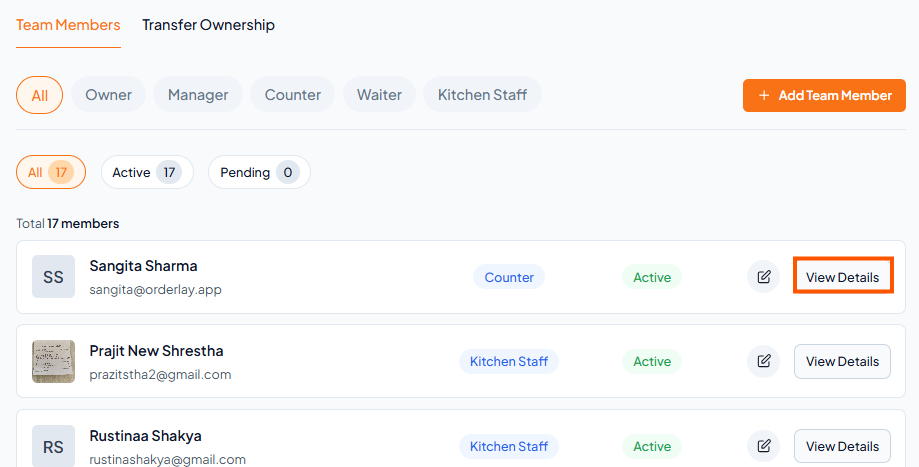
Step 3: Remove member.
To Delete - Tap View Details
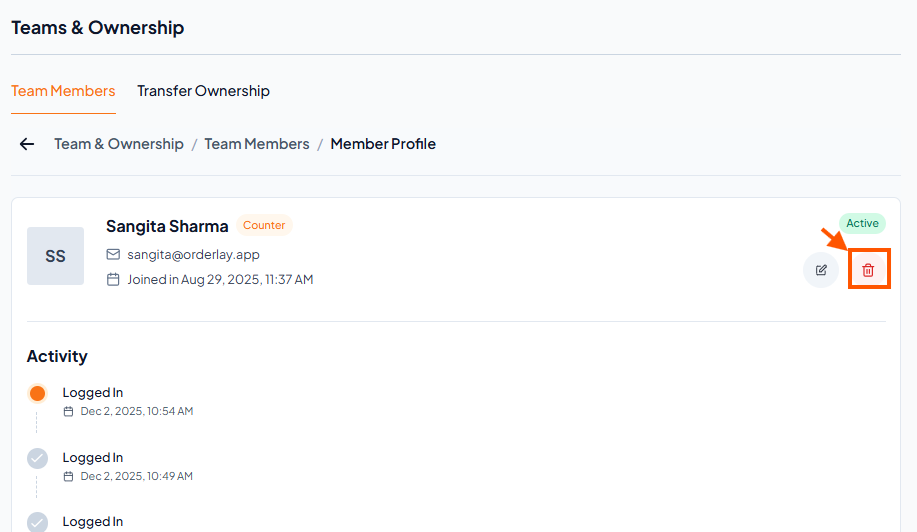
Step 4: Click "Delete"