company logo

Help center

Go to Orderlay
All collections2. Knowledge BaseSales & ReportsGenerate an Item Sales Report (Web)

Generate an Item Sales Report (Web)

Generate daily, weekly, and monthly item sales reports to track performance and easily understand your restaurant’s sales trends over time.

Step-By-Step-Guide

Step 1: Open the Sold Items Report

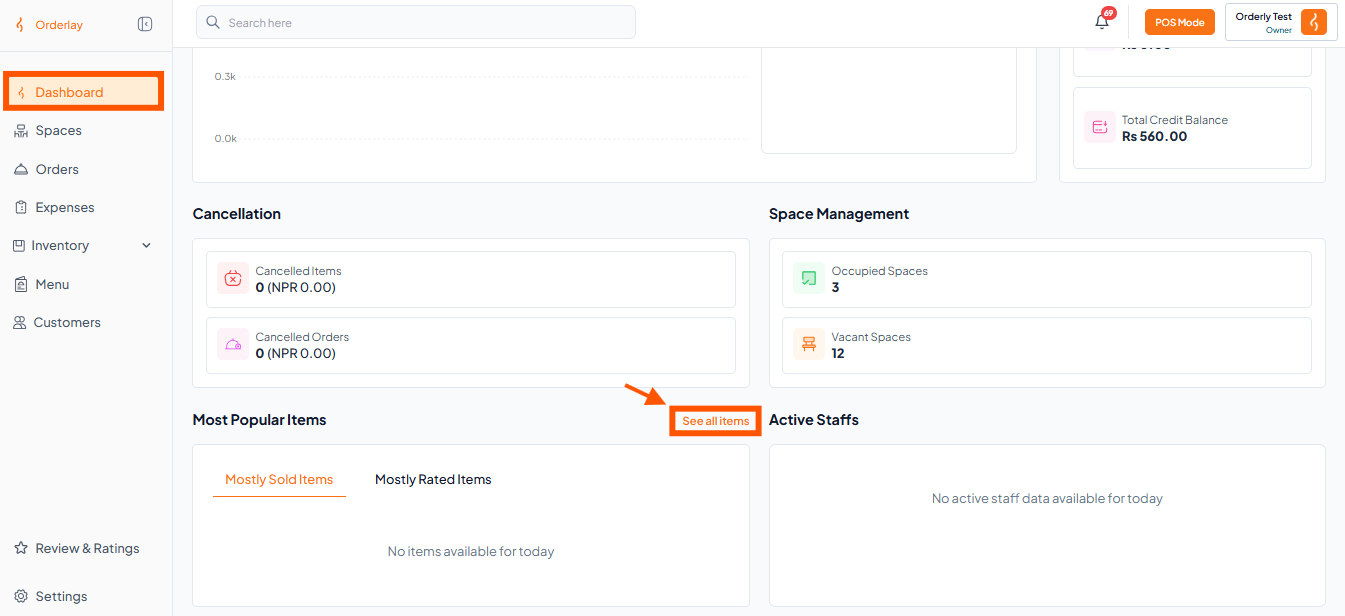
  • Scroll down on the Dashboard page.

  • Look for the Most Popular Items section and Click "See all items"
Step 2: Check Sold Items

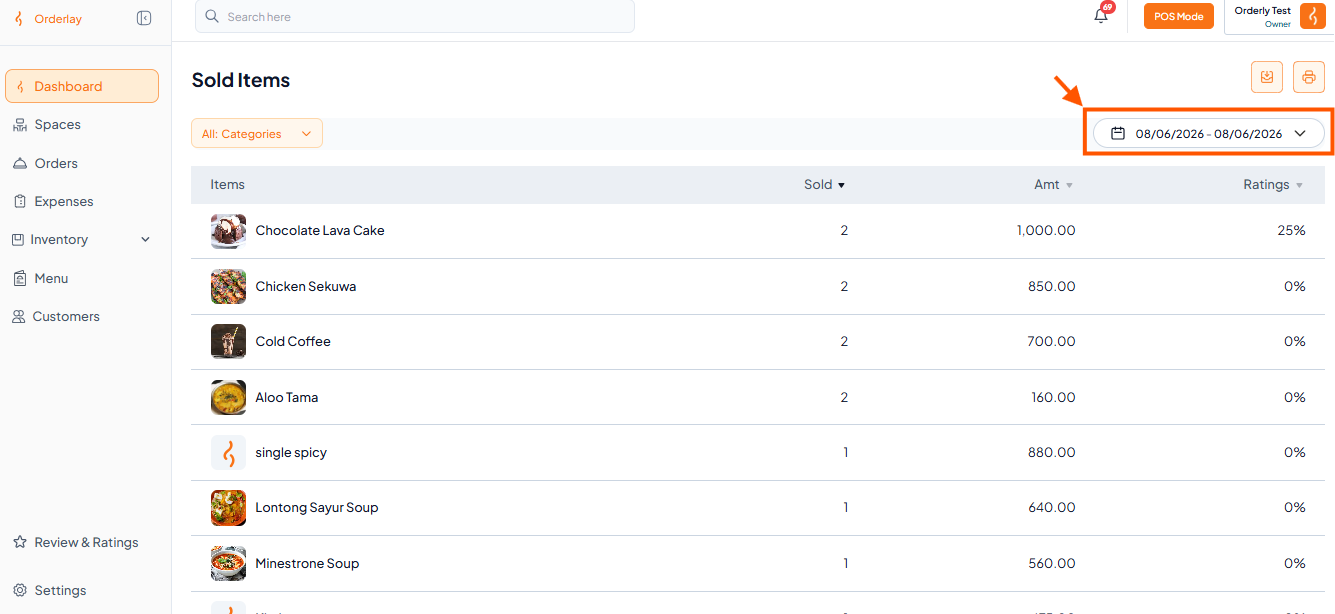
  • On the Sold Items screen, you’ll see:

    • All items sold

    • Quantities

    • Total earnings (Amt NPR)

    • Ratings

  • Make sure the date shown matches the period you want to review.

info icon
You can filter the date to see weekly or monthly item sales. Use the date filter at the top of the page.

warning icon
Note: Reports are based on completed orders only. Make sure orders are marked finished for accurate counts.

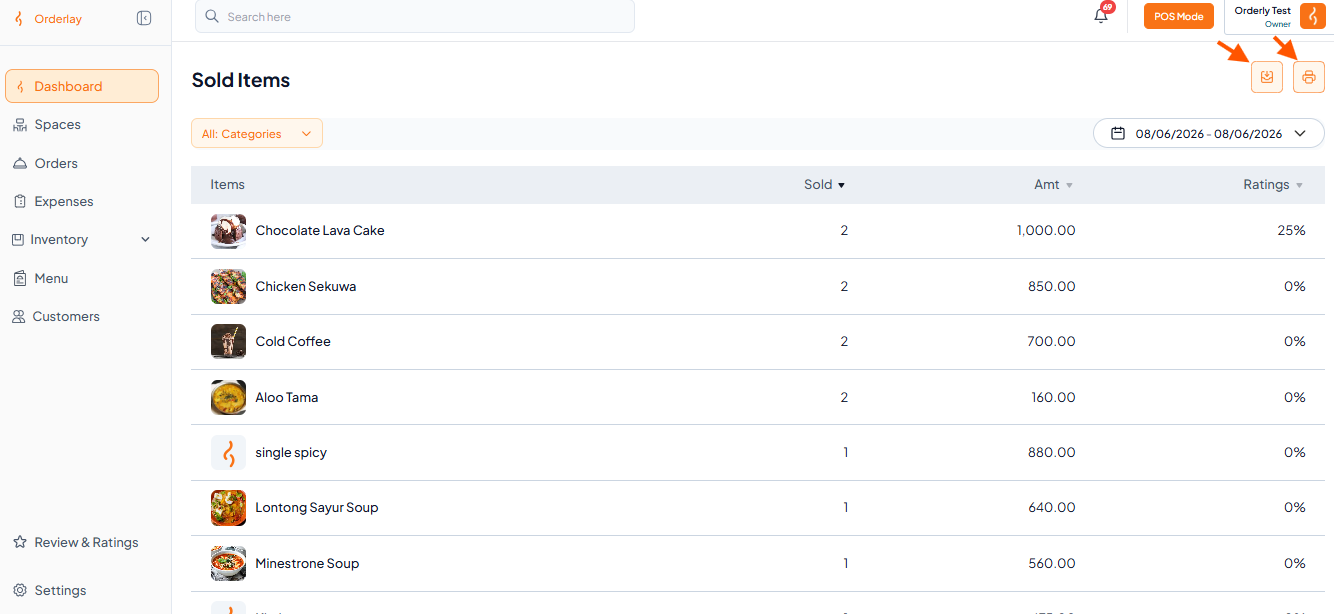
Step 3: Export or Print (2 Options)

Once your date range is selected:

🖨 Print Preview

Click Print Preview → Print

📎 Save to Excel

Click Export to Excel or Download CSV


Did this answer your question?
😞
😐
😁