
Step-By-Step-Guide
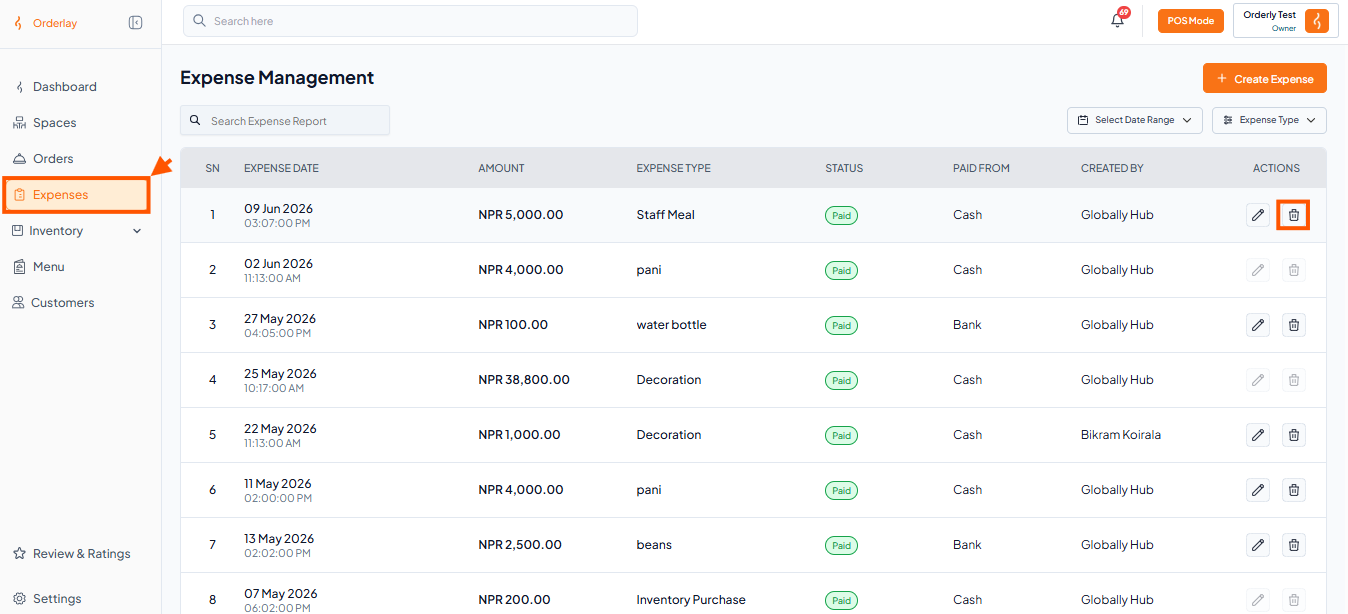
Step 1: Select the Expense & Click delete
Click on "Expenses"
Find the expense you want to delete and Click "Delete".
Step 2: Confirm Yes to Delete
Step 1: Select the Expense & Click delete
Click on "Expenses"
Find the expense you want to delete and Click "Delete".
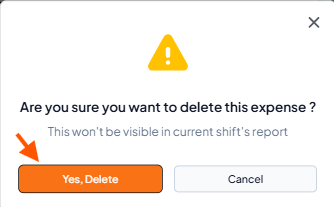
Step 2: Confirm Yes to Delete