
Step-By-Step-Guide
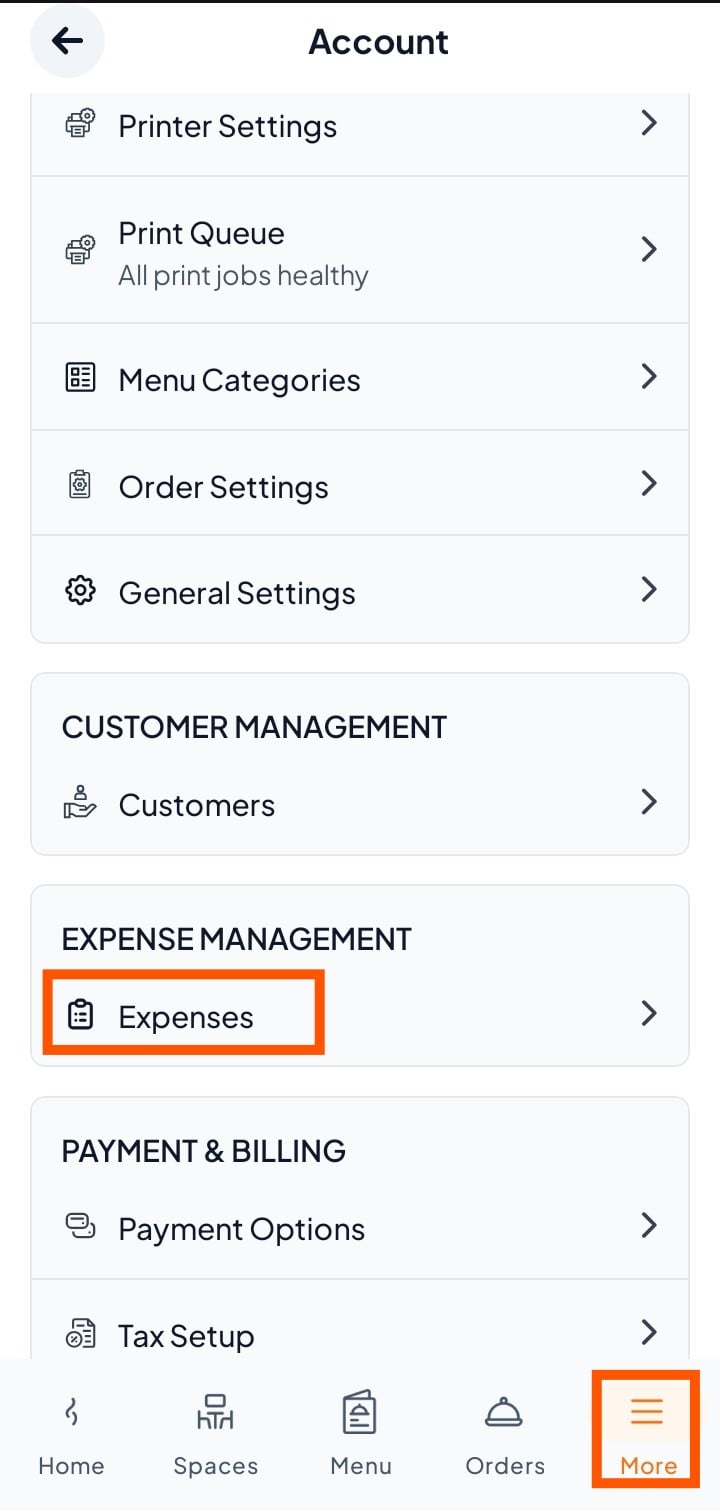
Step 1: Select Expense
From the bottom menu, tap More
Then select Expenses (under Expense Management).
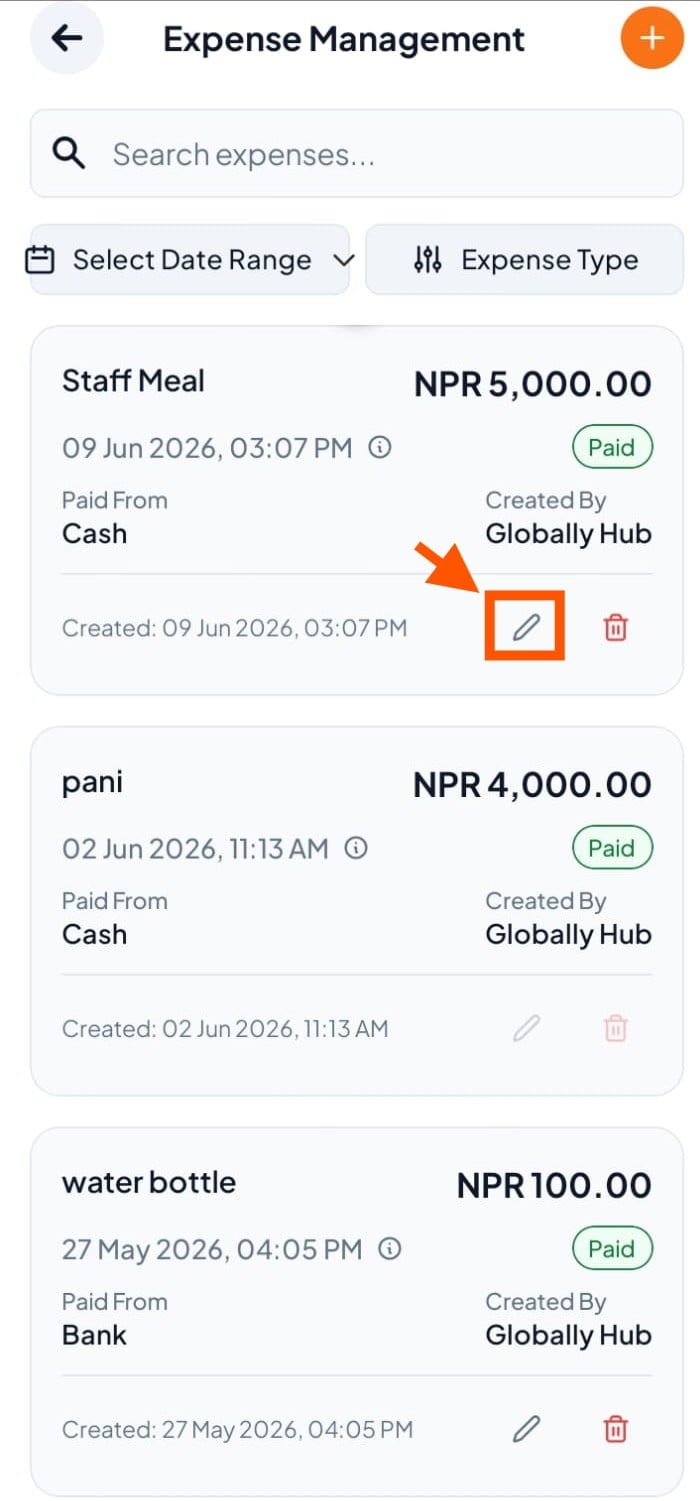
Step 2: Select the Expense You Want to Edit
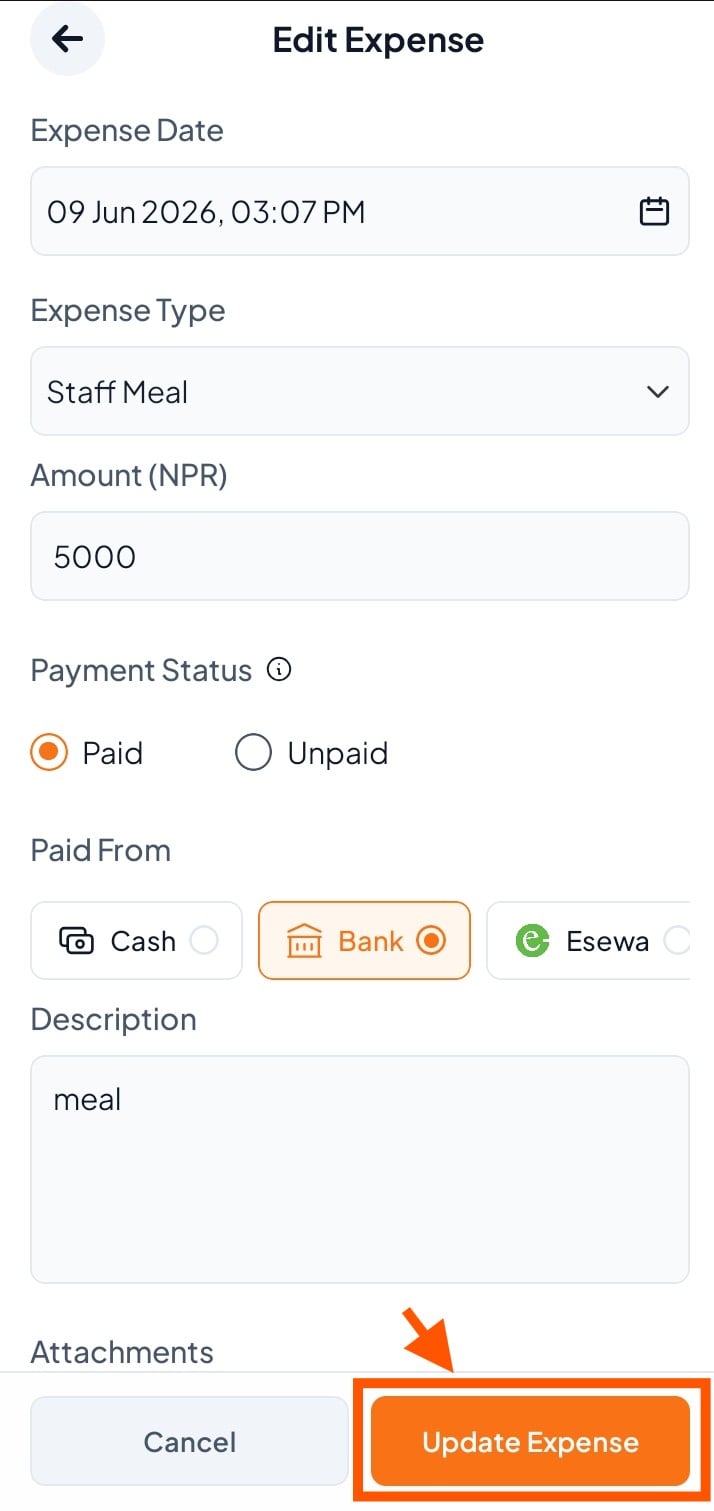
Step 3: Make Changes & Click Update Expenses
Step 1: Select Expense
From the bottom menu, tap More
Then select Expenses (under Expense Management).
Step 2: Select the Expense You Want to Edit
Step 3: Make Changes & Click Update Expenses