On both web and mobile:
Step-By-Step-Guide
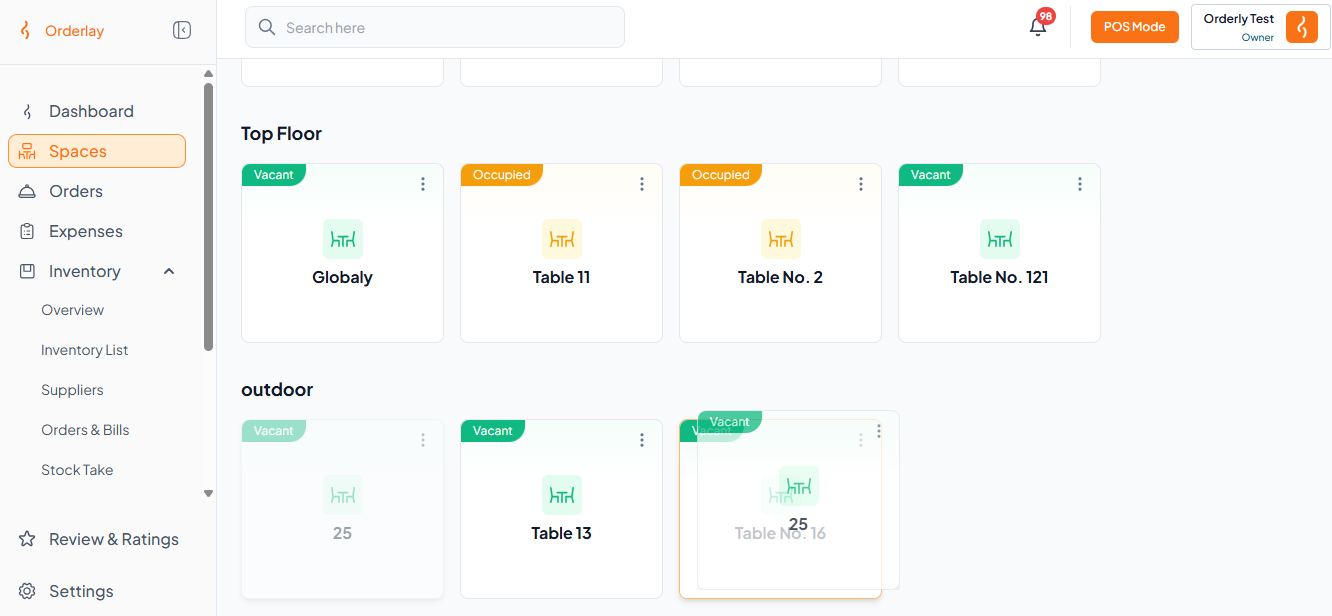
Step 1: In the Space section, long press a table and drag it onto another table you want to merge.
Example (see image below): Here, we are merging Table 25 and Table 16.
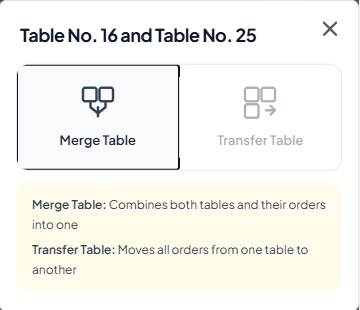
Step 2: Click "Merge Table".
Step 3: The tables are now merged.
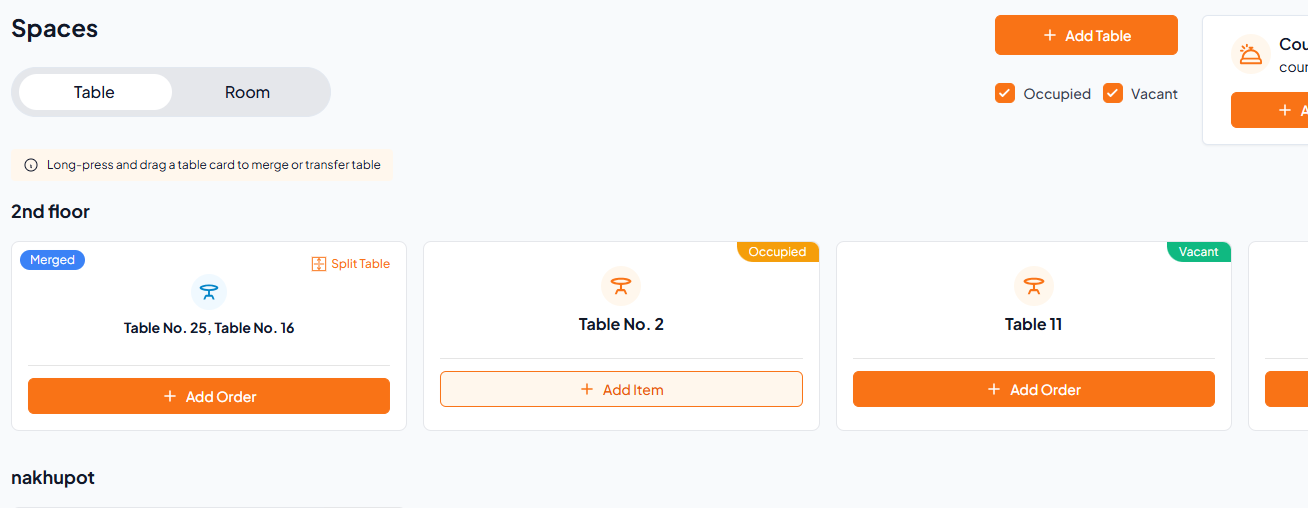

Note: Simply click Split Table to split.