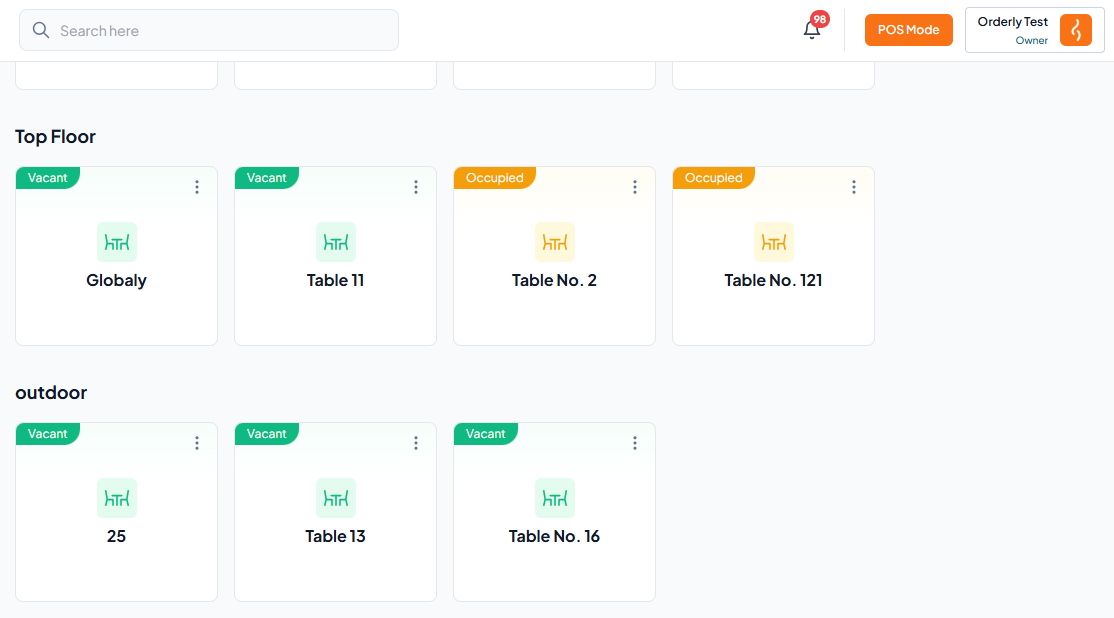
On both web and mobile:
Step-By-Step-Guide
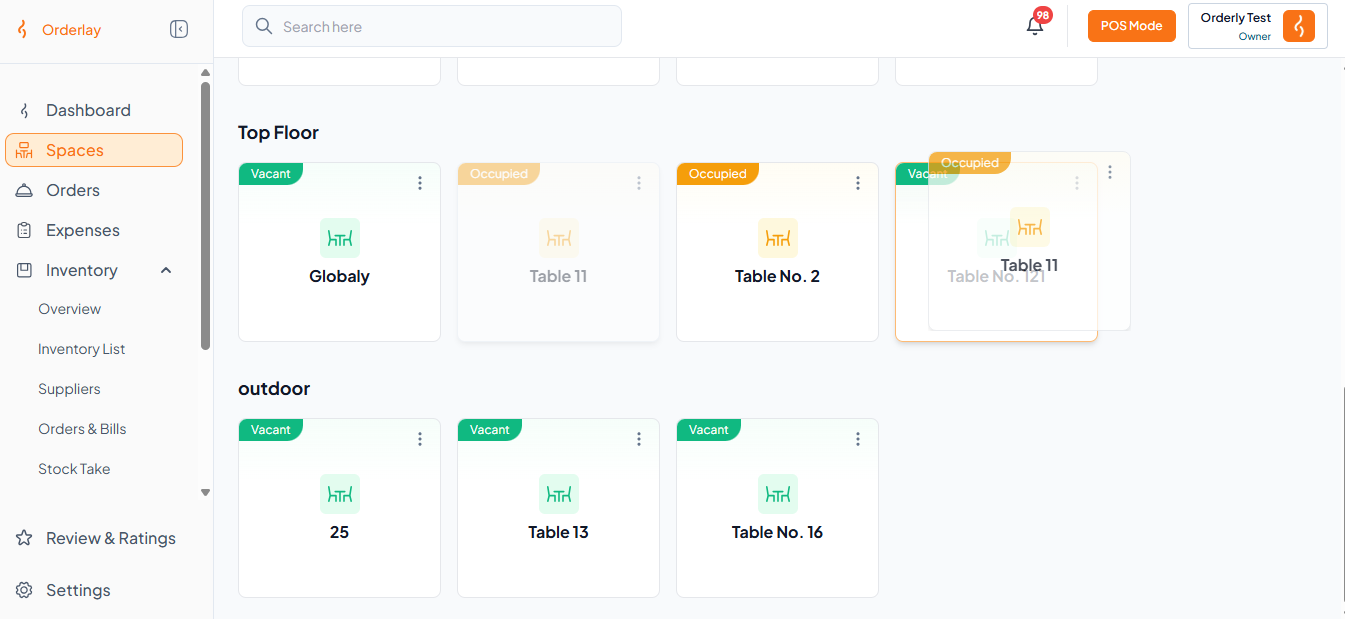
Step 1: In the Space section, long press an occupied table and drag it onto a vacant table you want to transfer to.
Example (see image below): Here, we are transferring Occupied Table 11 to Vacant Table 121.
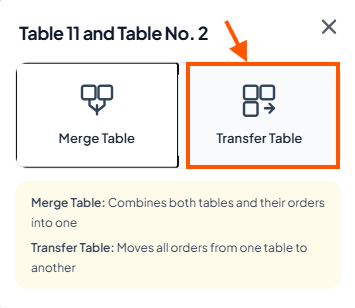
Step 2: Click "Transfer Table".
Step 3: All orders from the original table transfer to Table 121.