Step-By-Step-Guide
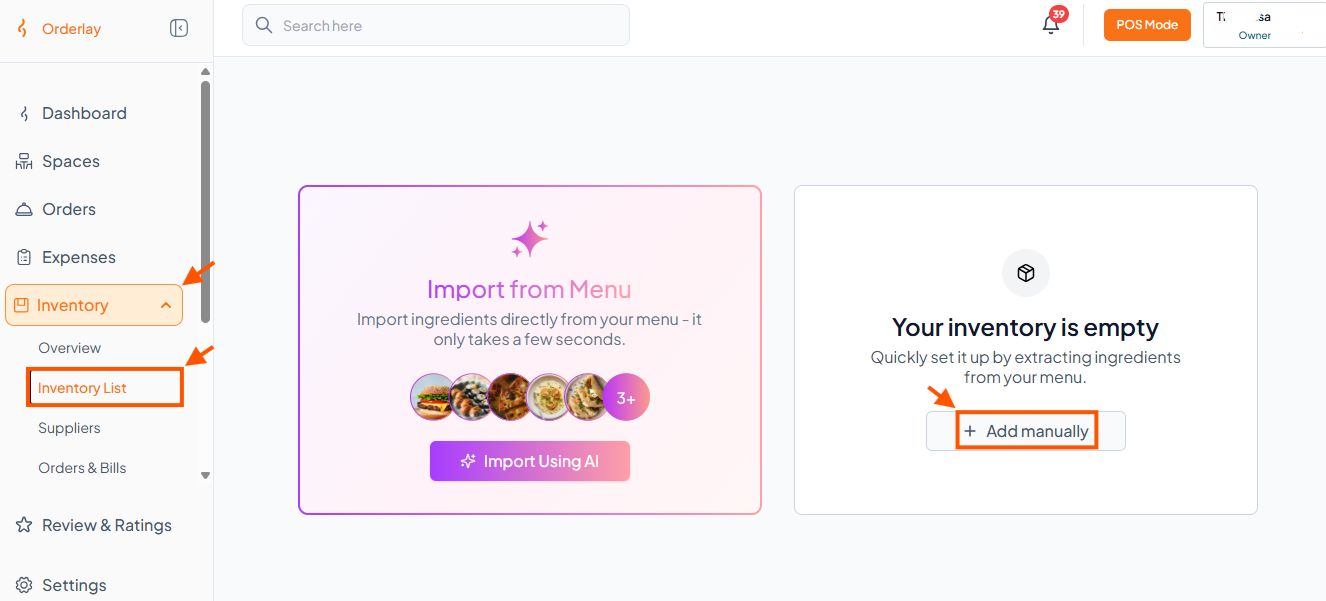
Step 1: Open Add Manually
Go to Inventory → Inventory List, then click "Add Manually".
Step 2: Fill Item Details
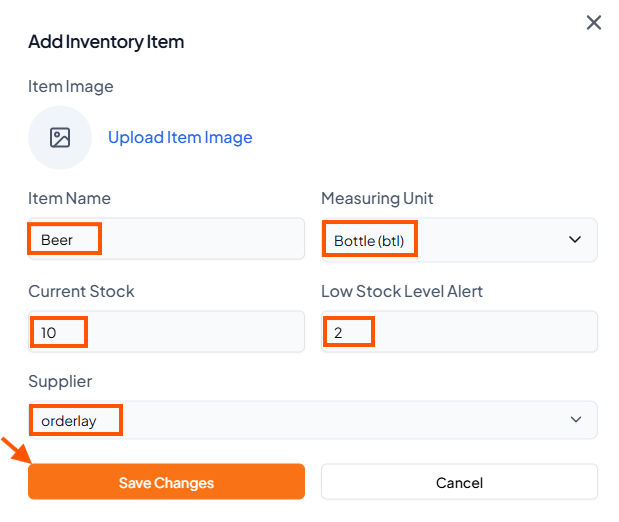
Enter the Item Name, choose Measuring Unit, set Current Stock and Low Stock Alert, and select a Supplier if needed.
Click "Save Changes"
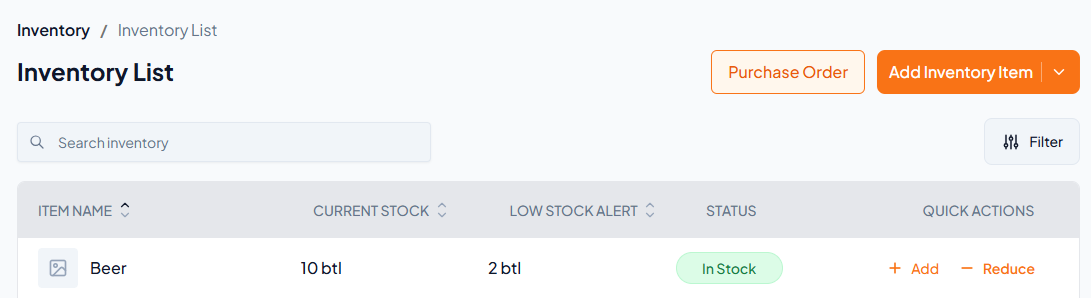
Step 3: View Your Inventory