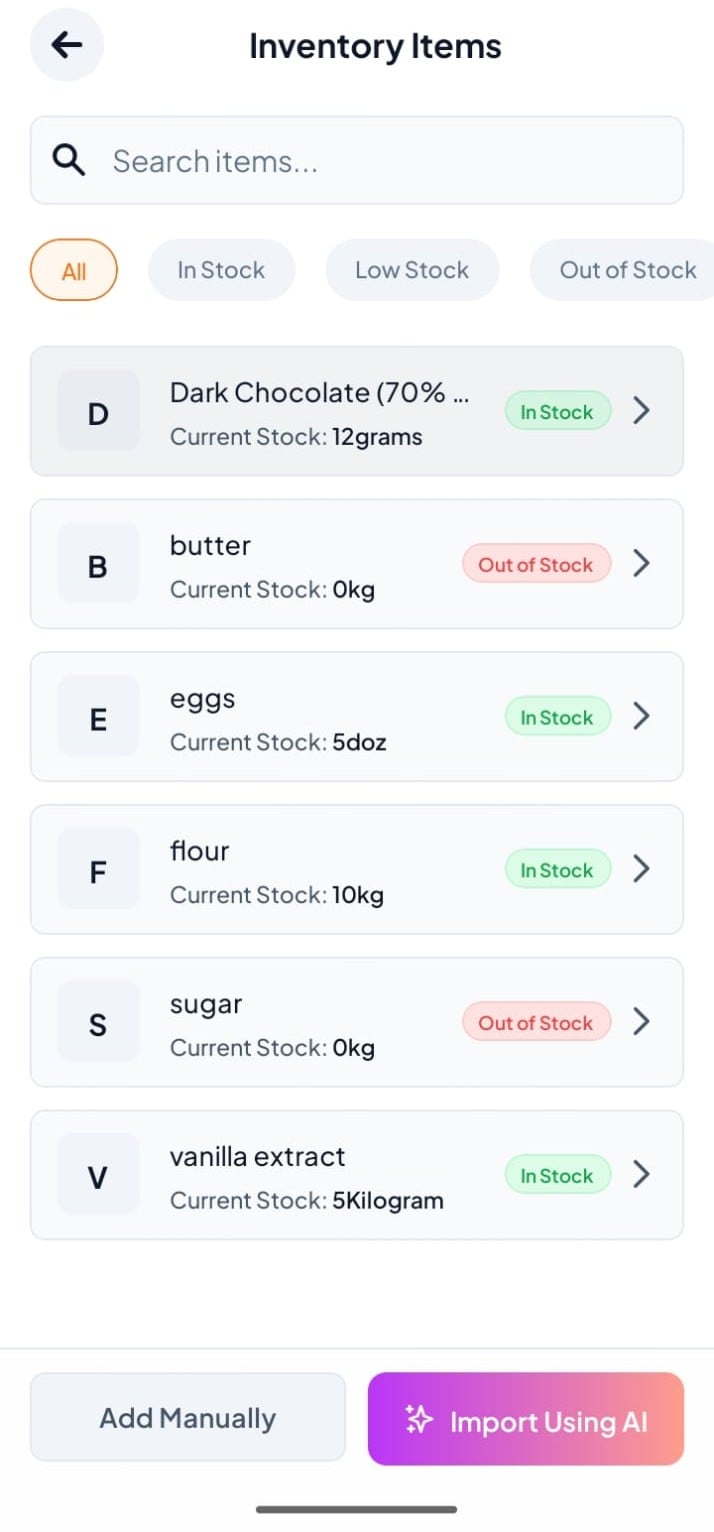
Step-By-Step-Guide
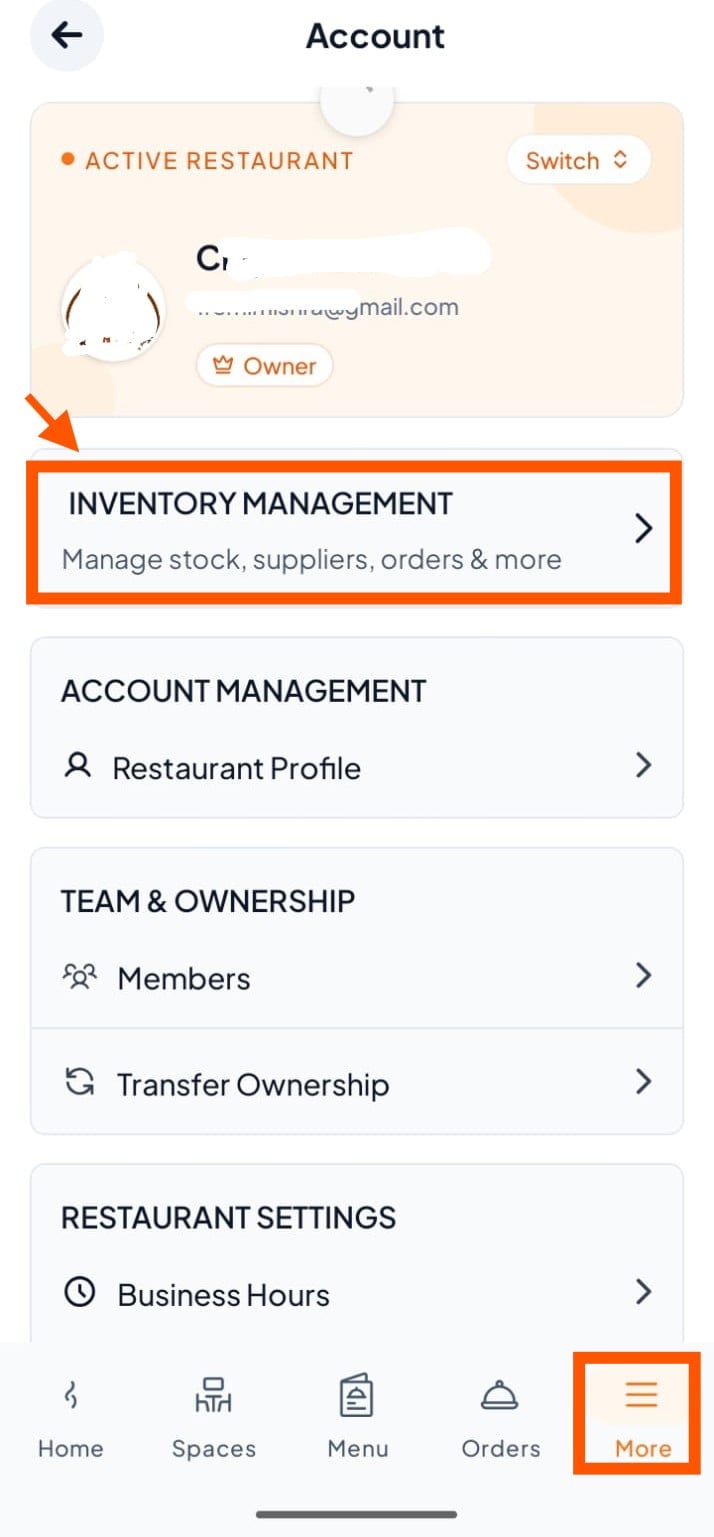
Step 1: Click "Inventroy Management"
Go to more → then click "Inventory Management".
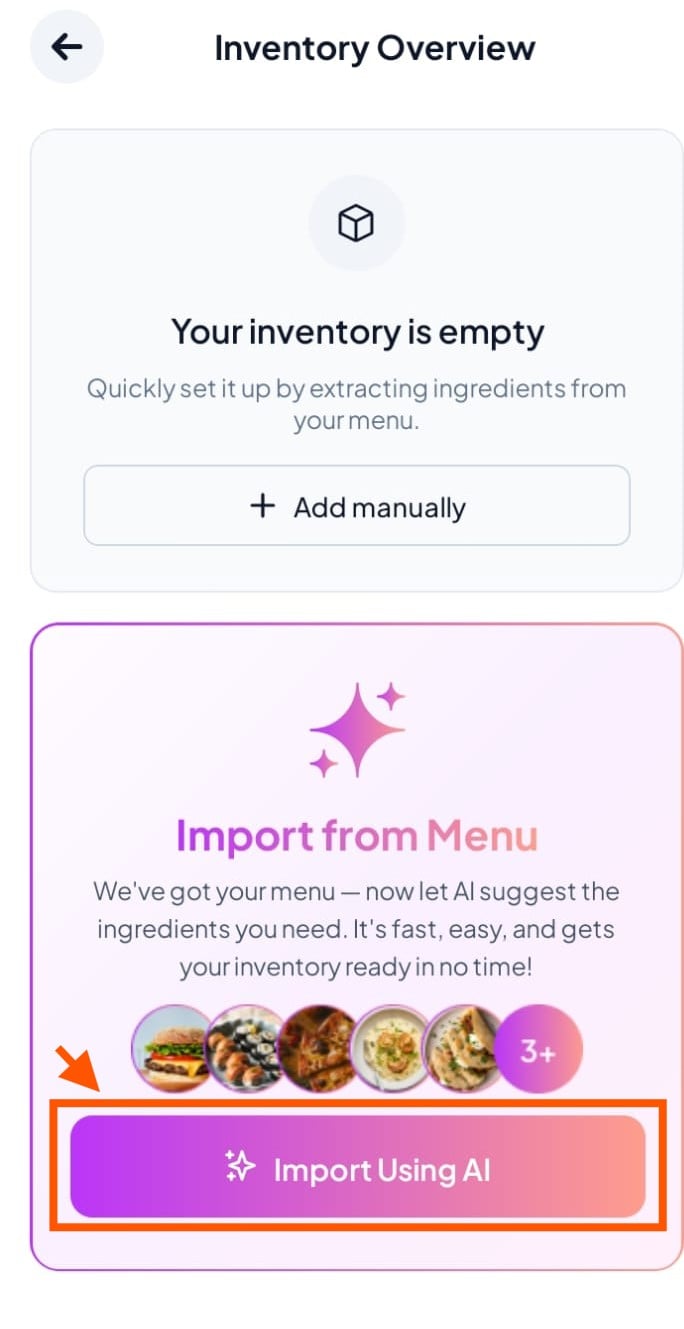
Step 2: Open Import Using AI
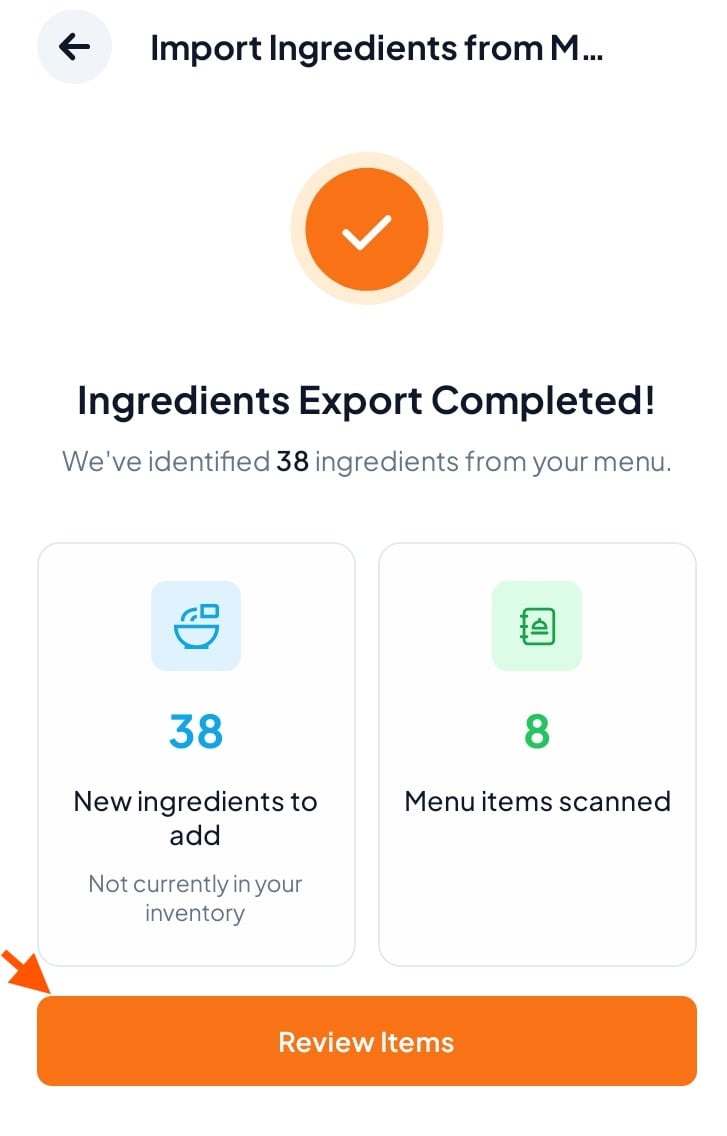
Step 3: AI Scans Your Menu
The system scans your menu and shows you all suggested ingredients ready to add.
Click "Review Items"
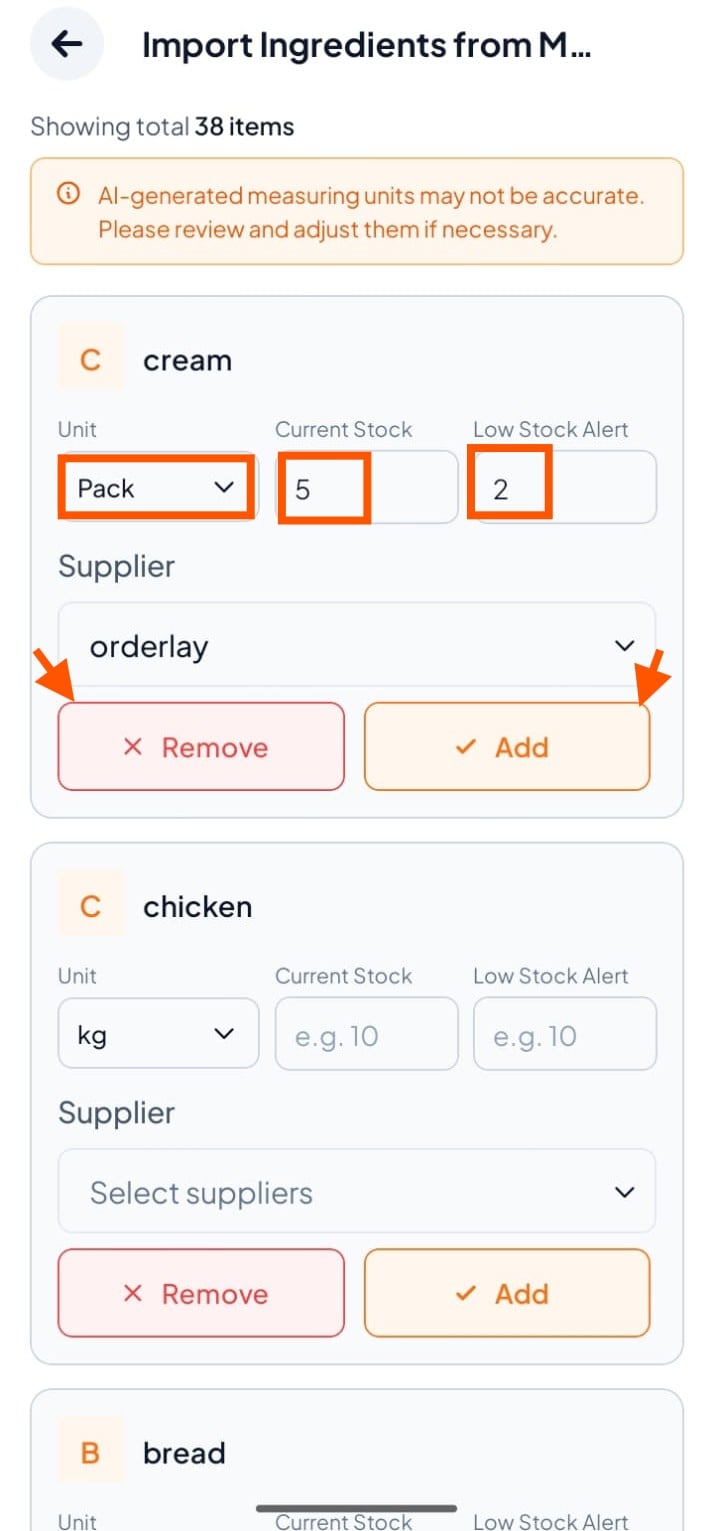
Step 4: Review & Select Items
For each item, set the current stock, choose measuring unit and supplier.
Click ✓ (tick) to keep it, or ✕ (cross) to skip it.
Step 5: View Your Inventory