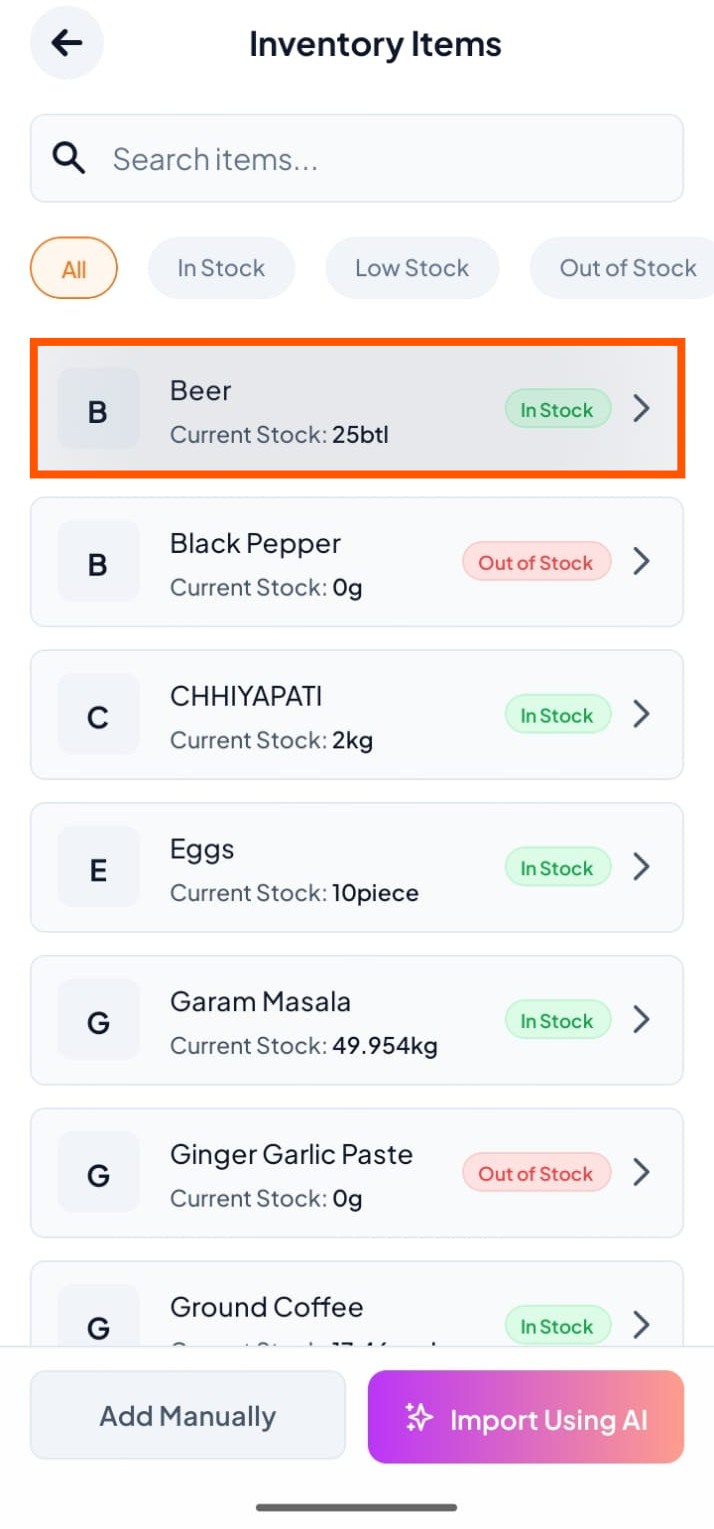
Step-By-Step-Guide
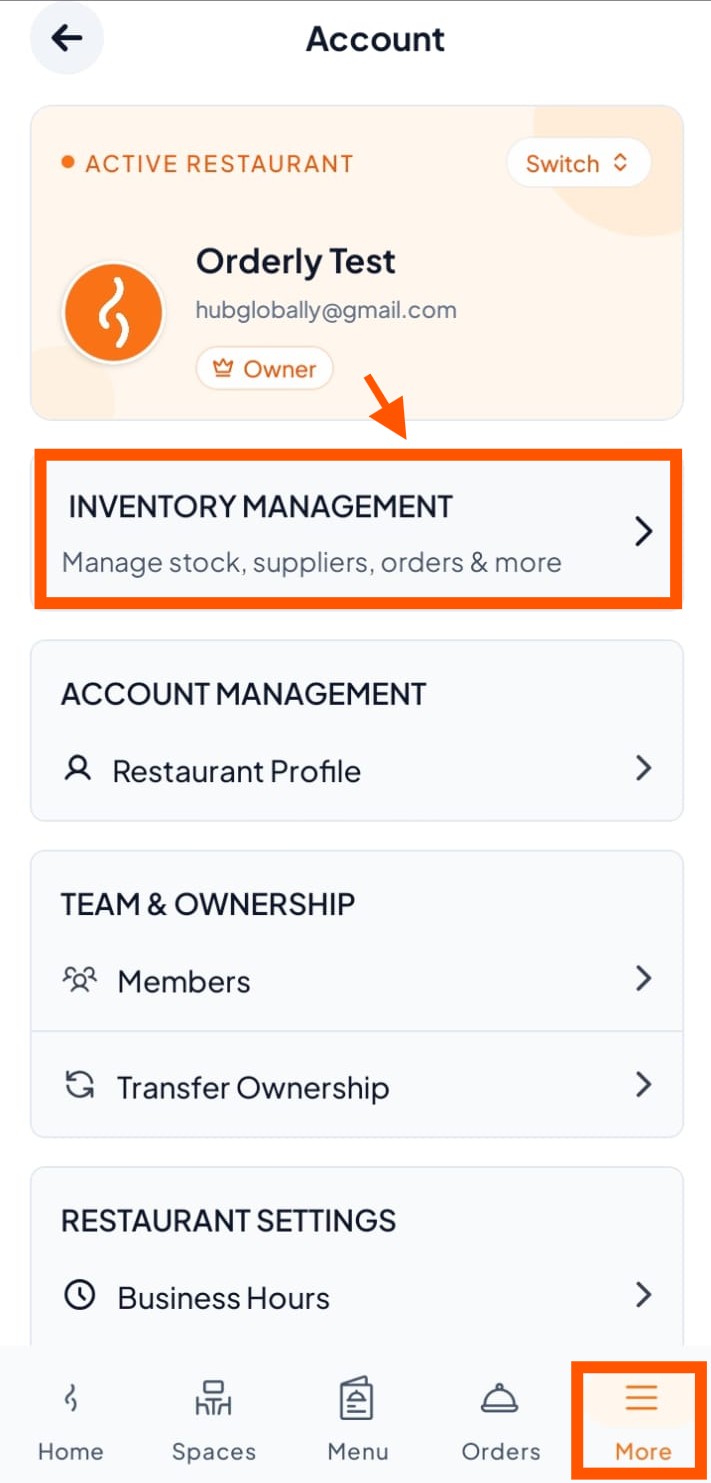
Step 1: Click "Inventroy Management"
Go to more → then click "Inventory Management".
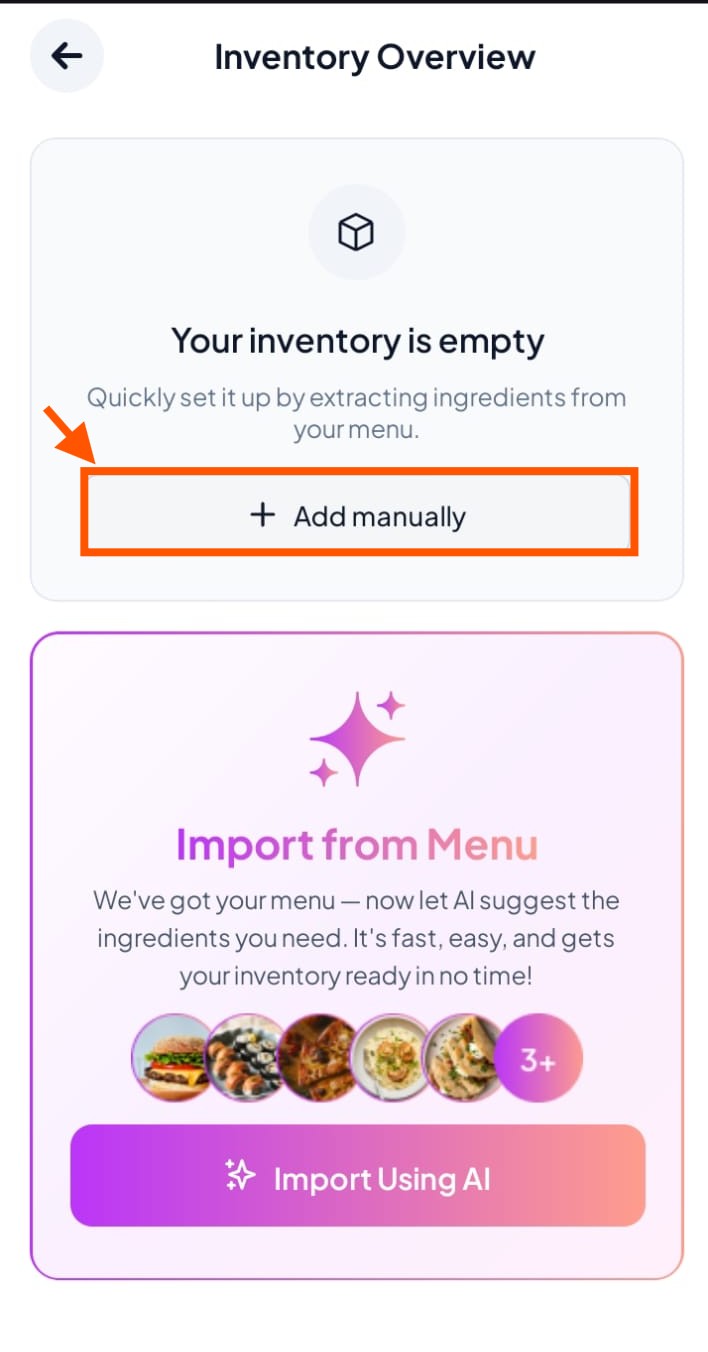
Step 2: Click "+Add Manually"
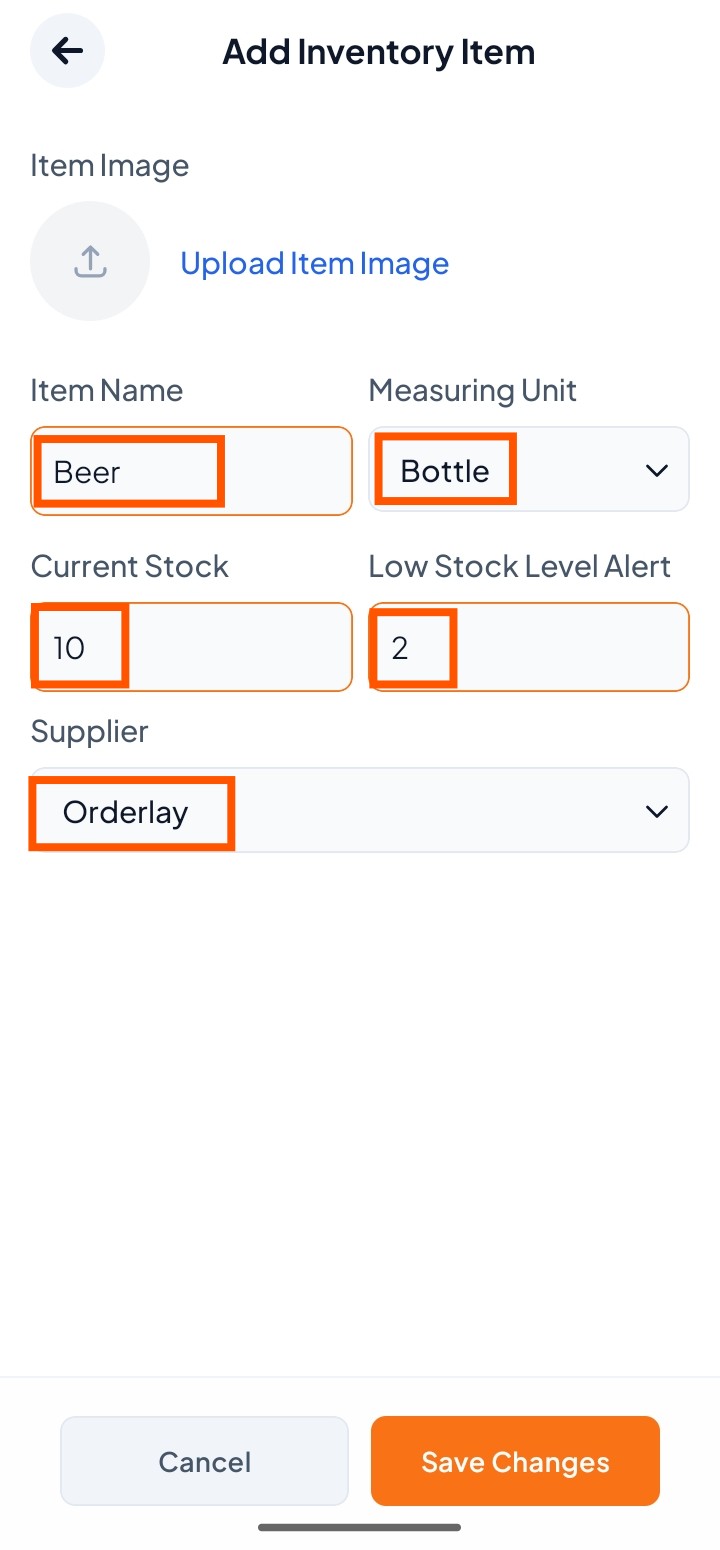
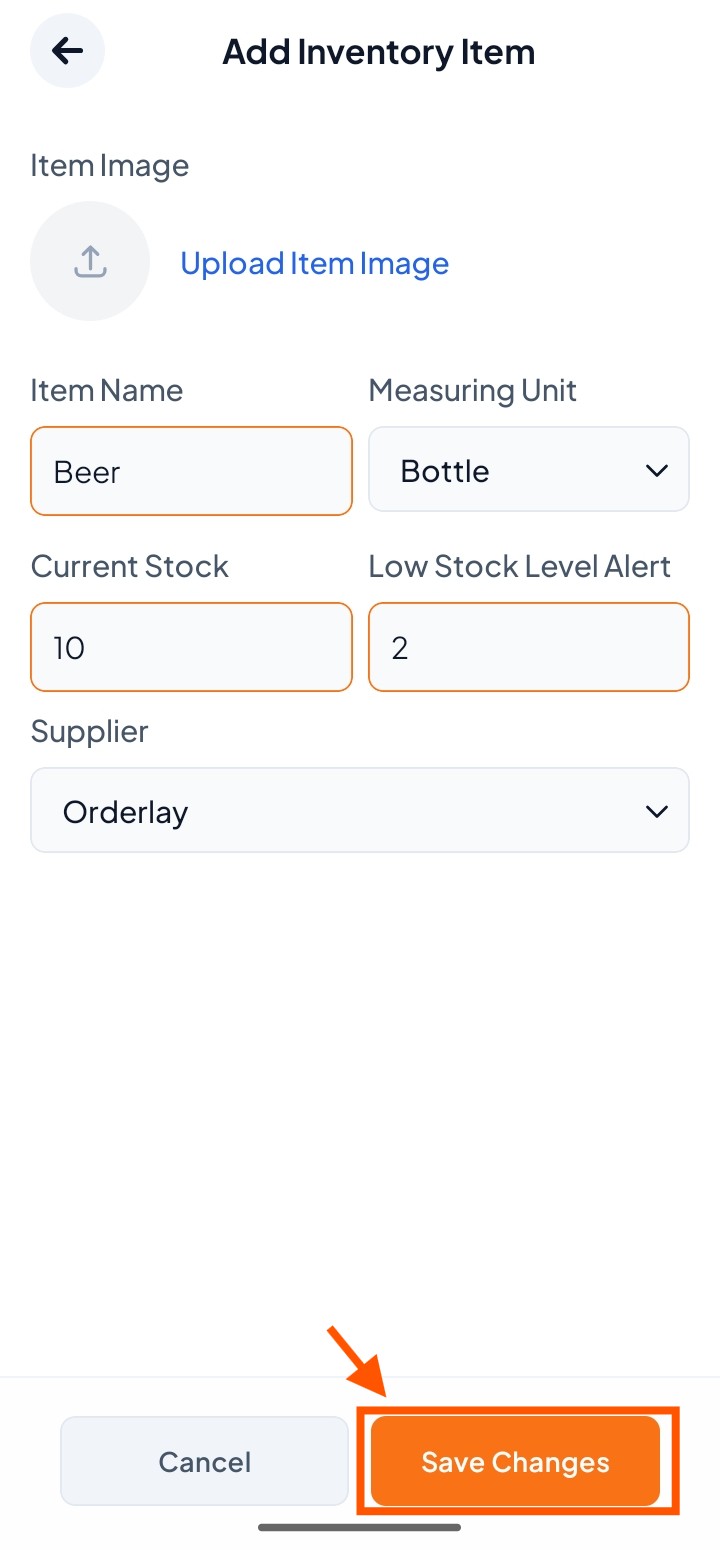
Step 3: Fill Item Details
Enter the Item Name, choose Measuring Unit, set Current Stock and Low Stock Alert, and select a Supplier if needed.
Click "Save Changes"
Step 4: Click "Save Changes"
Step 5: View Your Inventory