Step-By-Step-Guide
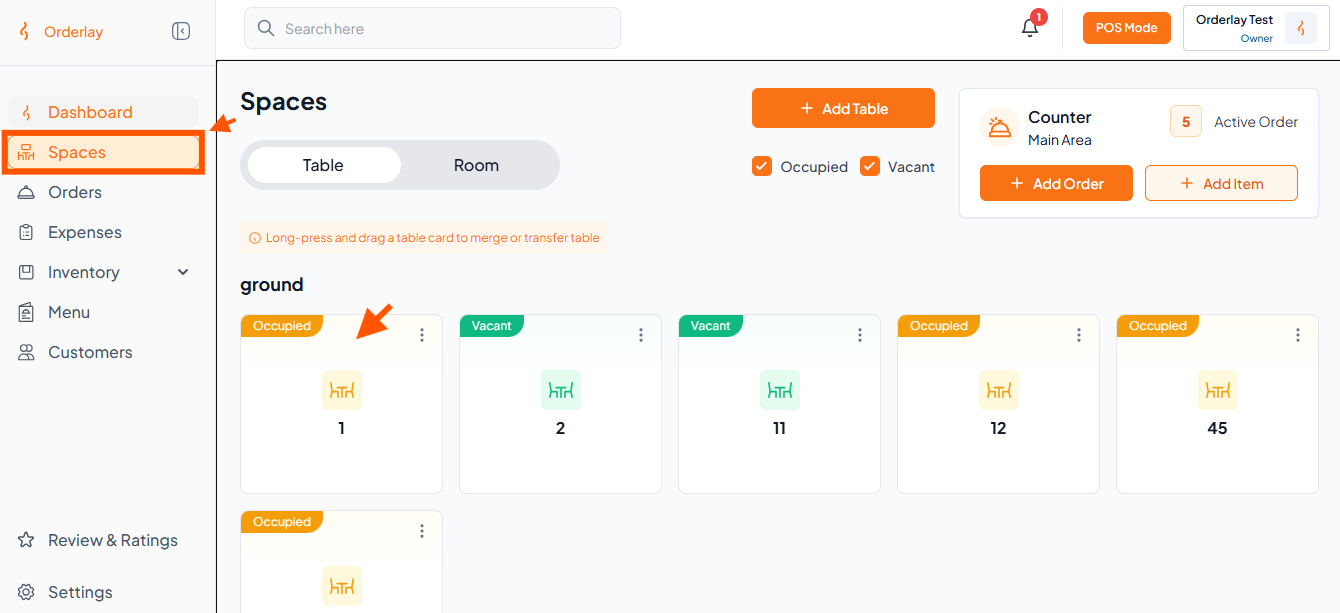
Step 1: Select an Occupied Table or Order
On the Spaces section, click on any occupied table you want to give a discount. (For Example: table no 1)
Or
On the Orders section, click on any order you want to give a discount.
Step 2: Open Apply Discount
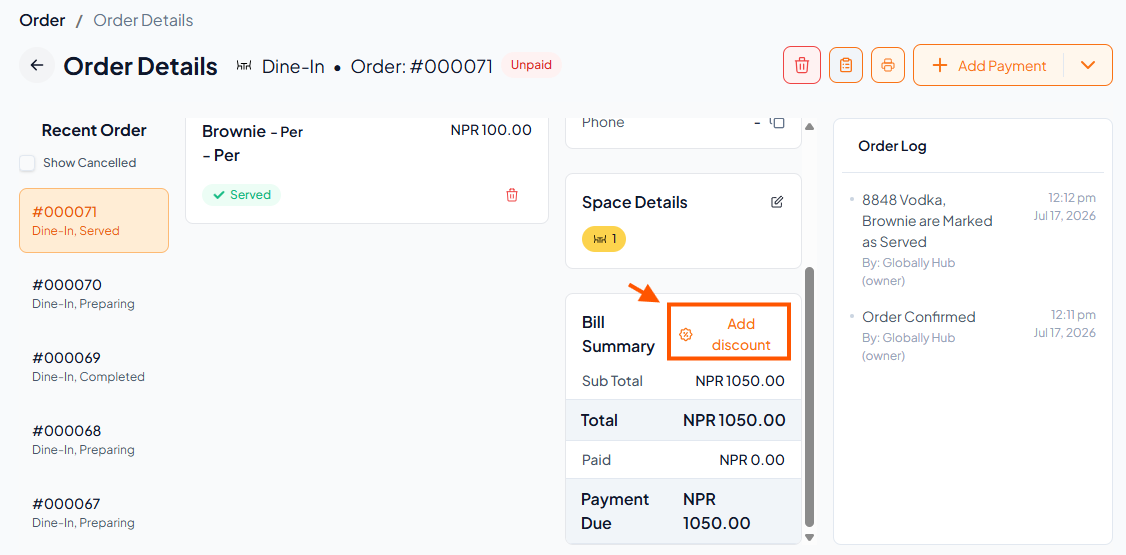
Under Bill Summary, click "Add Discount".
Step 3: Choose Discount Type
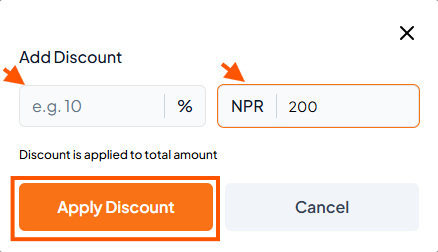
You will see 2 options – choose between Amount or Percentage.
Enter the discount amount and click "Apply Discount"
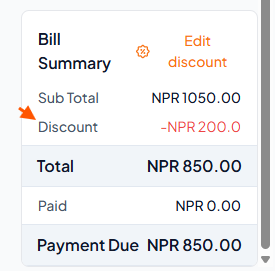
Step 4: Verify the Updated Bill Summary