Step-By-Step-Guide
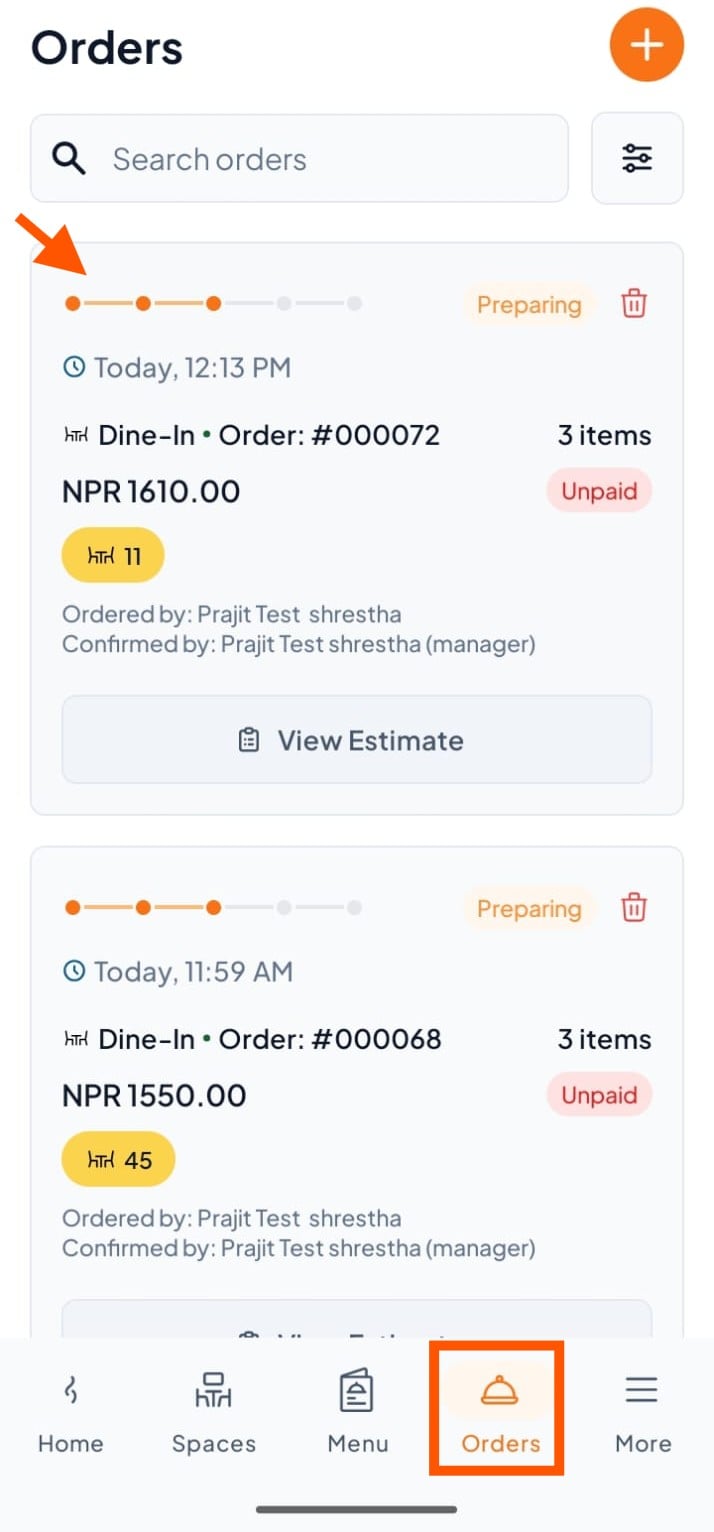
Step 1: Select an Order
On the Orders section, click on any order you want to split payment for.
Step 2: Open Payment Options
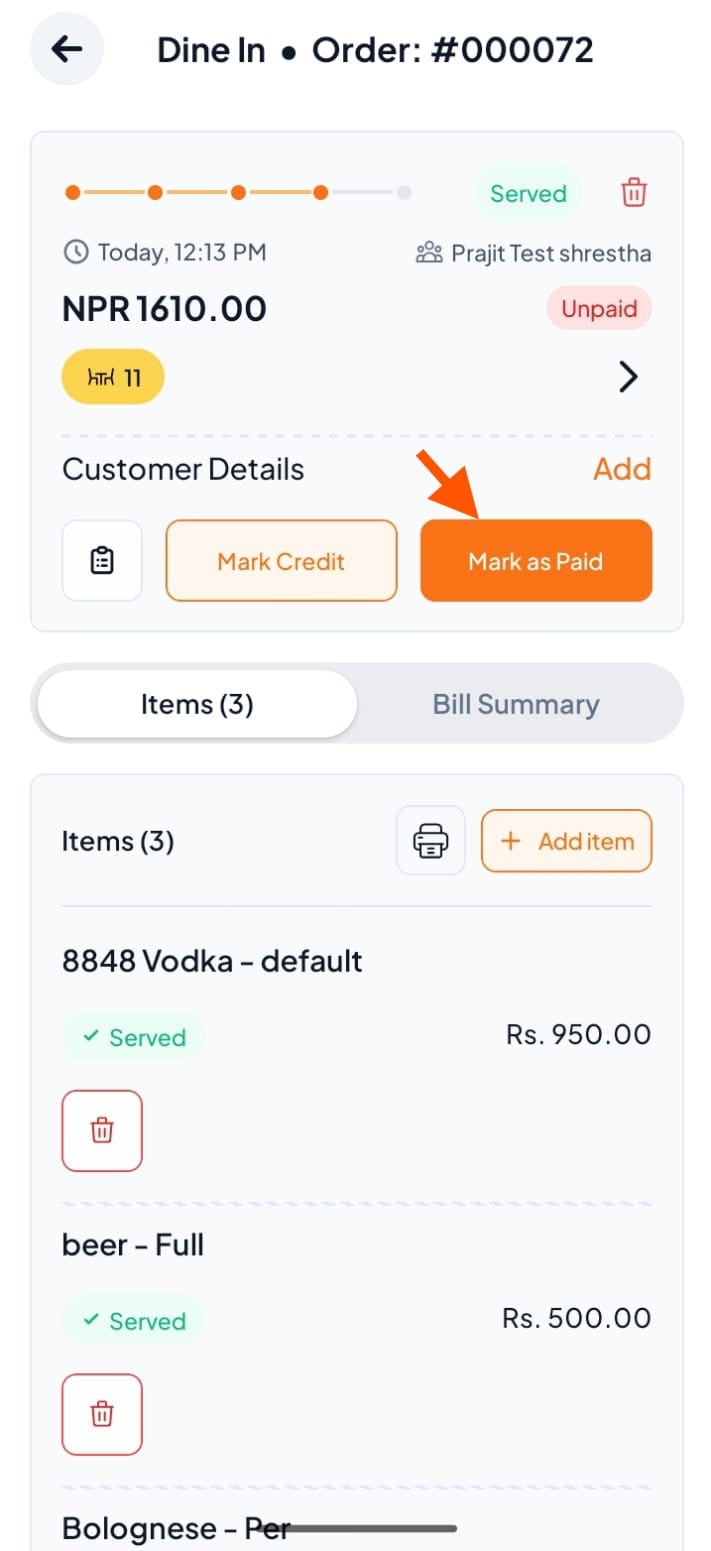
Click on Mark as Paid to open the payment screen.
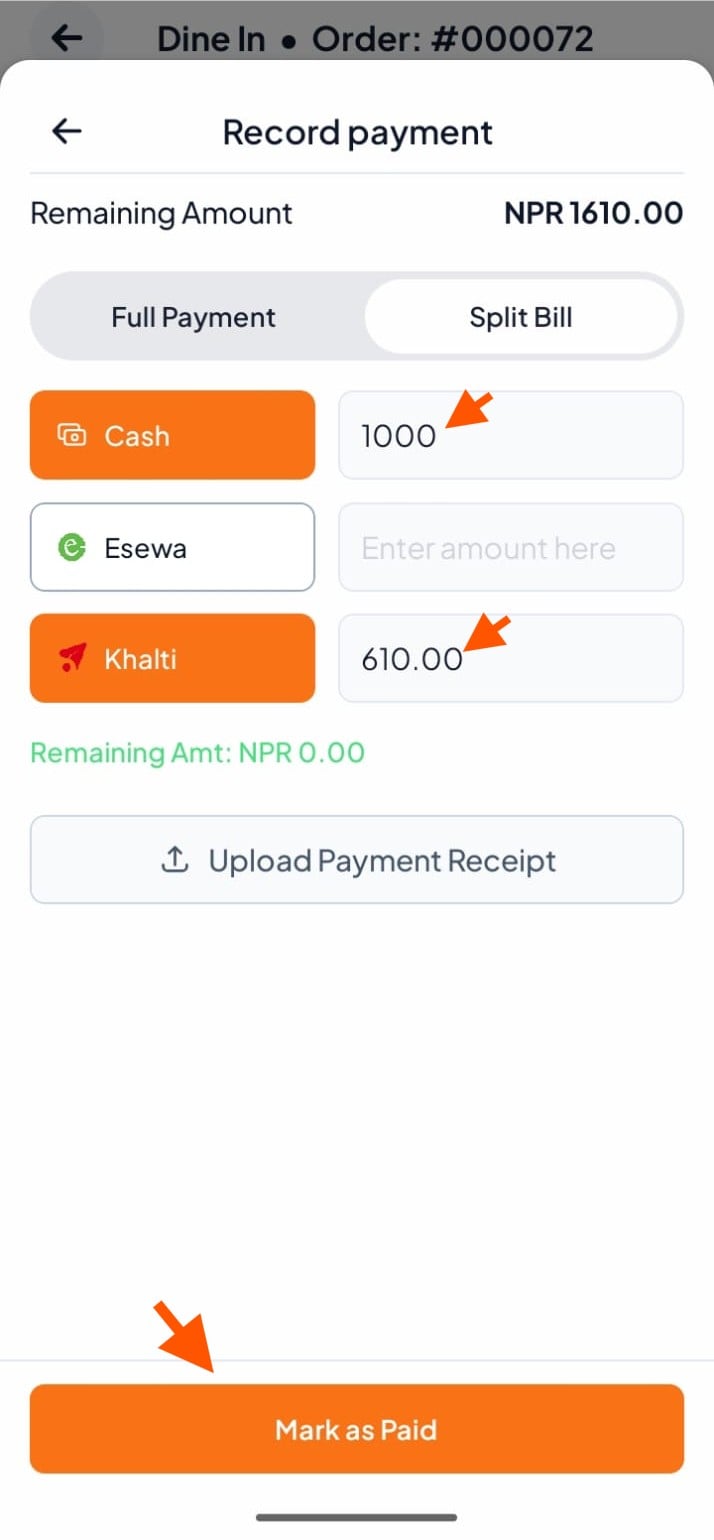
Step 3: Choose Split Bill
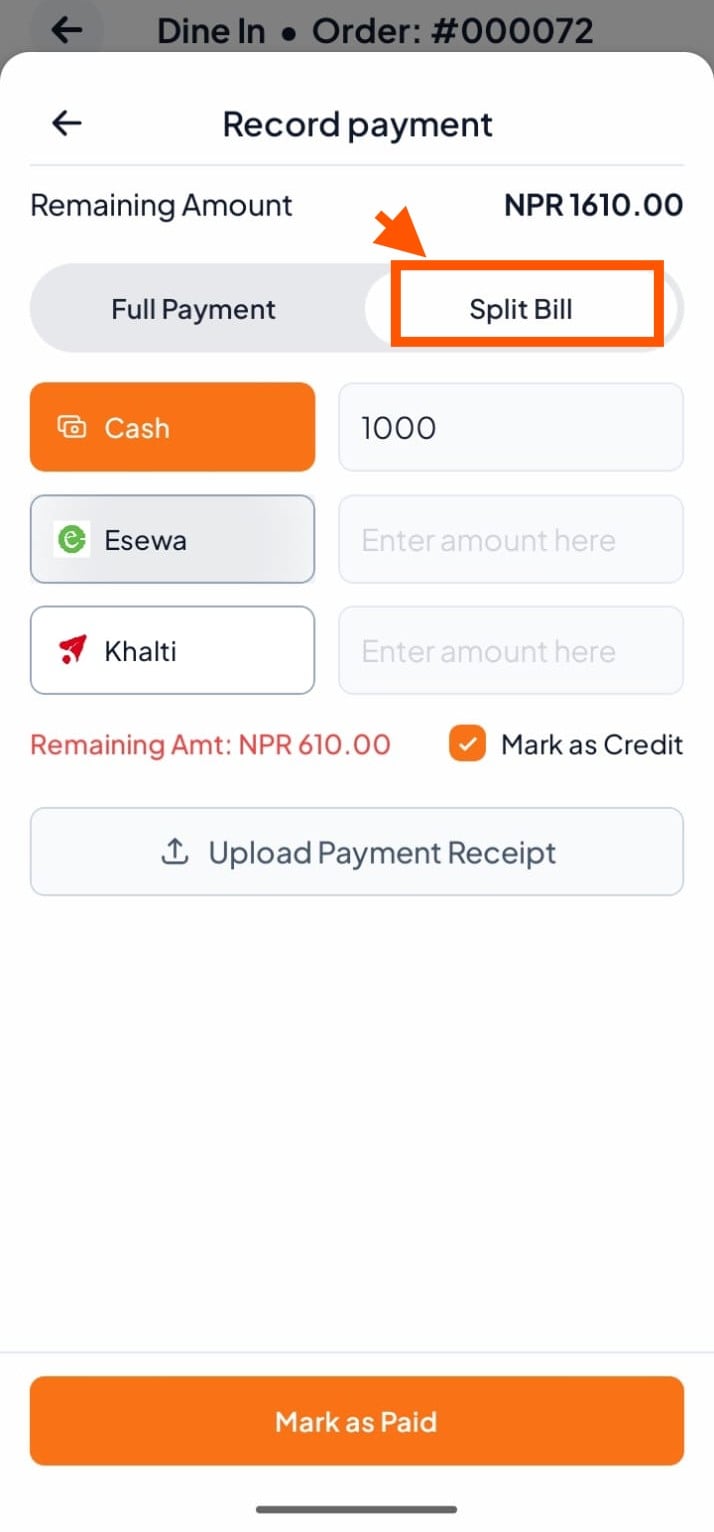
On the payment screen, click on "Split Bill" instead of Full Payment.
Step 4: Enter Payment Amounts
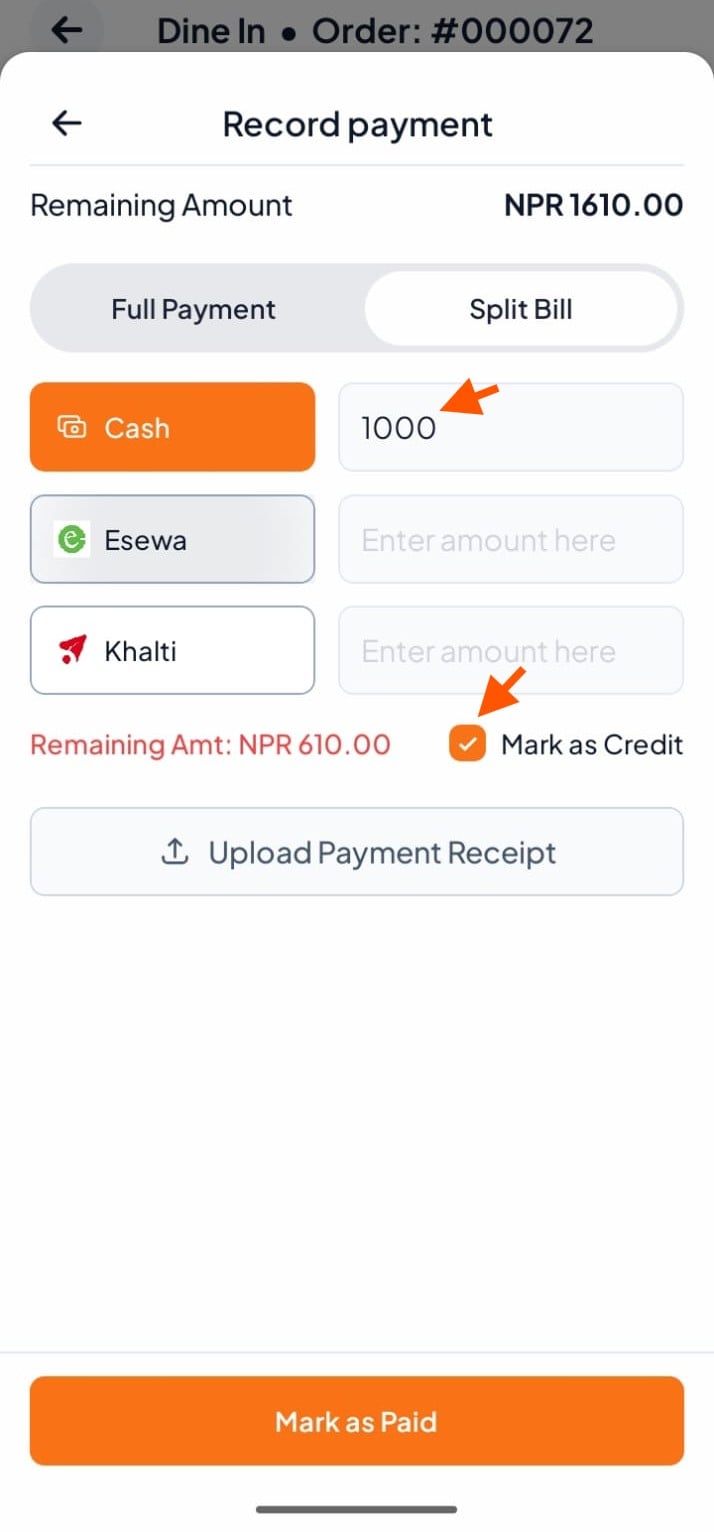
Enter how much the customer will pay with each option:
Cash – type the cash amount
E-sewa – type the E-sewa amount
Khalti – type the Khalti amount
You can also use Mark as Credit if the customer wants to pay part of the bill later.