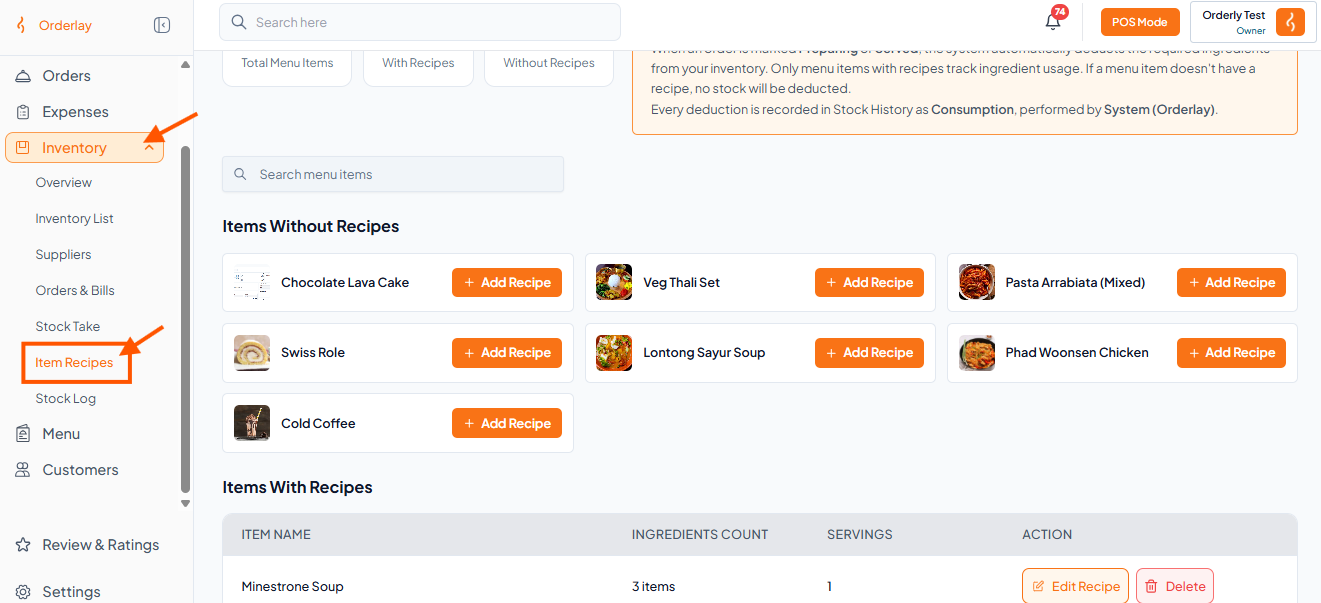
Step 1: Go to Item Recipes
Click Inventory on the left menu, then click "Item Recipes"
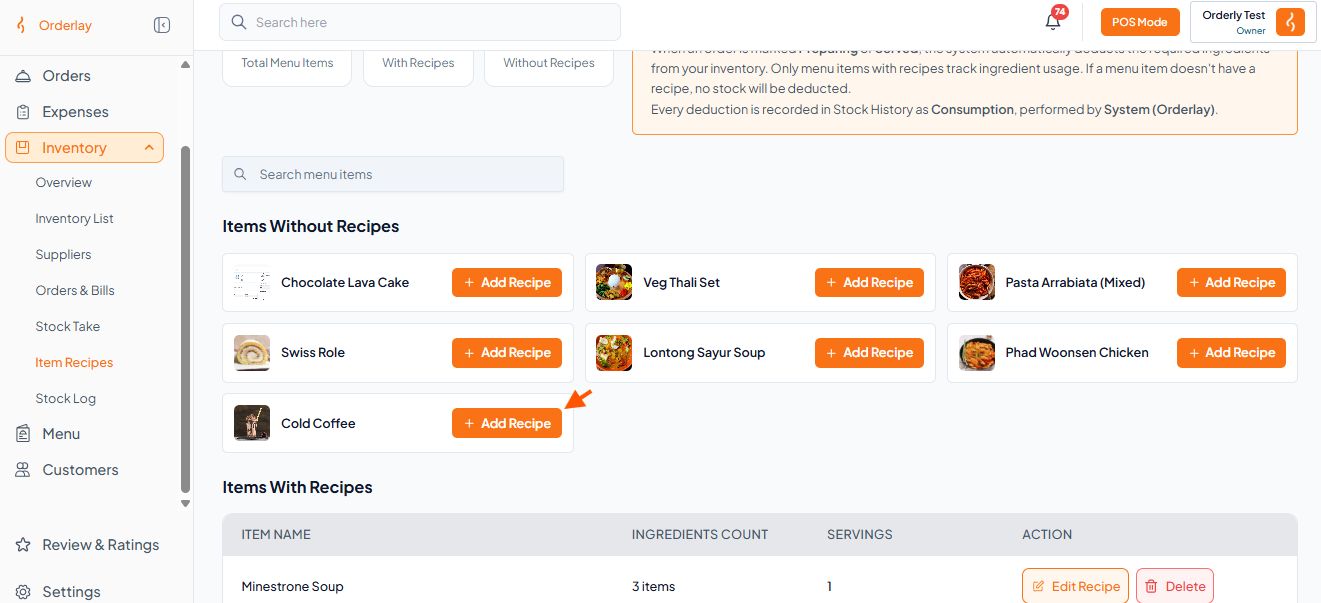
Step 2: Click Add Recipe
Find your menu item under "Items Without Recipes"
Click the "Add Recipe"
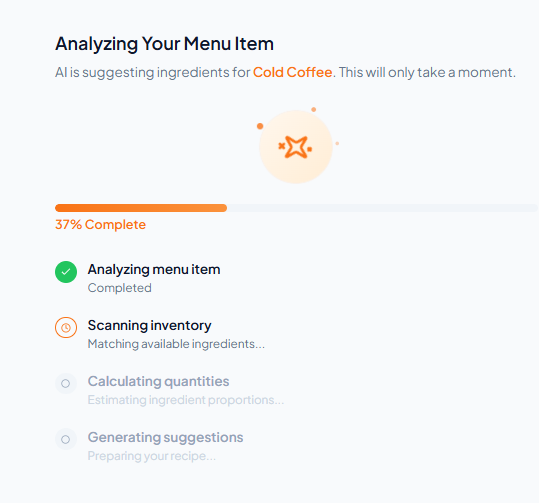
Step 3: AI will scan and suggest ingredients automatically
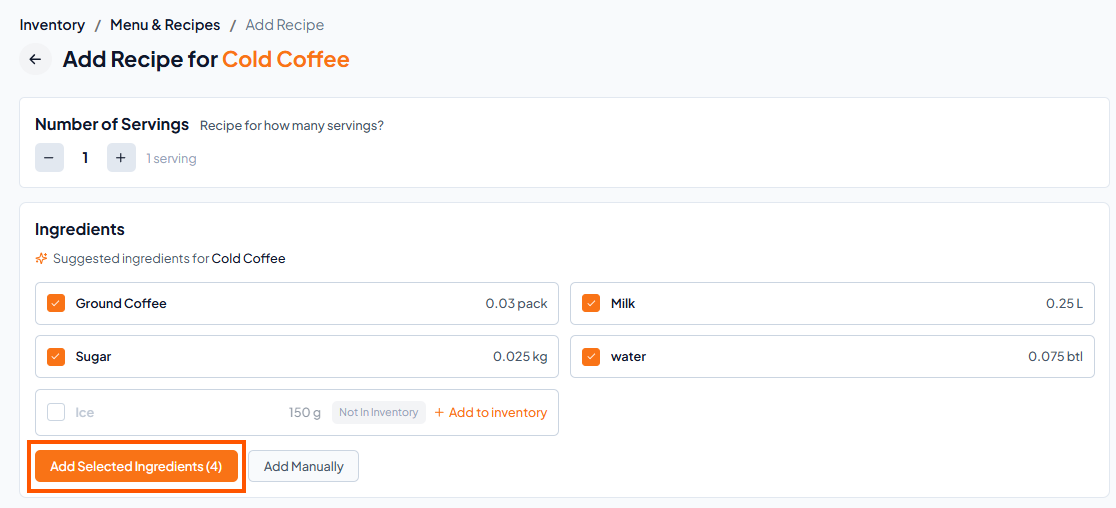
Step 4: Pick Ingredients
Select the ingredients you want
Click "Add Selected Ingredients"
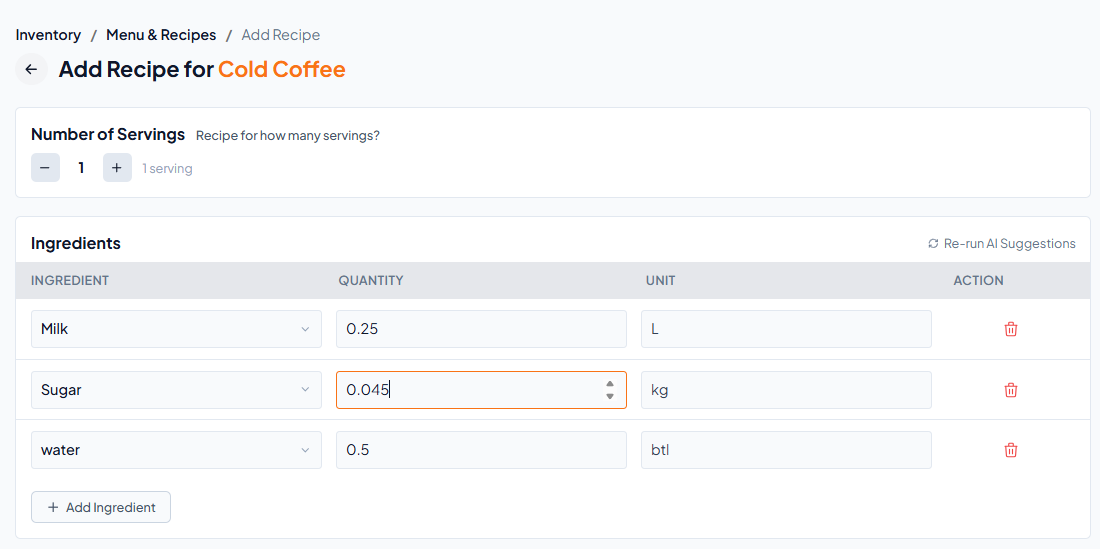
Step 5: Check Quantities
You can change the amount of each ingredient
(Reminder: These amounts are used to reduce your inventory when an order is served. Set them correctly)
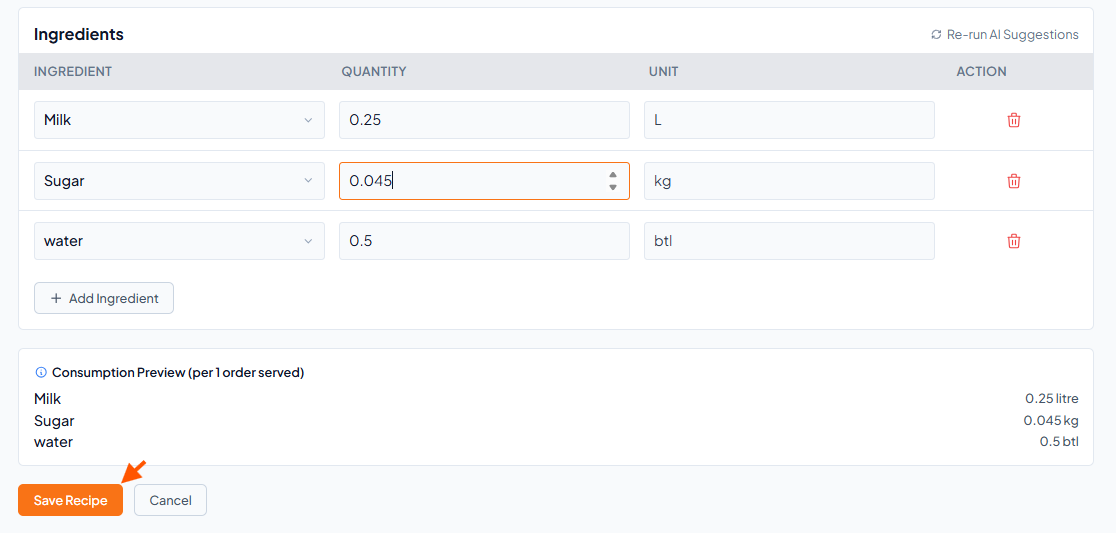
Step 6: Save Recipe
Scroll down and Click "Save Recipe"