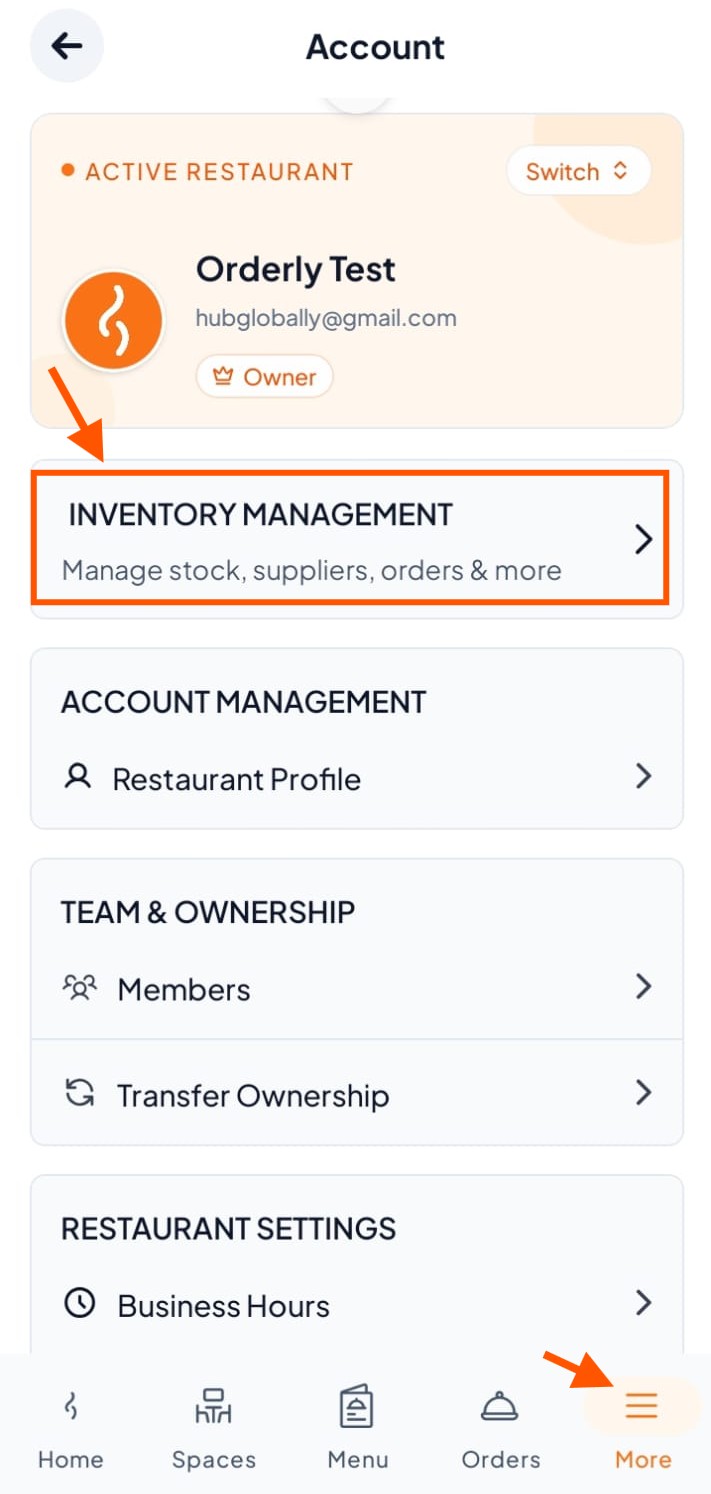
Step 1: Go to Inventory Management
Under "More" at the bottom, click "Inventory Management"
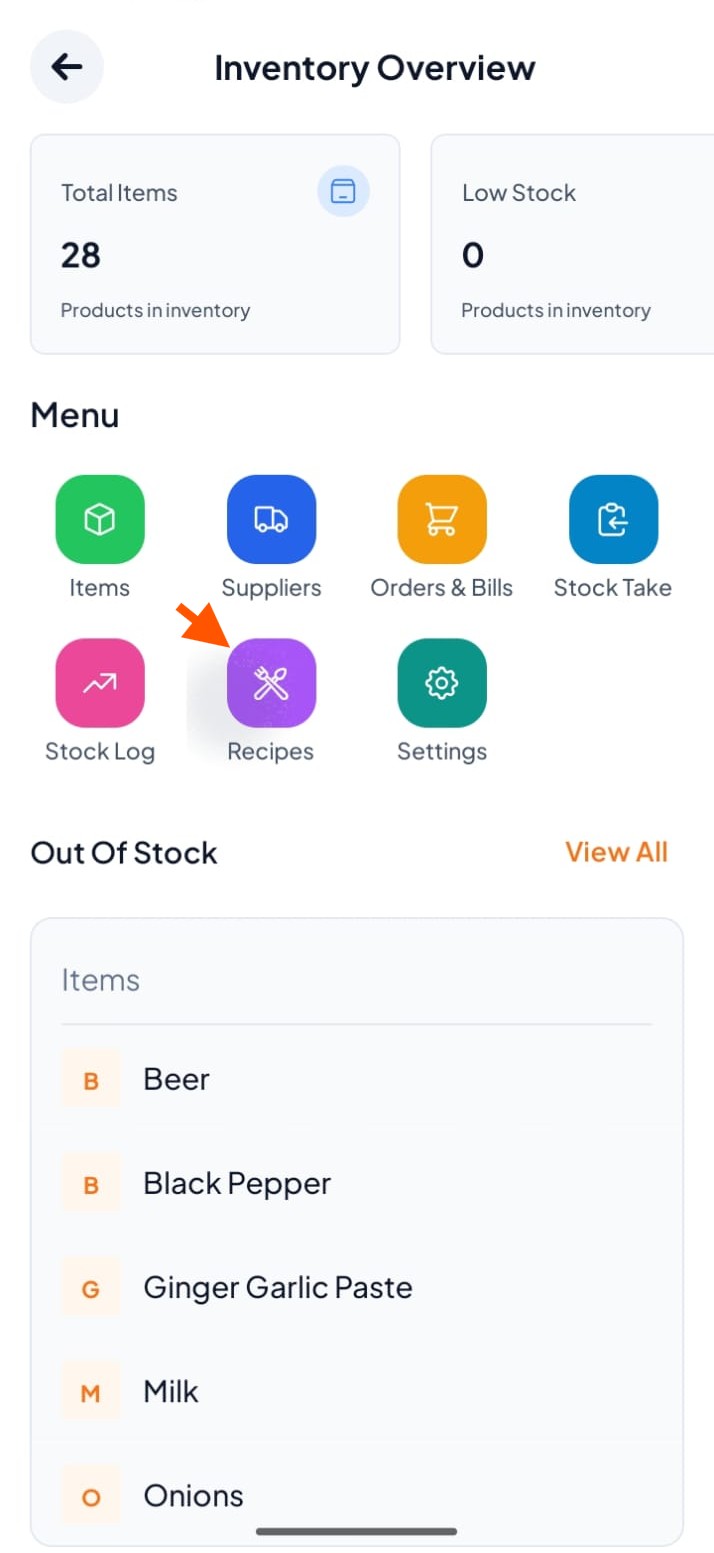
Step 2: Click Recipes
From the menu, click "Recipes"
Step 3: Wait for AI to Scan
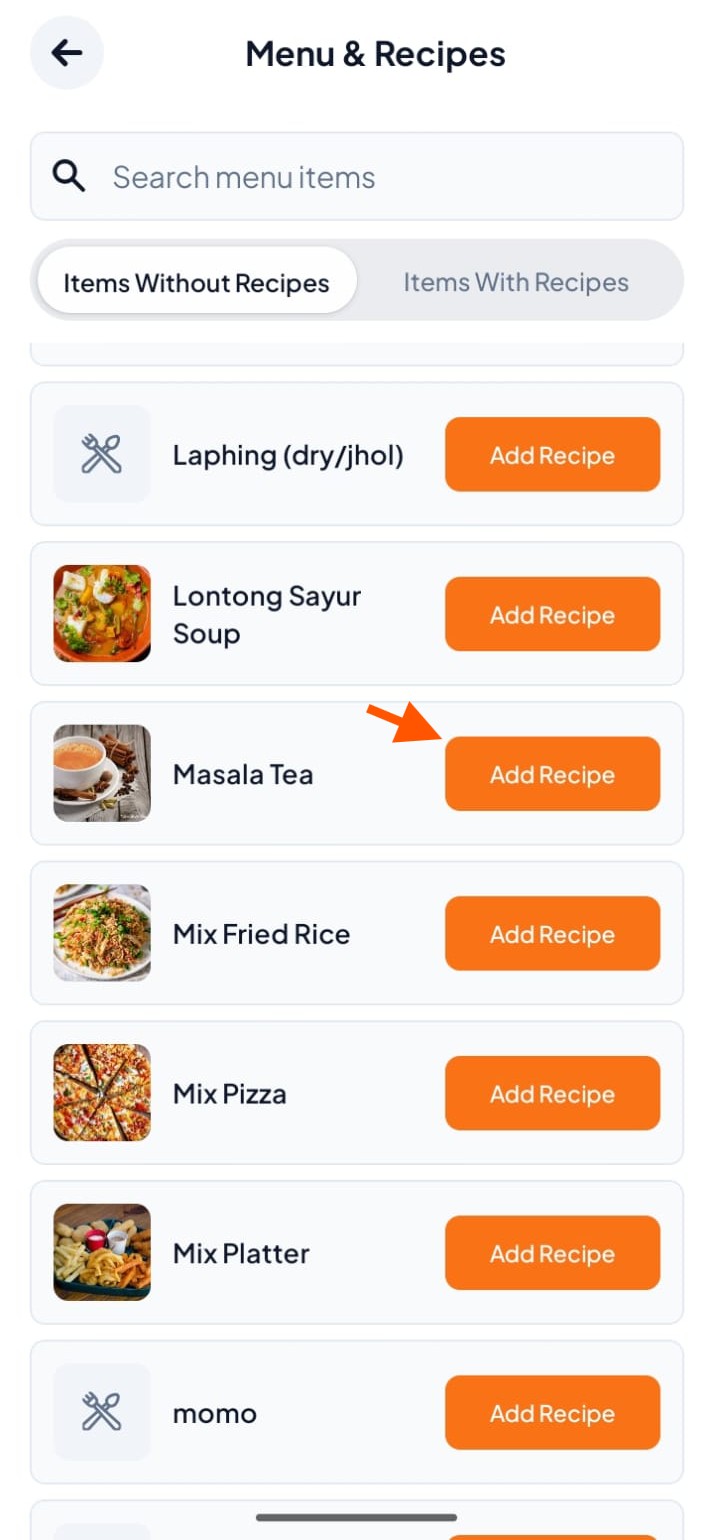
Step 4: Select a Menu Item
Find your item (e.g., Masala Tea)
Click "Add Recipe" next to it
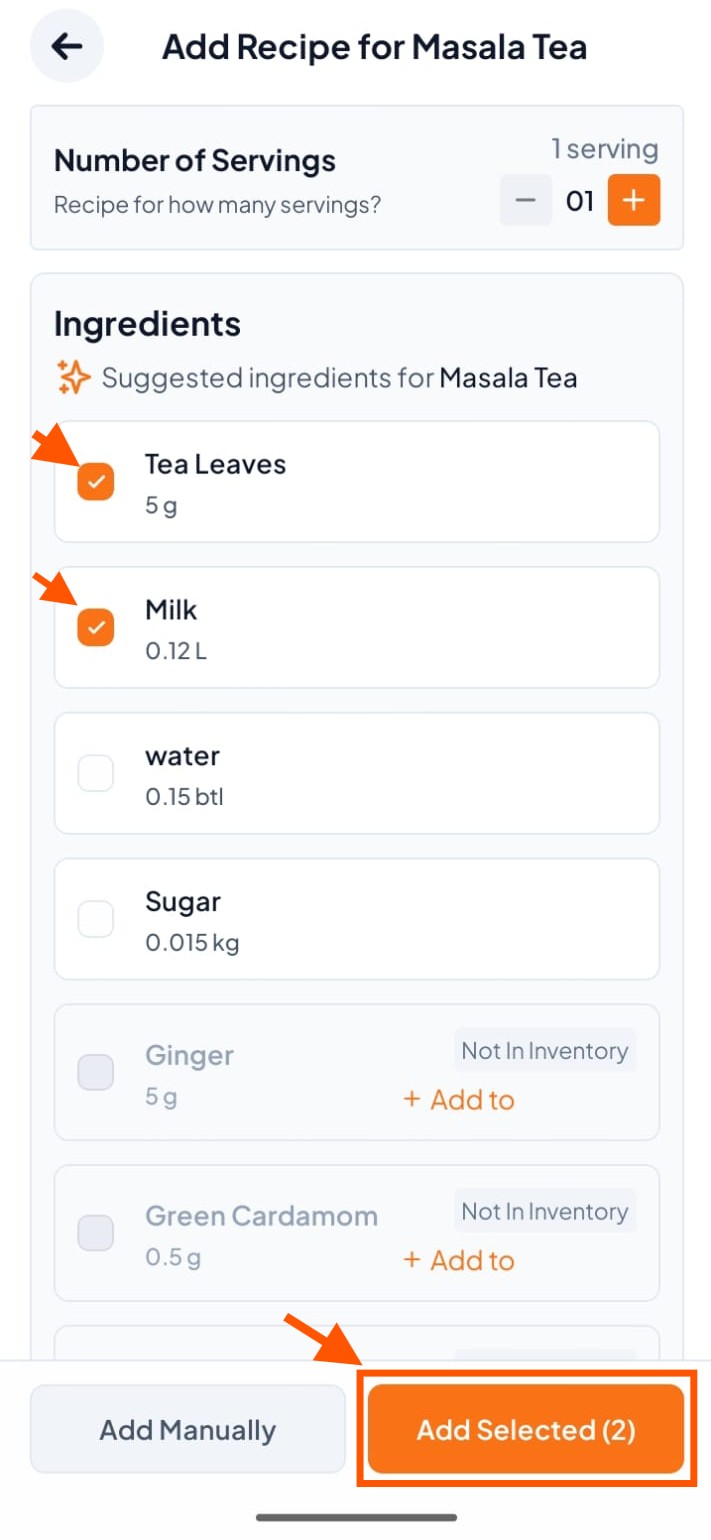
Step 5: Pick Ingredients
Tick the ingredients you need
Click Add Selected
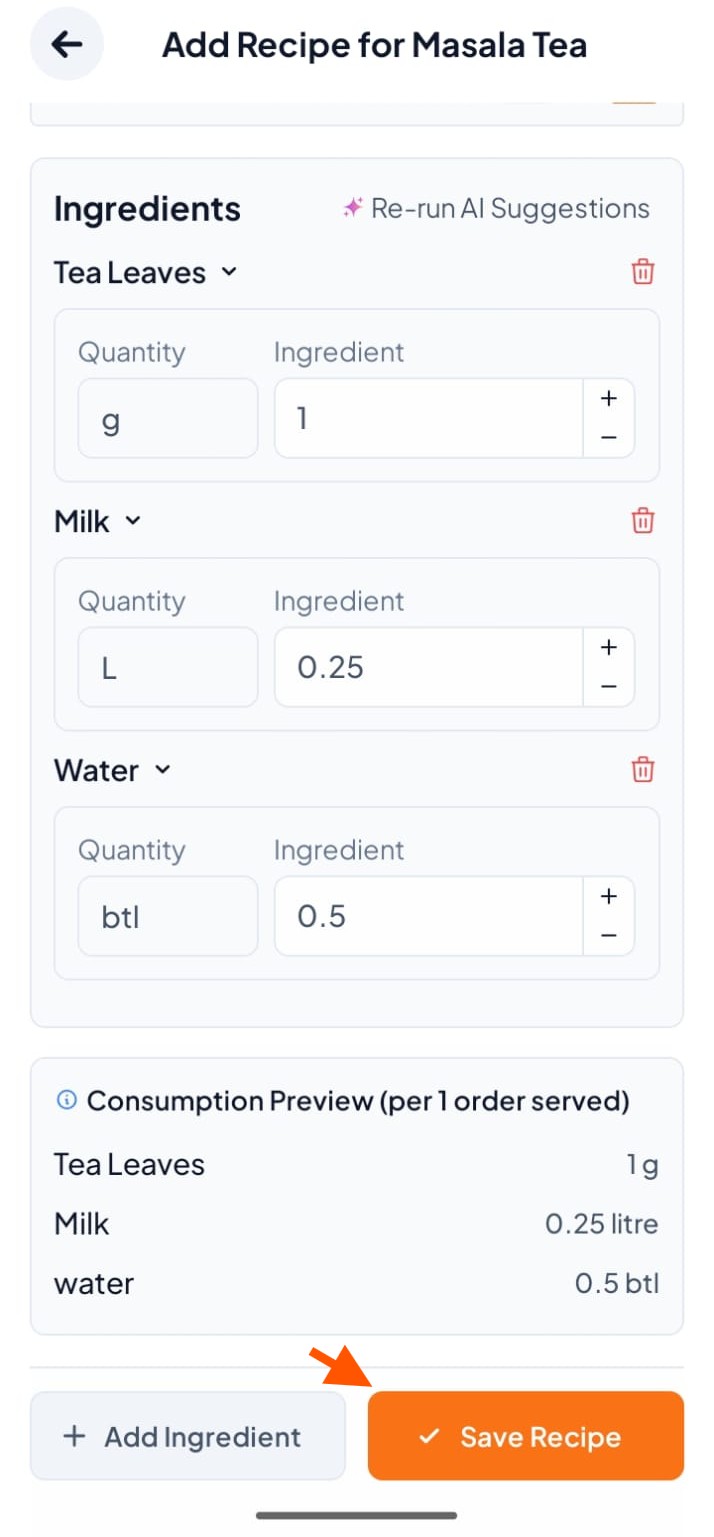
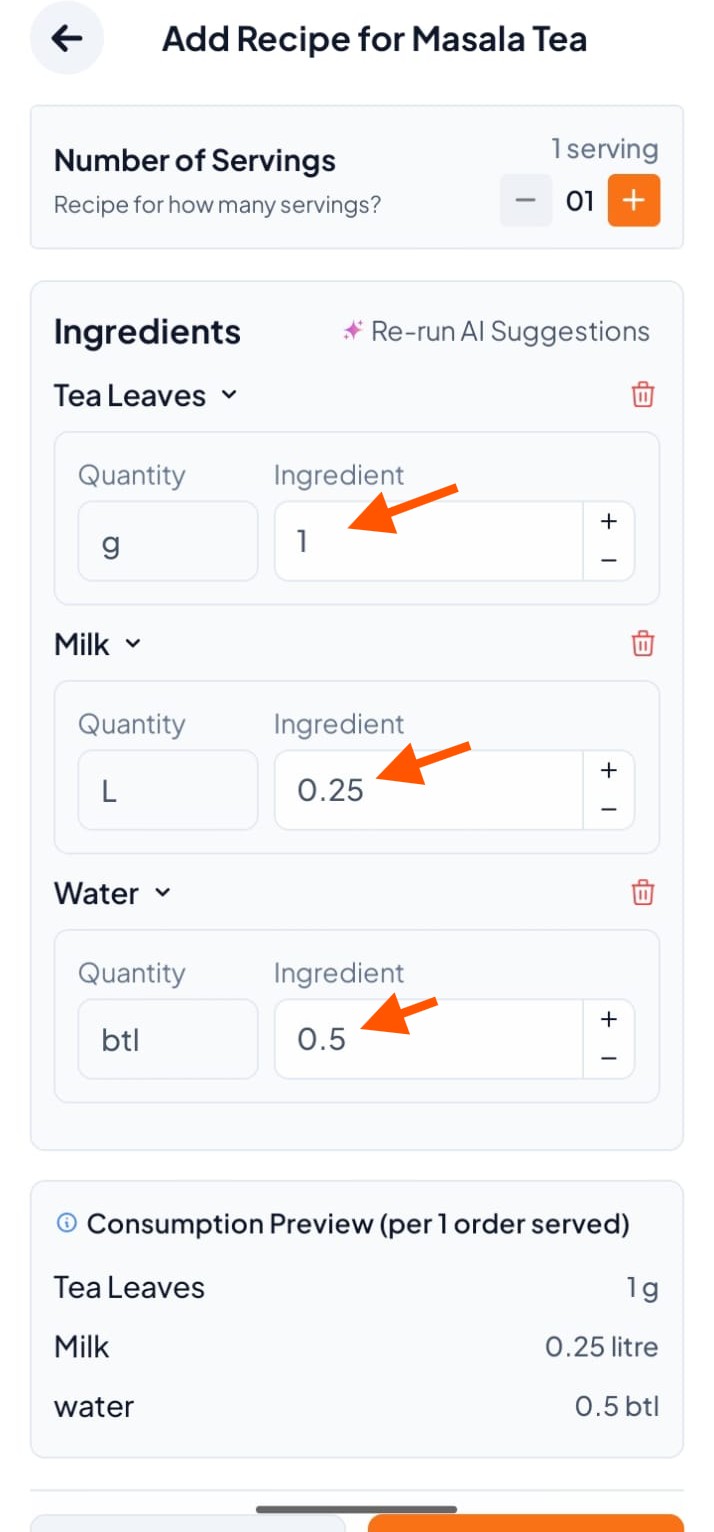
Step 6: Check Quantities
You can change the amount of each ingredient
(Reminder: These amounts are used to reduce your inventory when an order is served. Set them correctly.)
Step 7: Save Recipe
Scroll down
Click Save Recipe