
Step-By-Step-Guide
Step 1: Go to Settings and click on "Restaurant Settings".
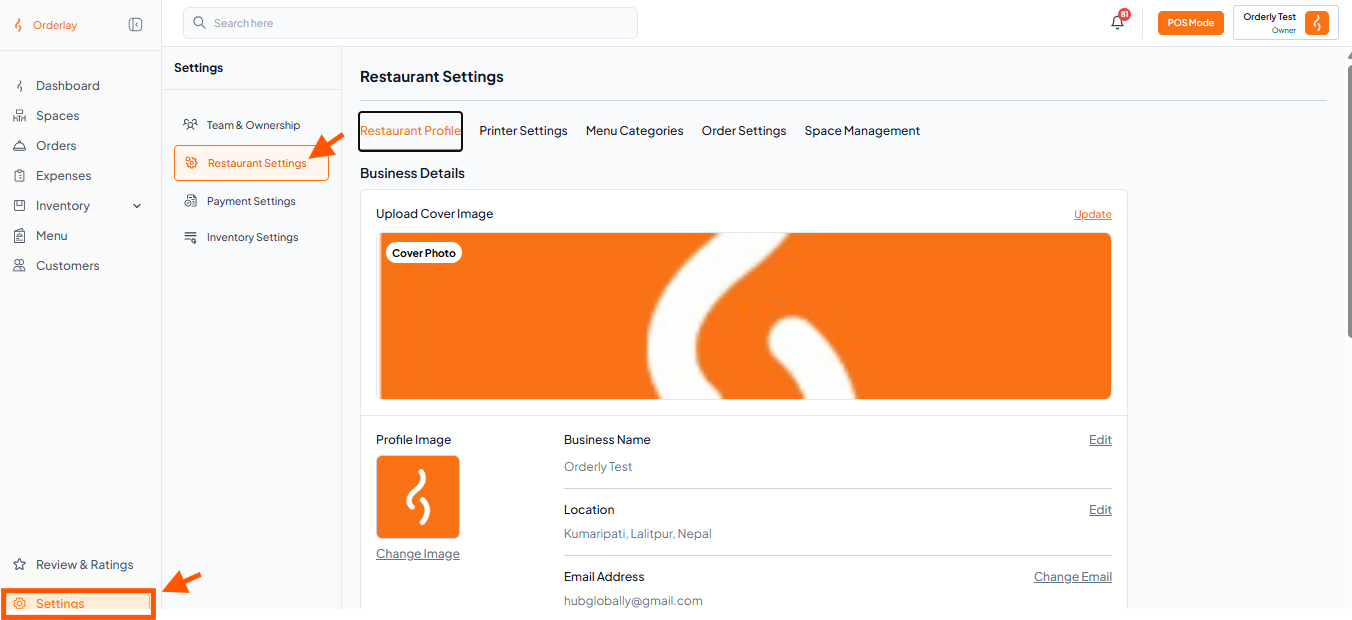
Step 2: In the menu bar, click on "Space Management".
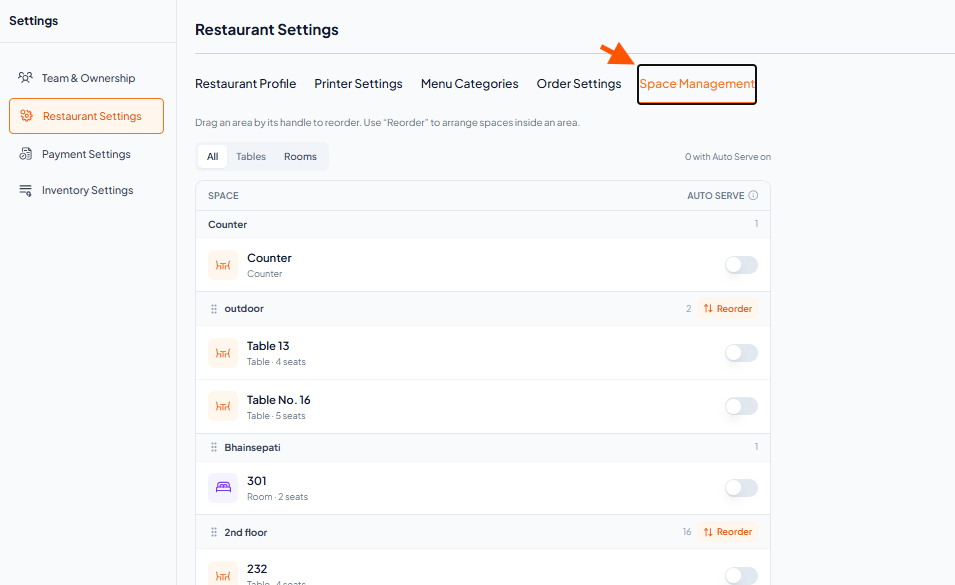
Step 3: Find the counter or table you want to update.
Toggle the "Auto Serve" switch to the ON position.
Step 1: Go to Settings and click on "Restaurant Settings".
Step 2: In the menu bar, click on "Space Management".
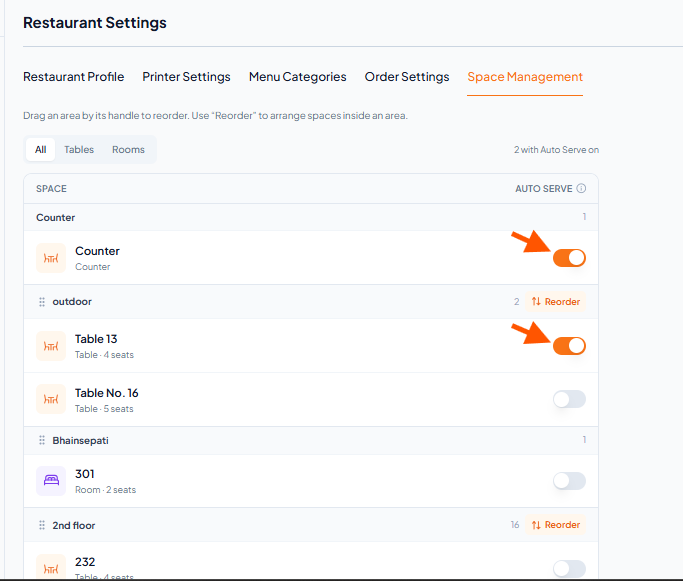
Step 3: Find the counter or table you want to update.
Toggle the "Auto Serve" switch to the ON position.