
Step-By-Step-Guide
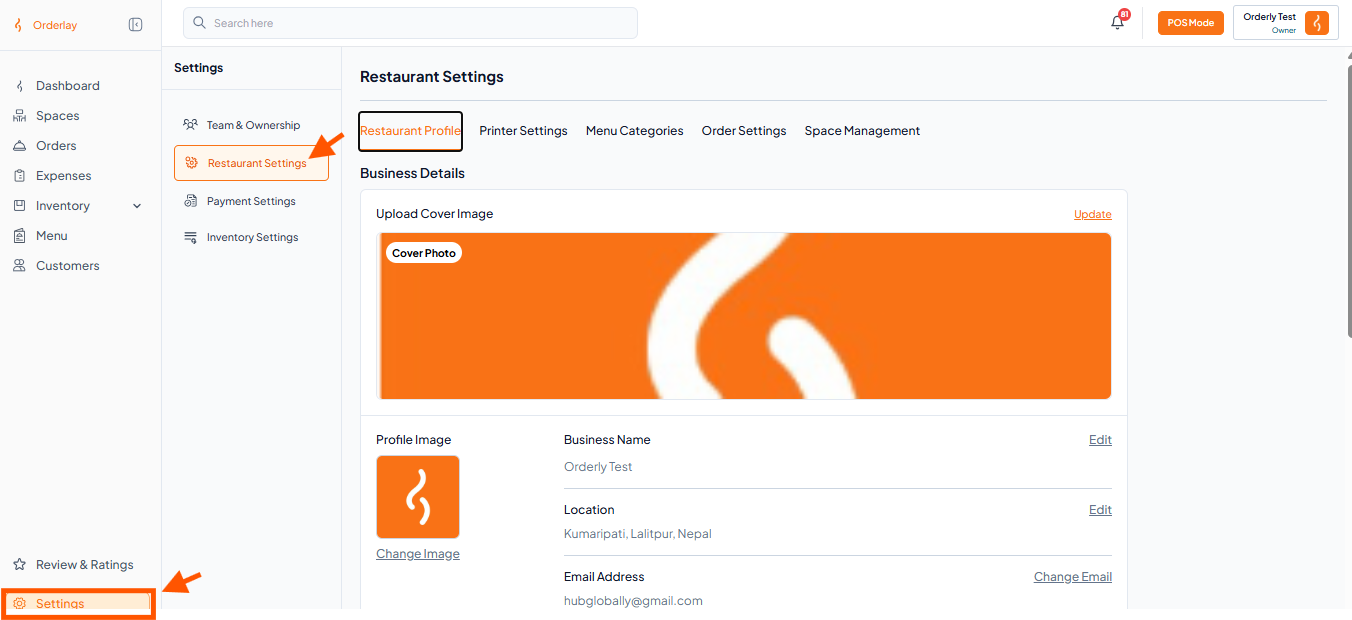
Step 1: Go to Settings and click on Restaurant Settings.
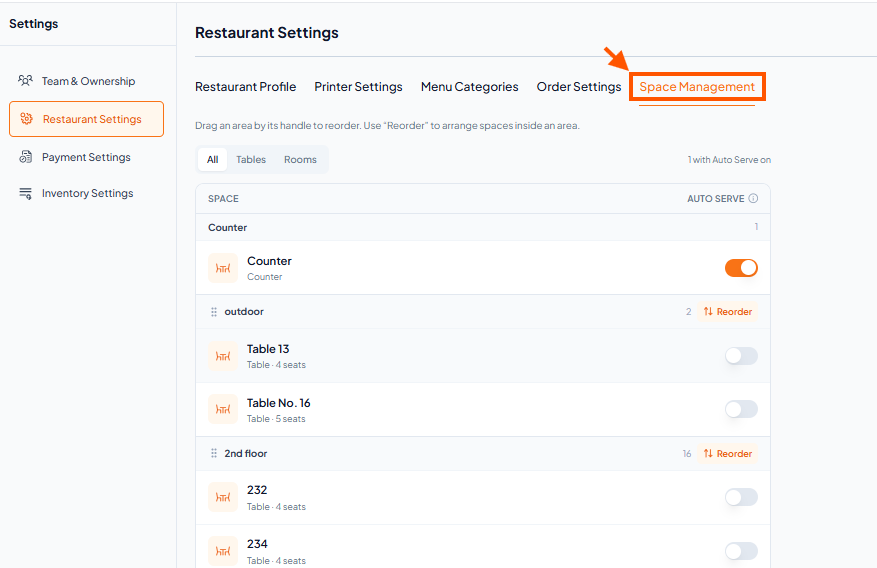
Step 2: In the menu bar, click on Space Management.
Step 3: Find the area you want to move (for example, outdoor). Click the ::: (drag handle) icon next to it.
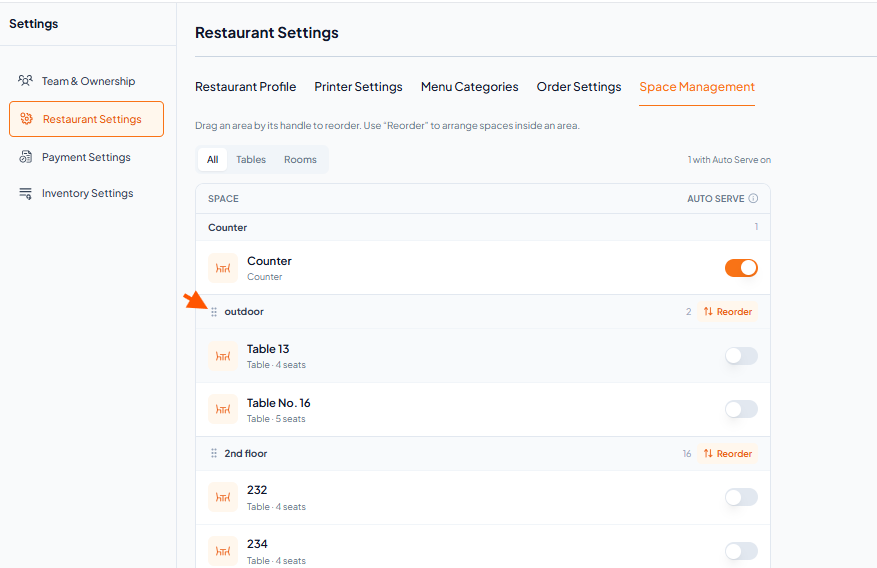
Step 4: Drag it up or down to reposition it anywhere in the list.

You will see the change reflected immediately in the Spaces section