Step-By-Step-Guide
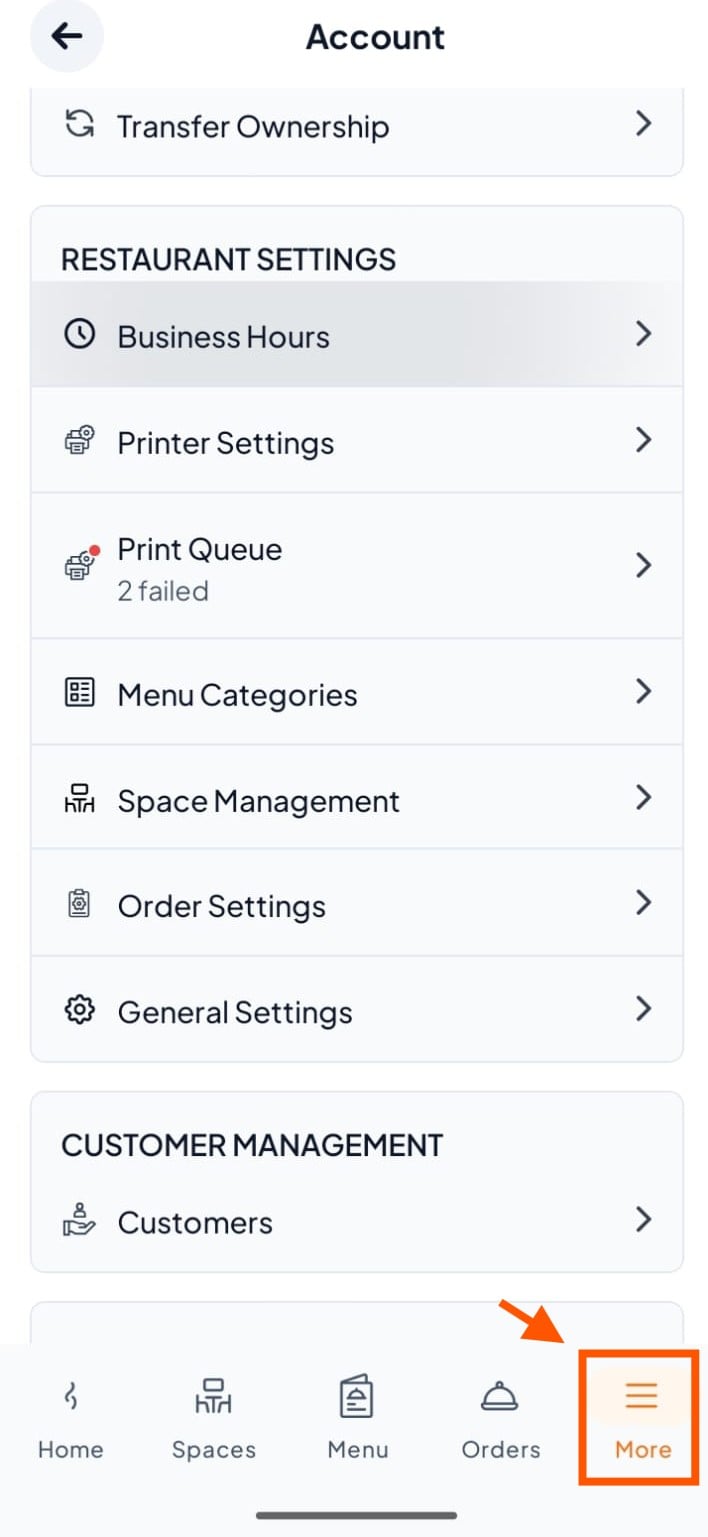
Step 1: From the bottom navigation bar, tap "More".
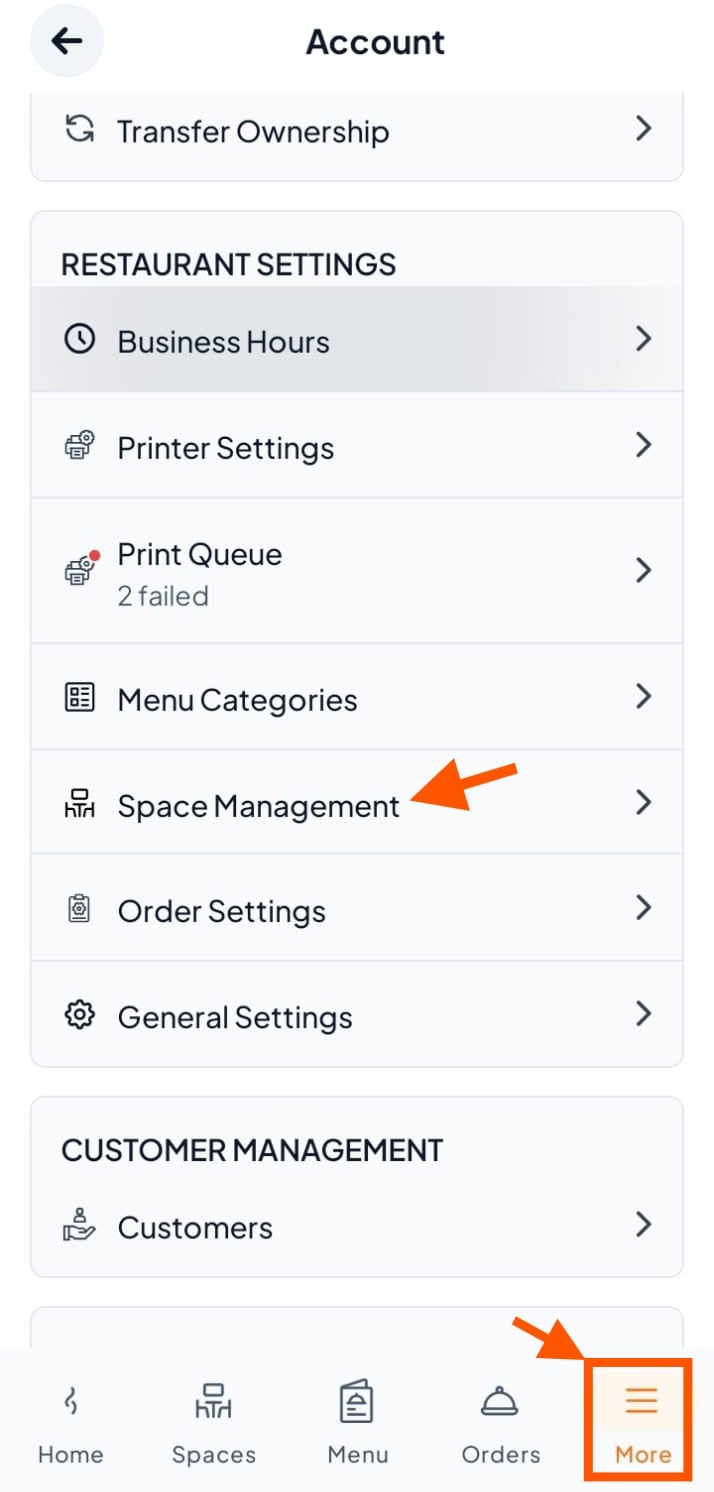
Step 2: Under RESTAURANT SETTINGS, tap "Space Management".
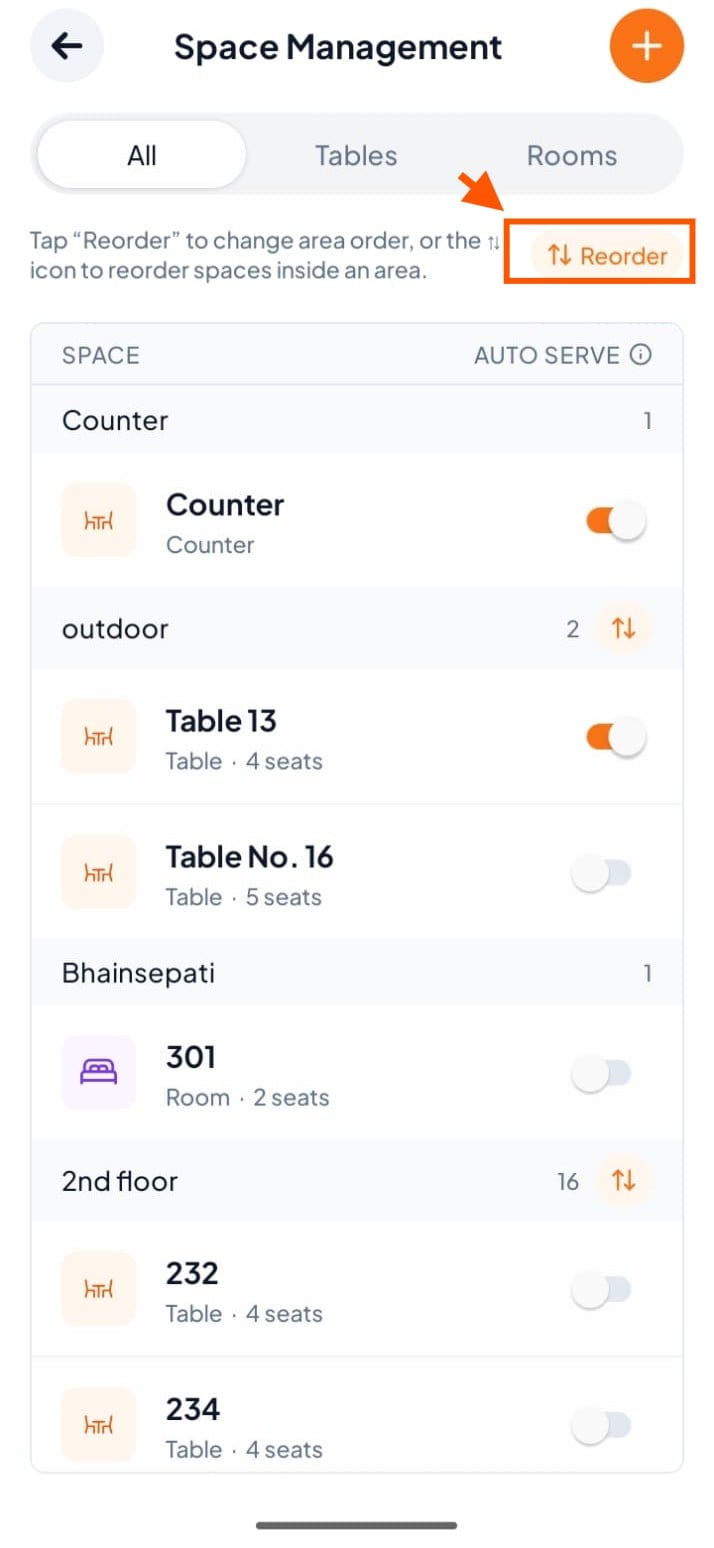
Step 3: Tap the "Reorder" button at the top of the screen to enter reorder mode.
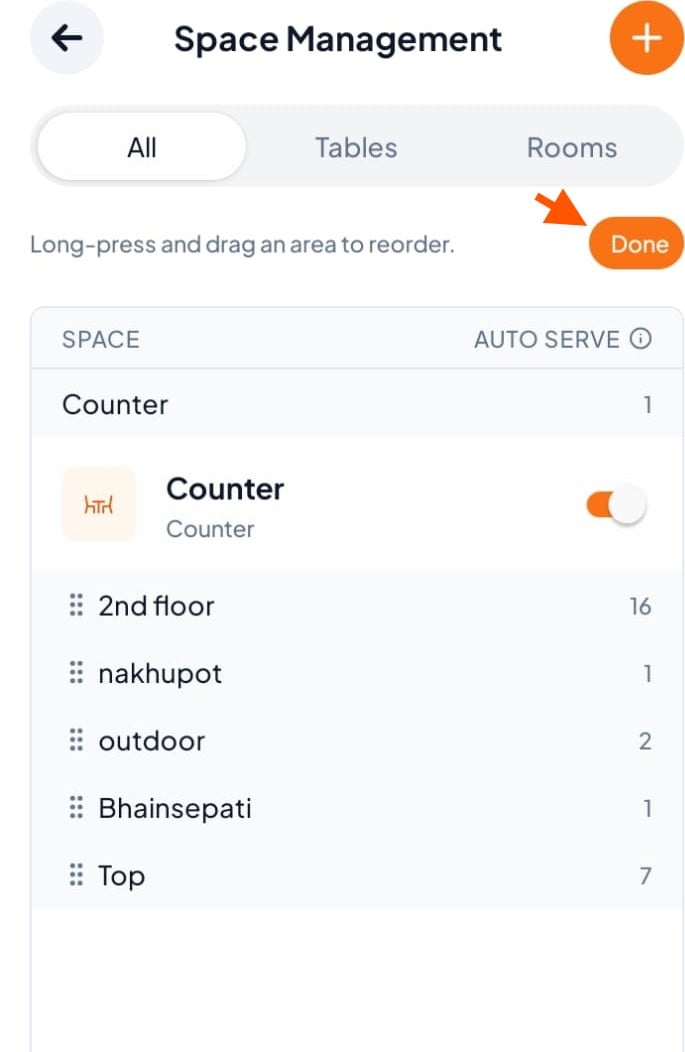
Step 4: Find the area you want to move (for example, outdoor). Long-press and drag it using the drag handle (::: ) next to it.
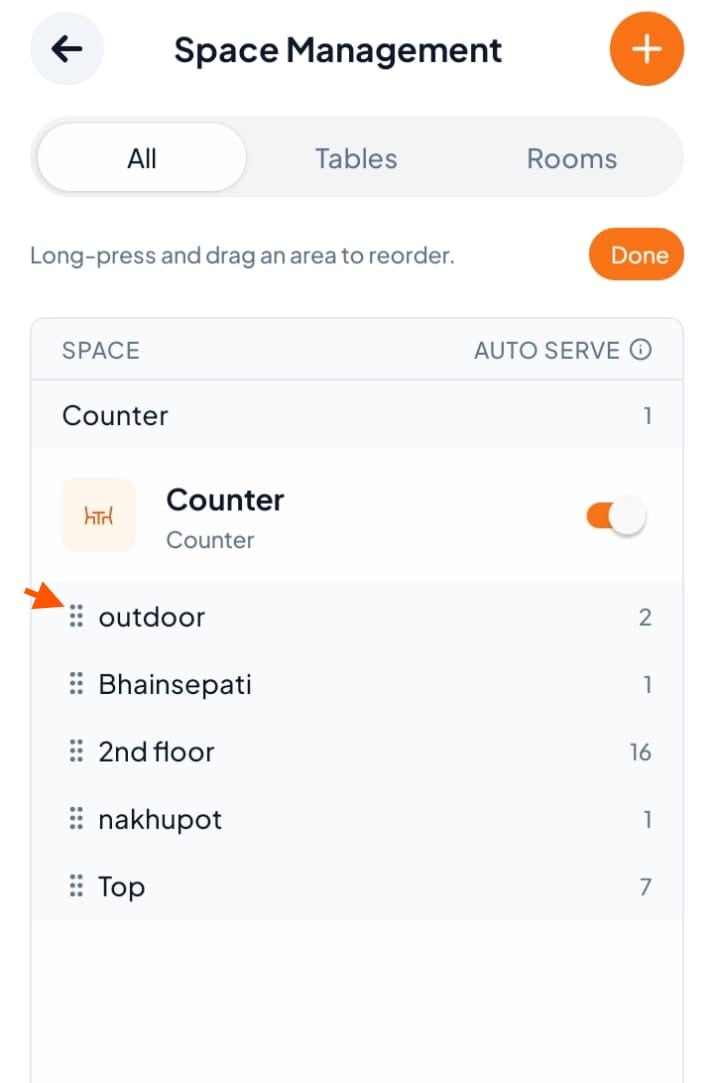
Step 5: Drag it to your desired position, then release and tap "Done" to save.