
On both web and mobile:
Step-By-Step-Guide
Step 1: Open the Order
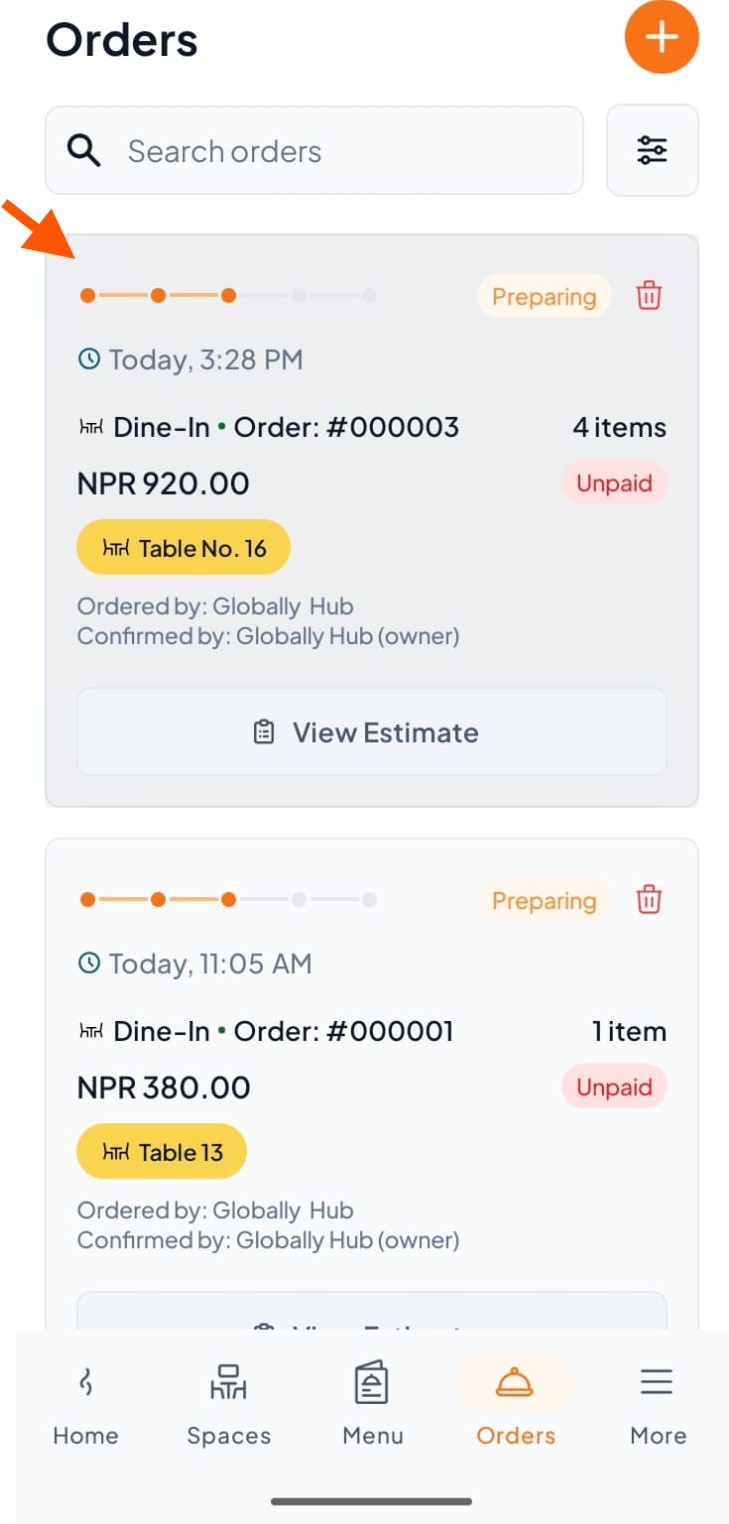
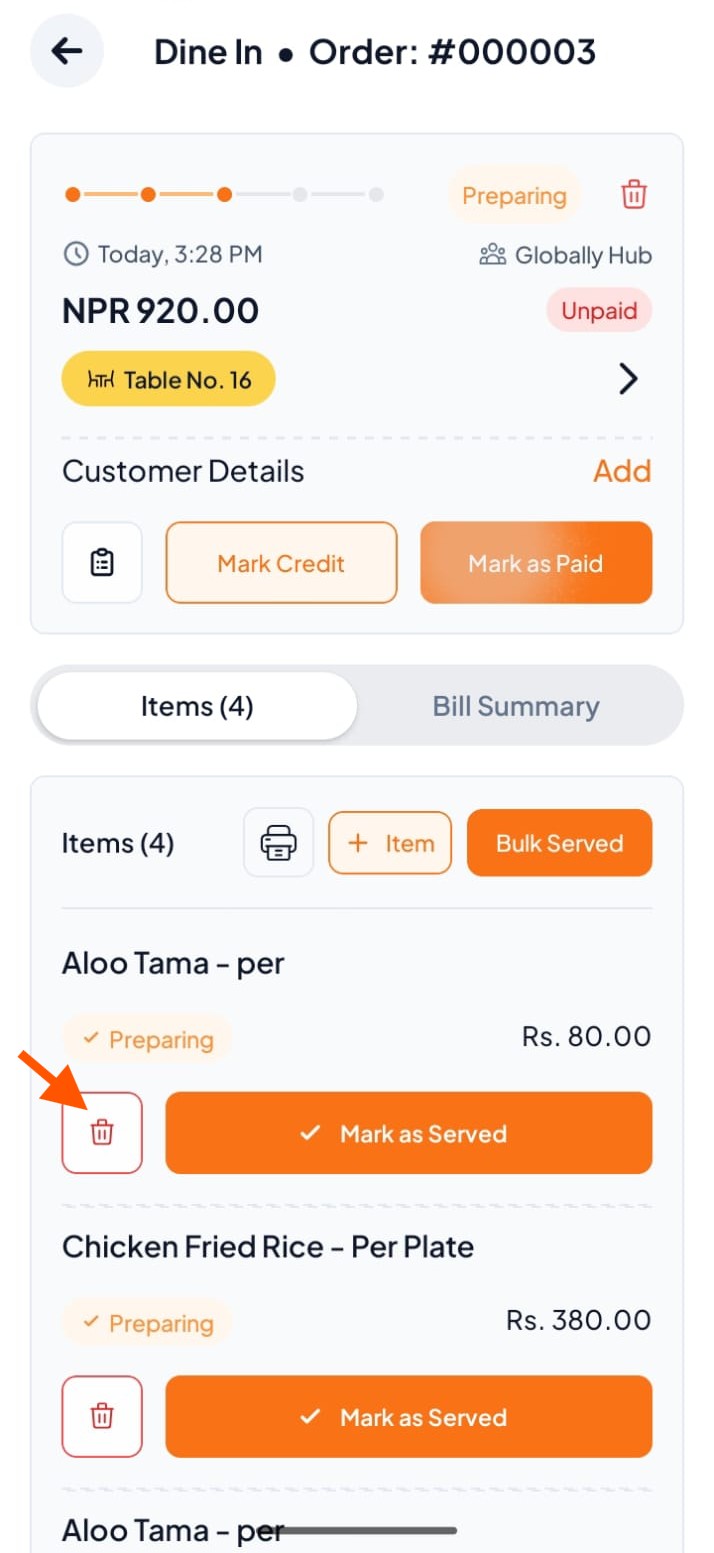
Step 2: Click on the delete icon in front of the item (e.g., Aloo Tama).
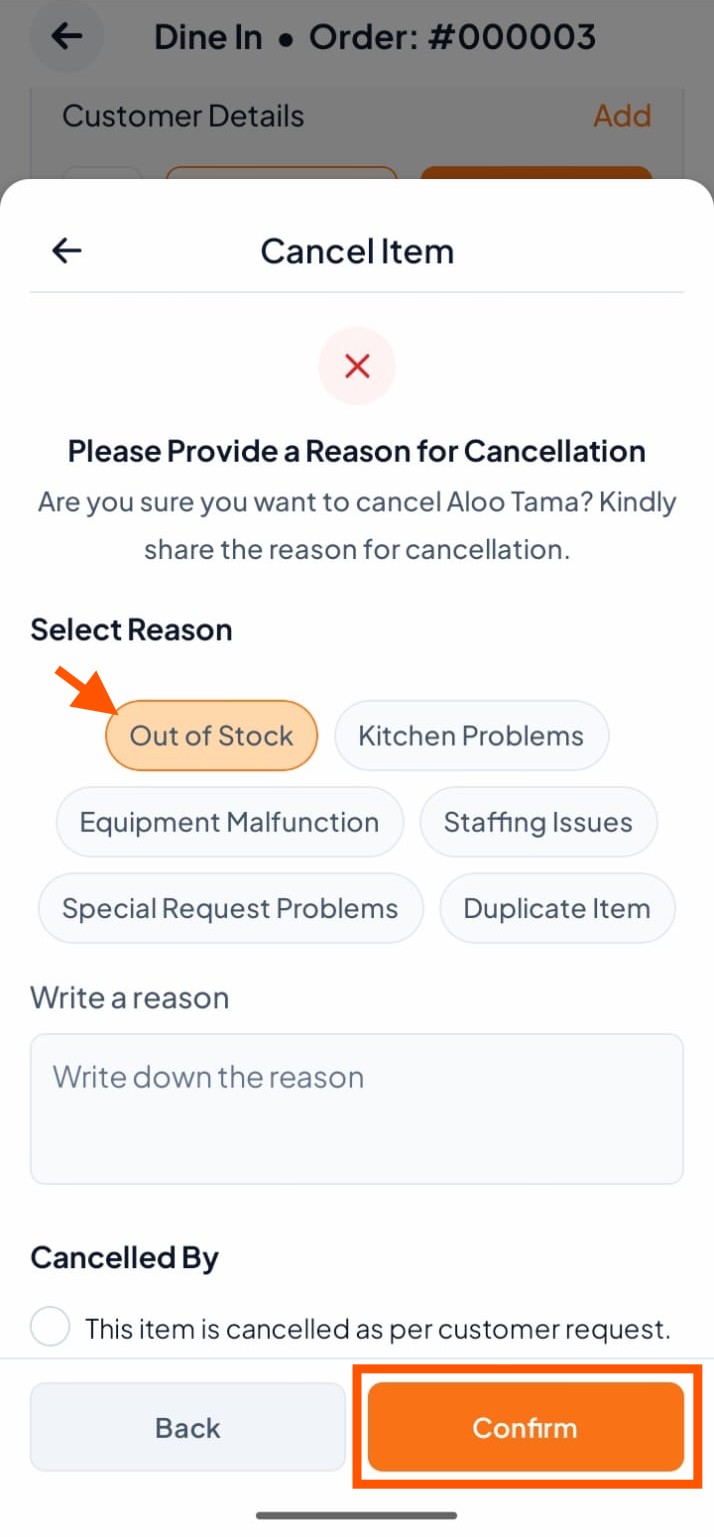
Step 3: Select a reason or write your own, then tap "Confirm".
Step 1: Open the Order
Step 2: Click on the delete icon in front of the item (e.g., Aloo Tama).
Step 3: Select a reason or write your own, then tap "Confirm".