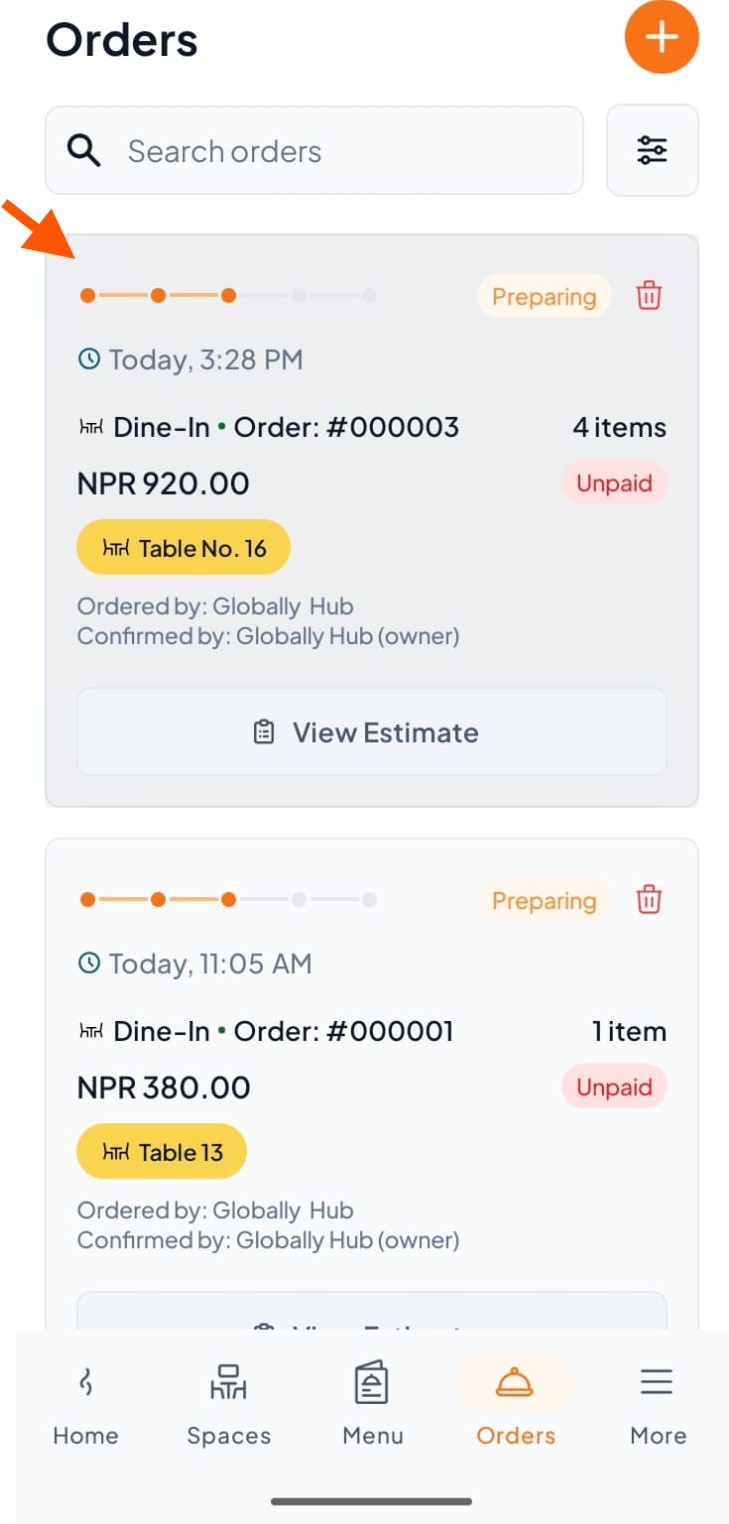
Step 1: Under Orders, click any order containing the item you want to remove.
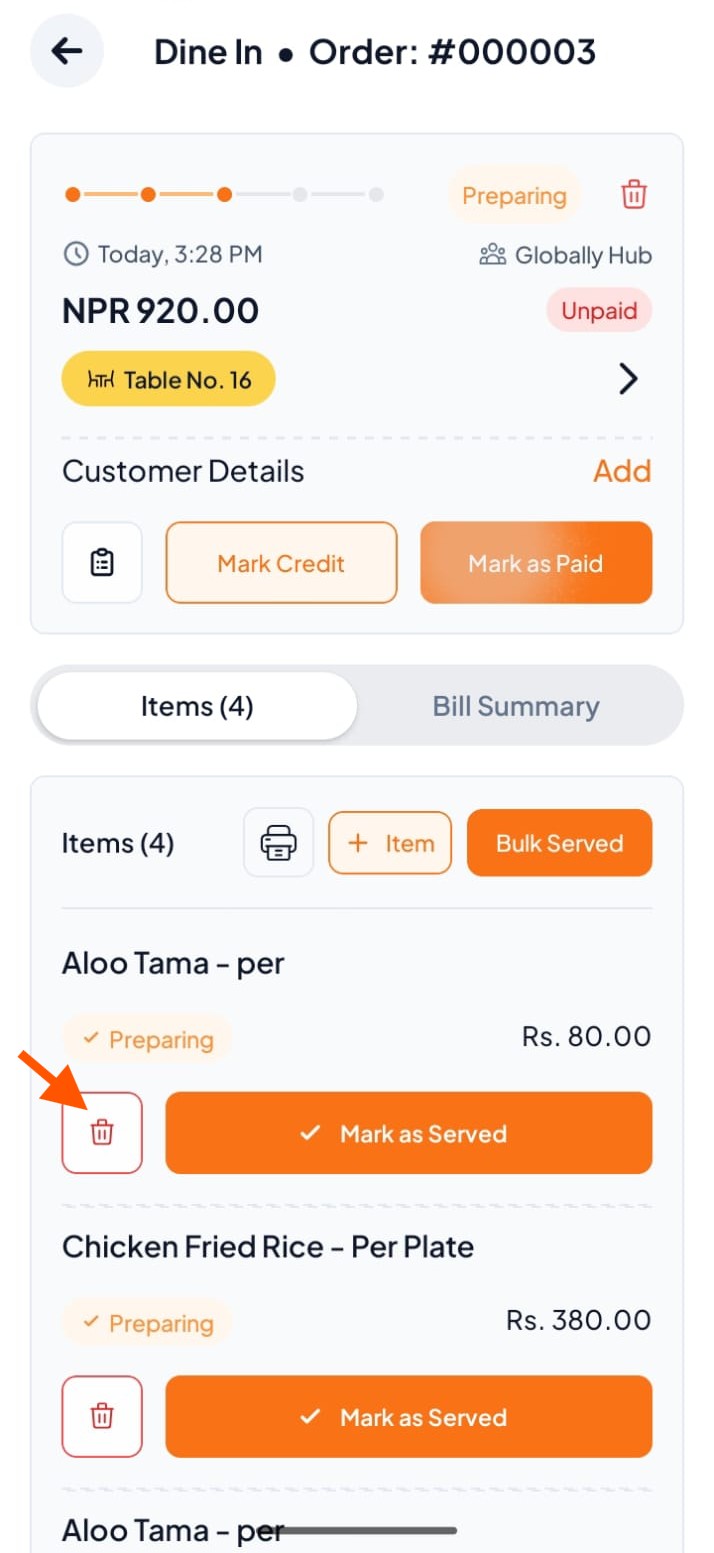
Step 2: Click on the delete icon in front of the item (e.g., Aloo Tama).
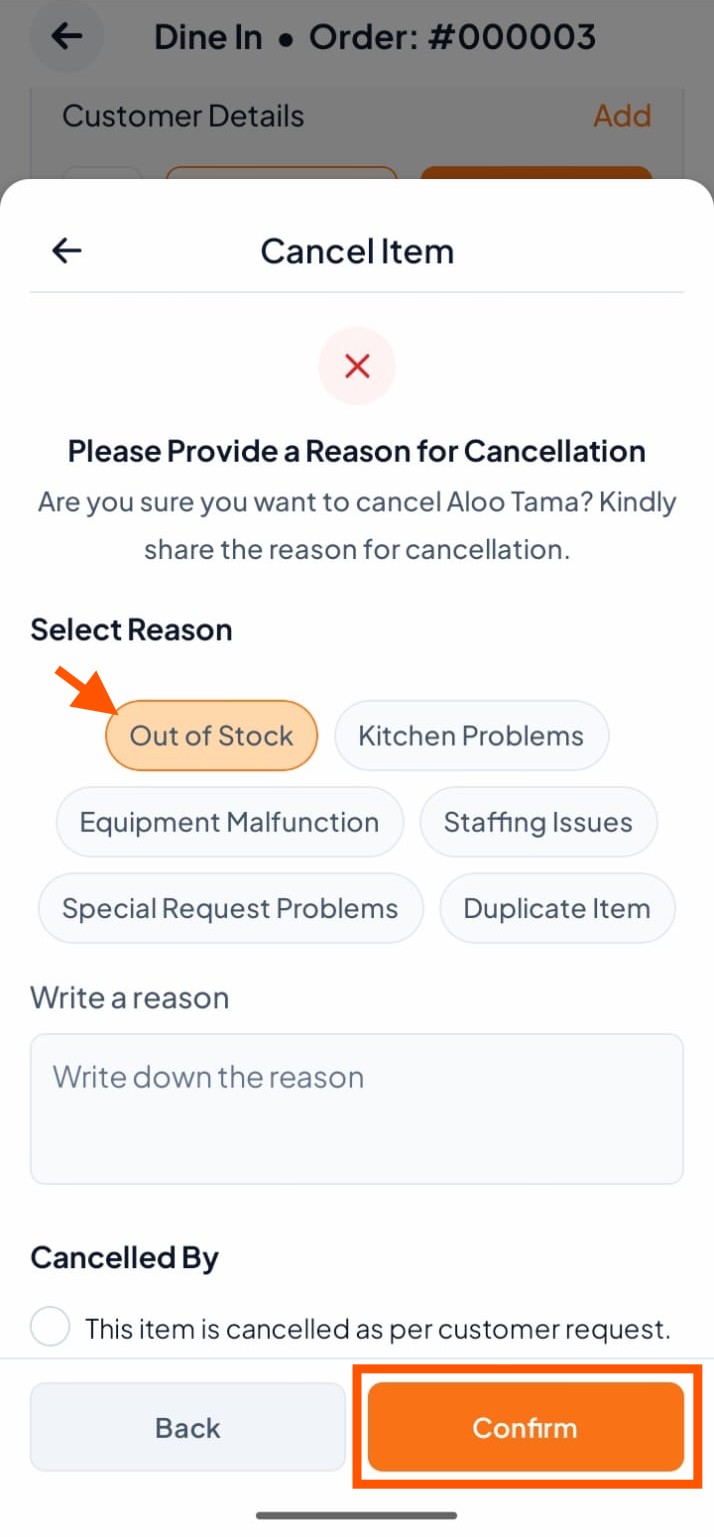
Step 3: Select a reason or write your own, then tap "Confirm".