
On both web and mobile:
Step-By-Step-Guide
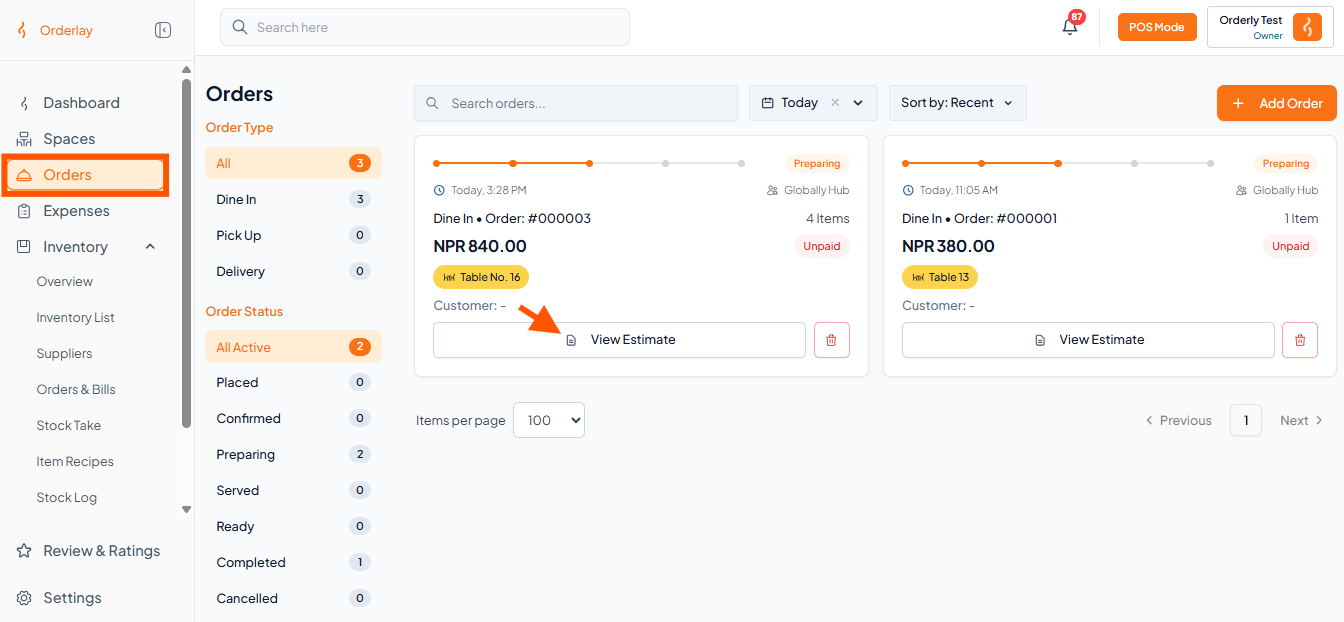
Step 1: Under Orders, click "View Estimate" on the order.
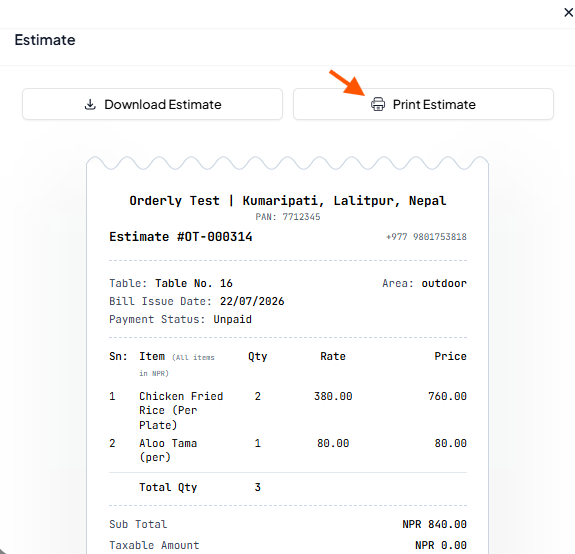
Step 2: On the Estimate page, click "Print Estimate".
Step 1: Under Orders, click "View Estimate" on the order.
Step 2: On the Estimate page, click "Print Estimate".