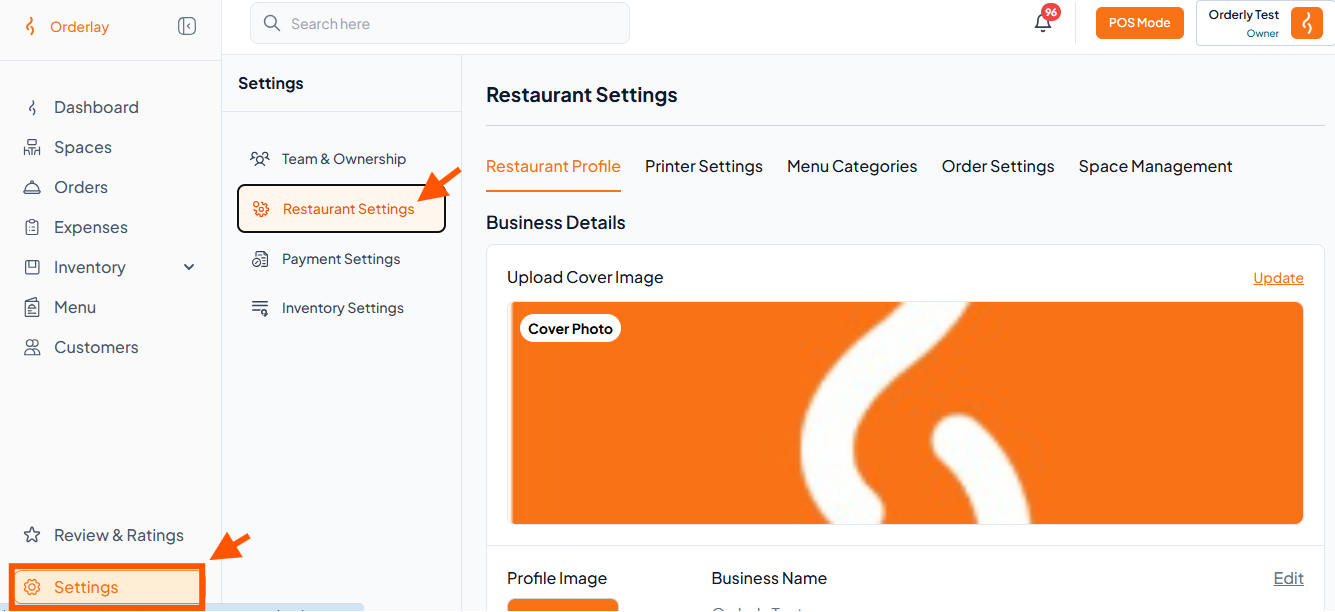
Step 1: Under Settings, click "Restaurant Settings".
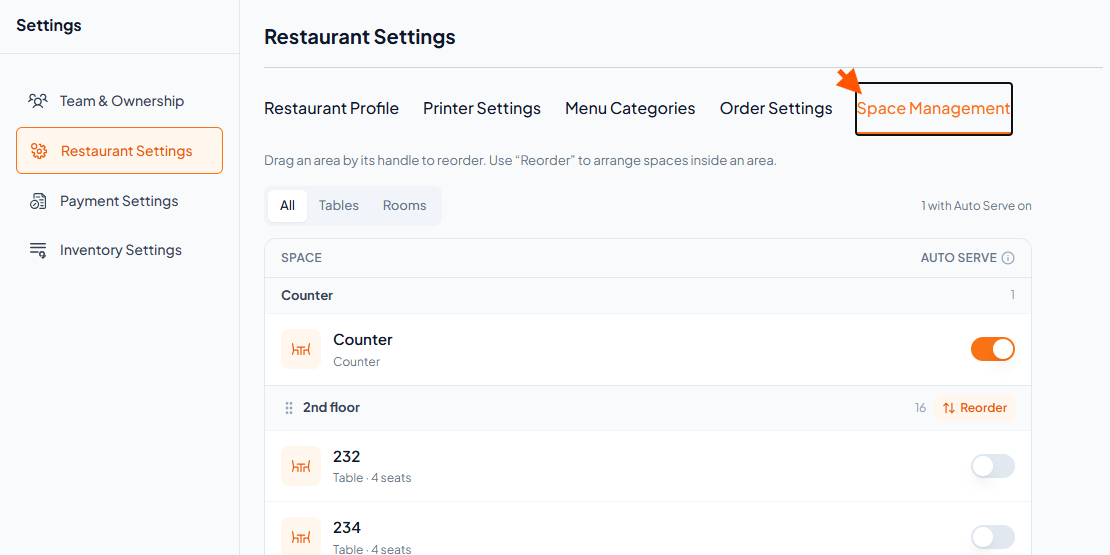
Step 2: Click "Space Management".
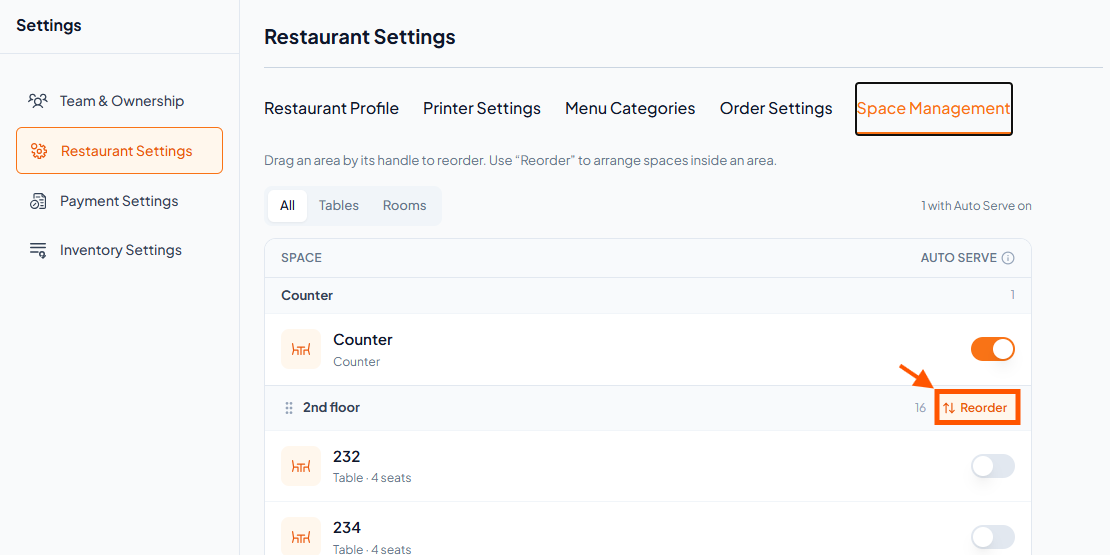
Step 3: Click on Reorder of any specific area (e.g., 2nd floor).
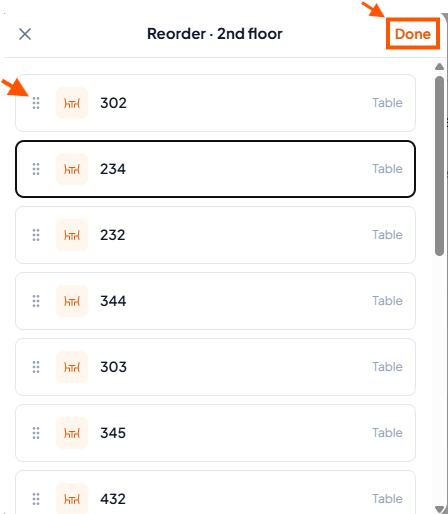
Step 4: Use the ⋮⋮ (drag handle) button to reorder the tables up or down as needed, then click "Done"