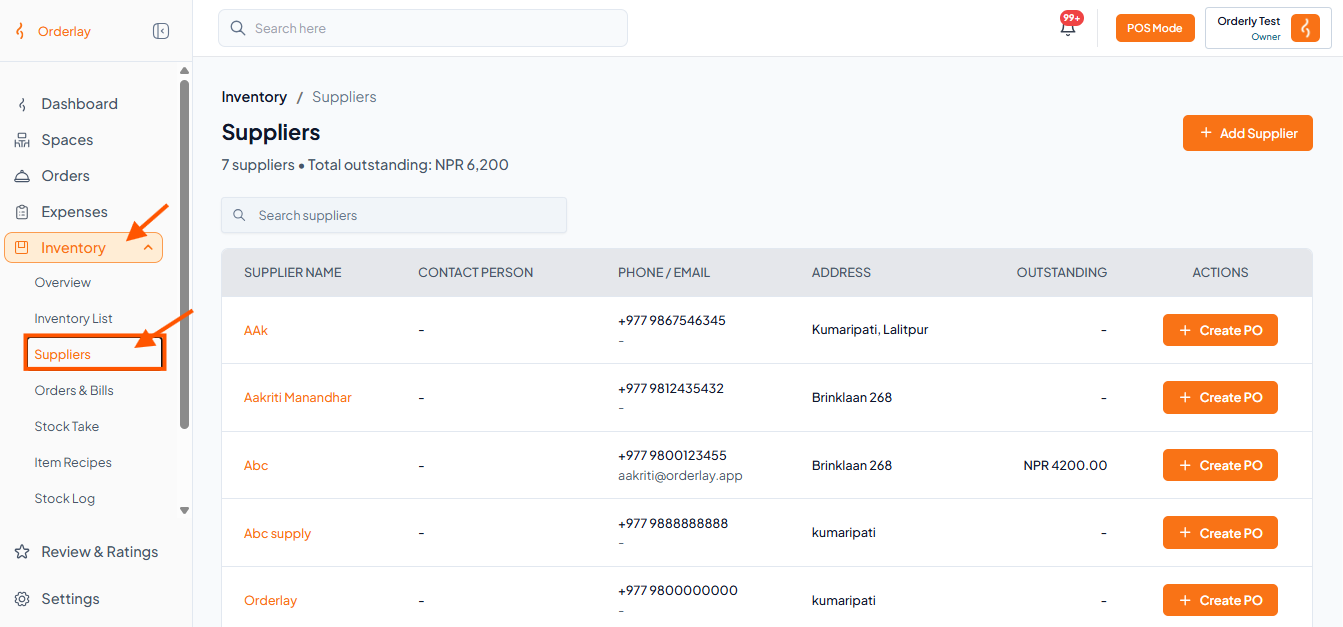
Step 1: Go to Suppliers
Navigate to Inventory → Suppliers from the left menu
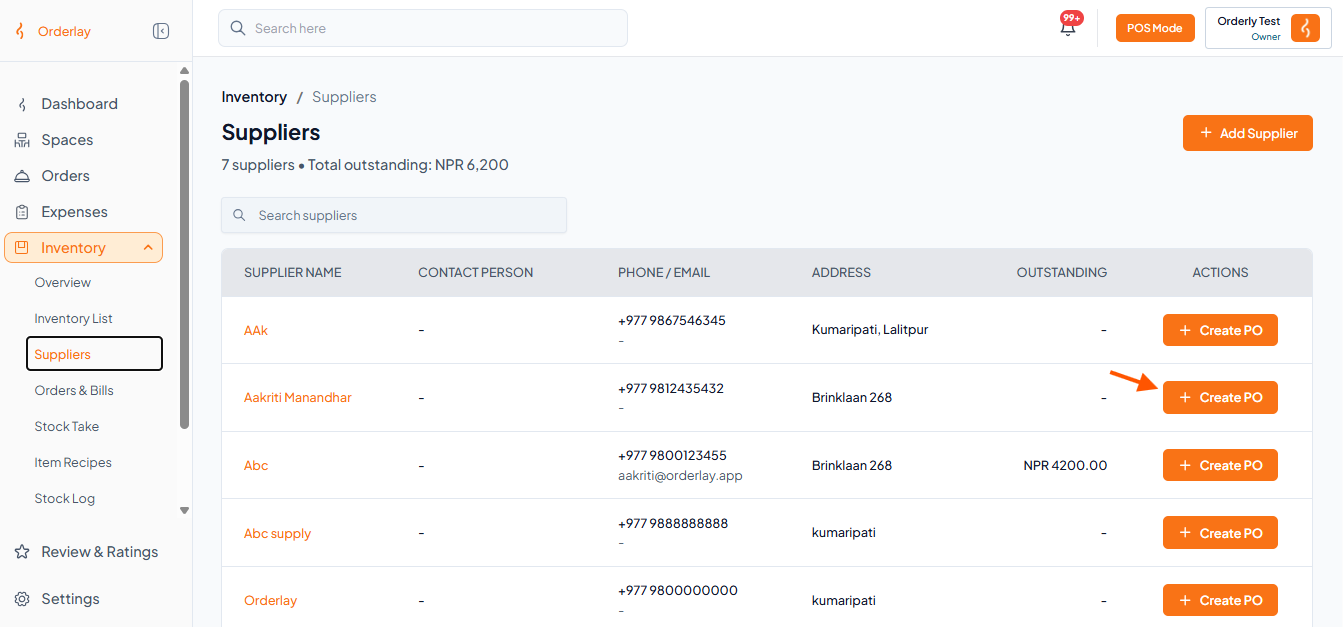
Step 2: Start New PO
Find your supplier and click "+ Create PO".
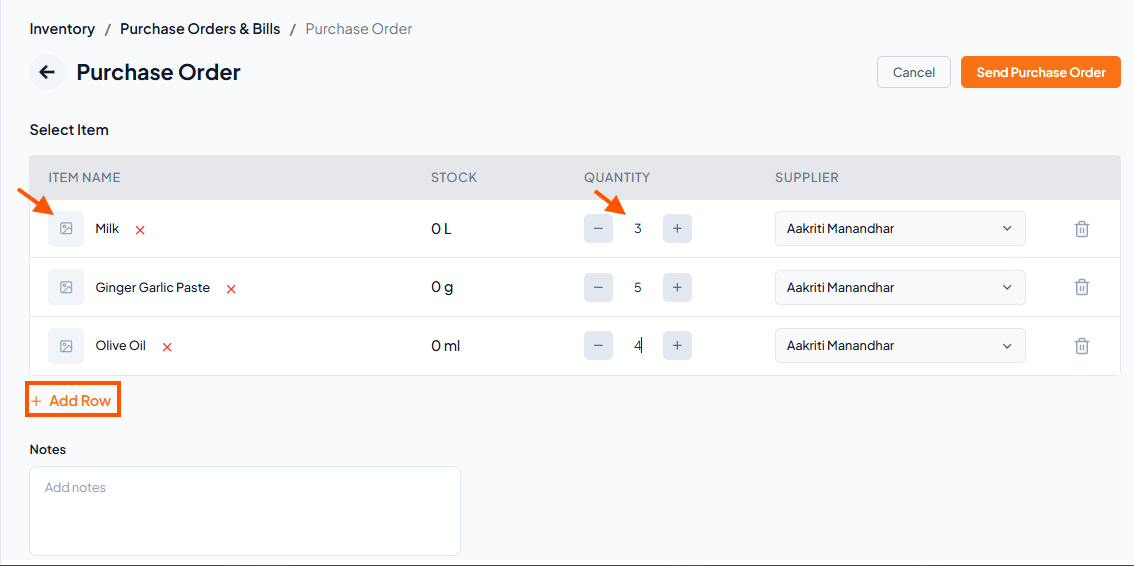
Step 3: Add Items
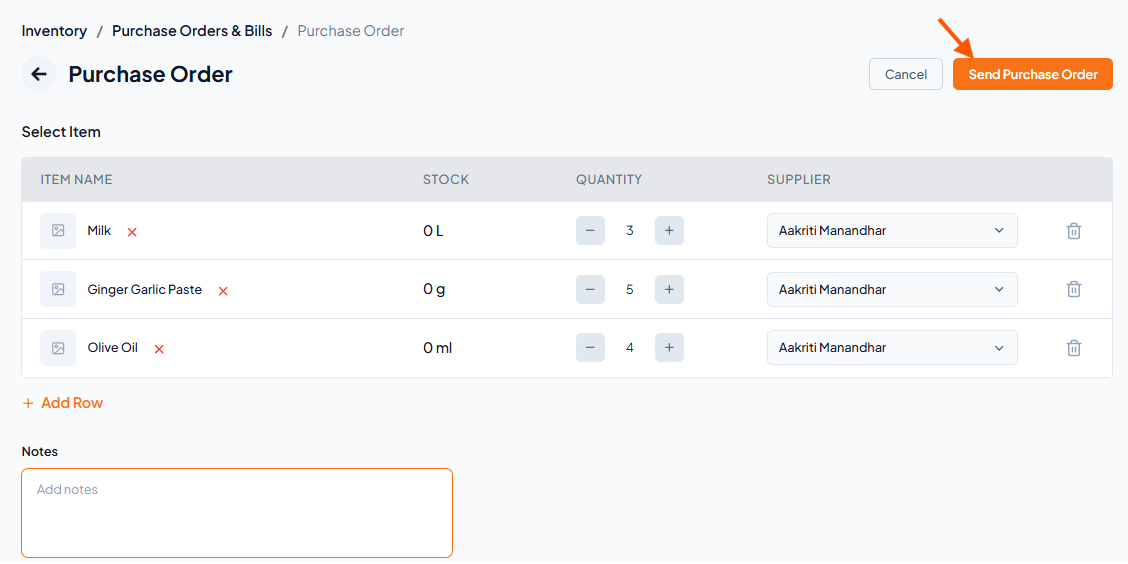
Click "Type or select item name" to choose items
Enter the Quantity for each item
Click + Add Row to add more items
Note: Items must be added to your Inventory List before they appear here.
Step 4: Send Order
Click Send Purchase Order to proceed
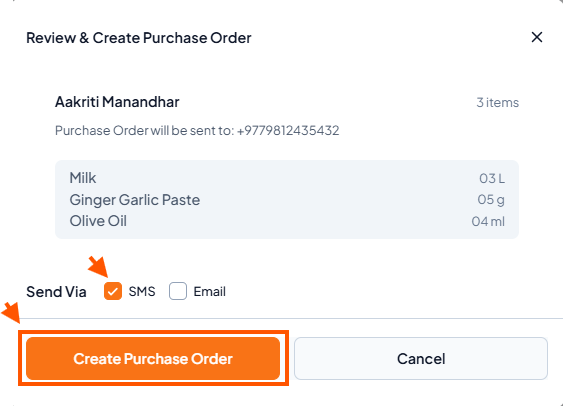
Step 5: Choose Delivery Method
Select SMS or Email to send the PO to the supplier
Click Create Purchase Order to confirm
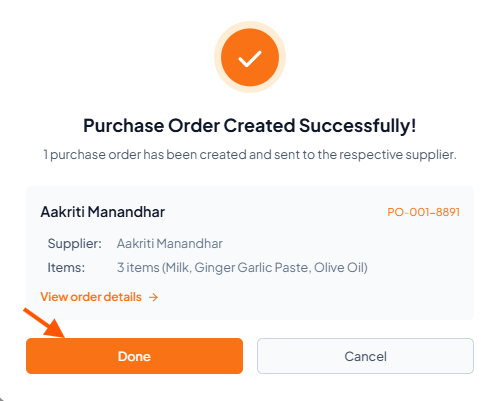
Step 6: Review and Click "Done"