Step-By-Step-Guide
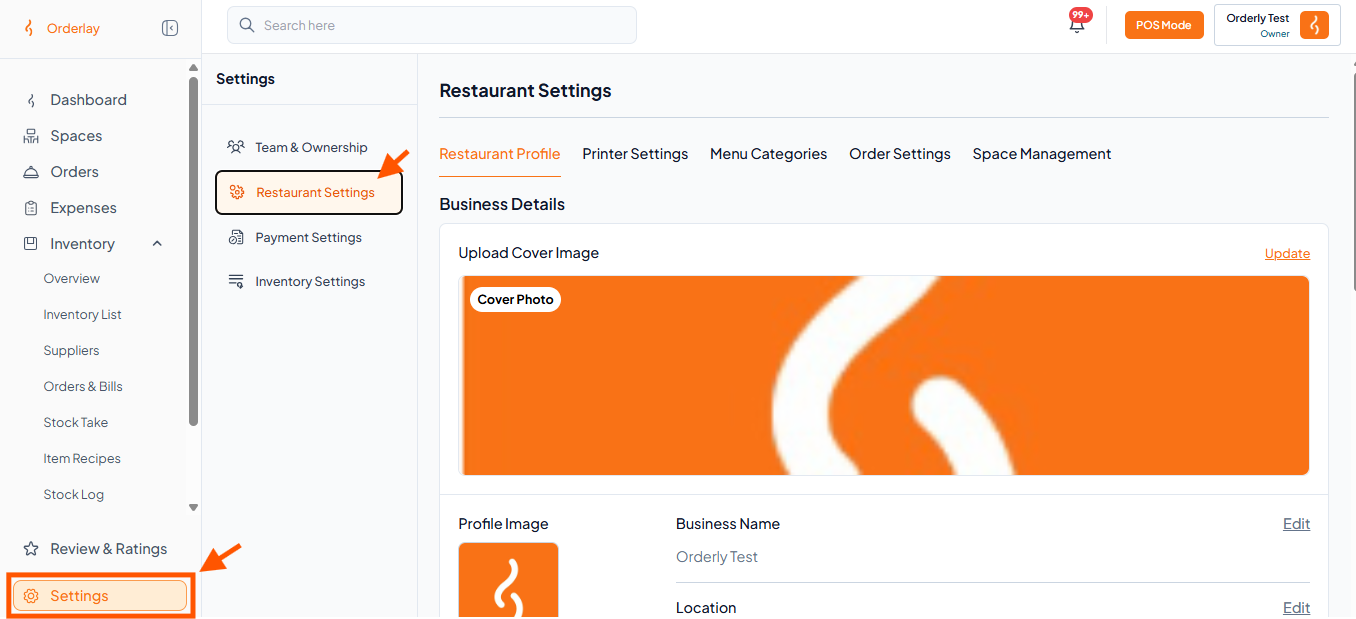
Step 1: Under Settings, click on "Restaurant Settings"
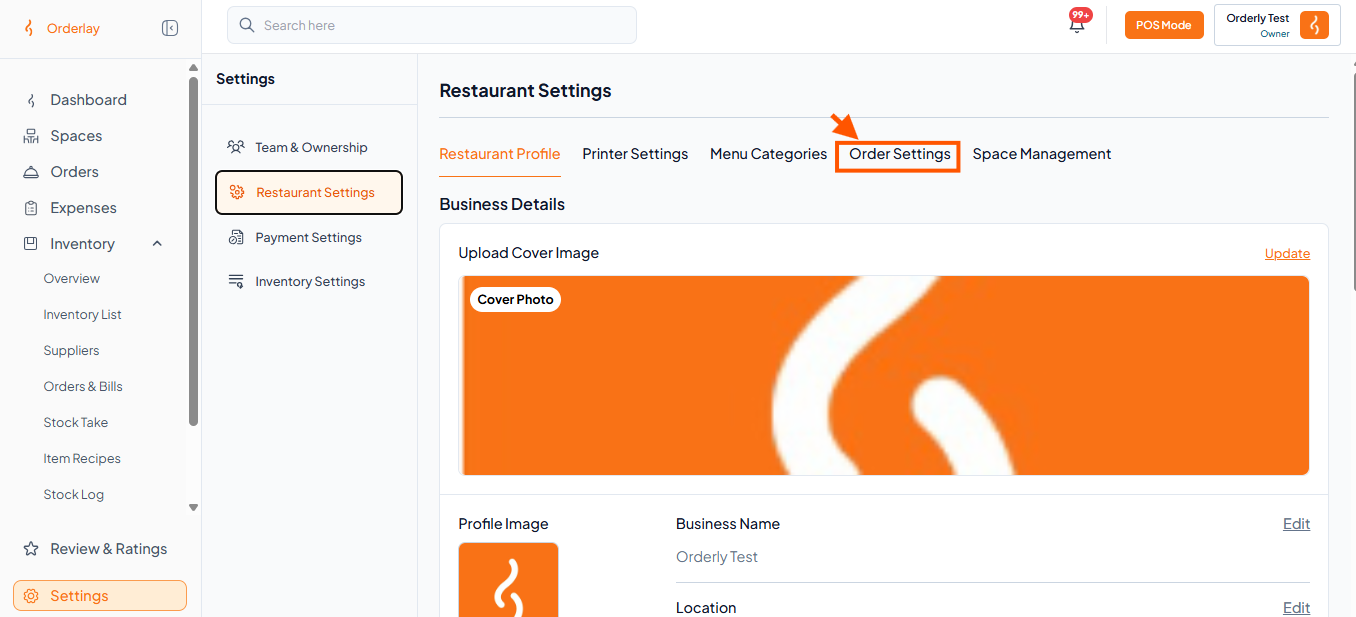
Step 2: Select "Order Settings".
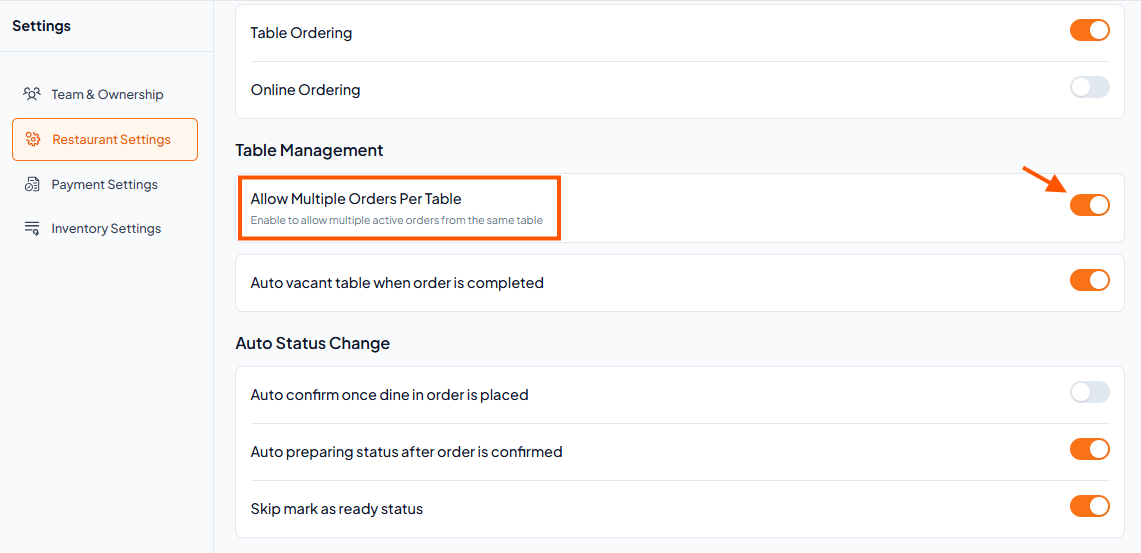
Step 3: Scroll down to Table Management and toggle ON the option: "Allow Multiple Orders Per Table"
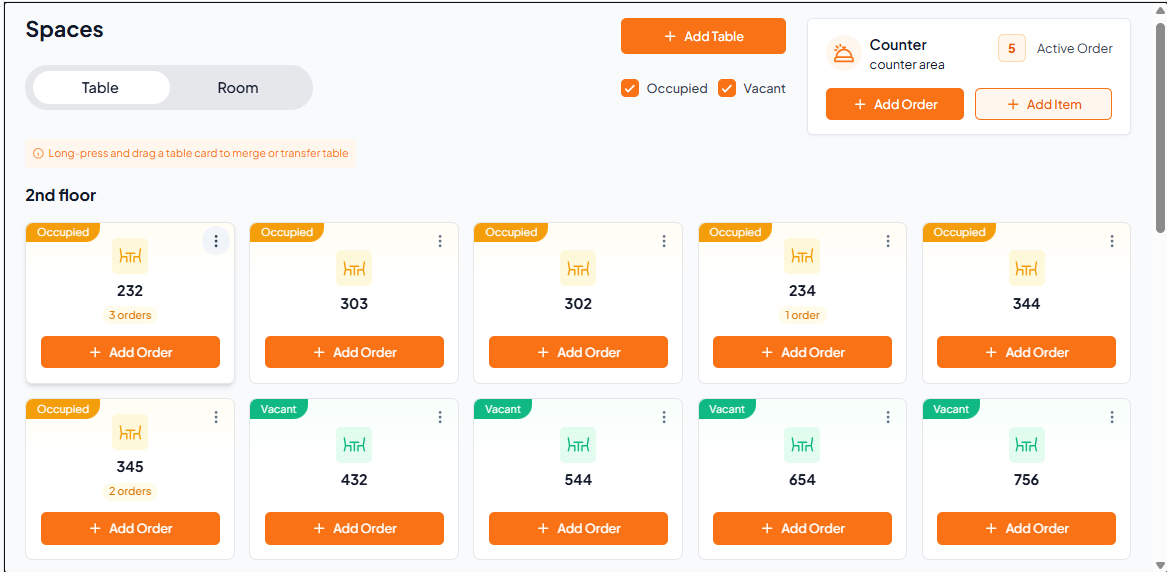
Once enabled, you can add multiple orders for the same table directly from the Spaces section – useful for split bills or groups ordering separately.