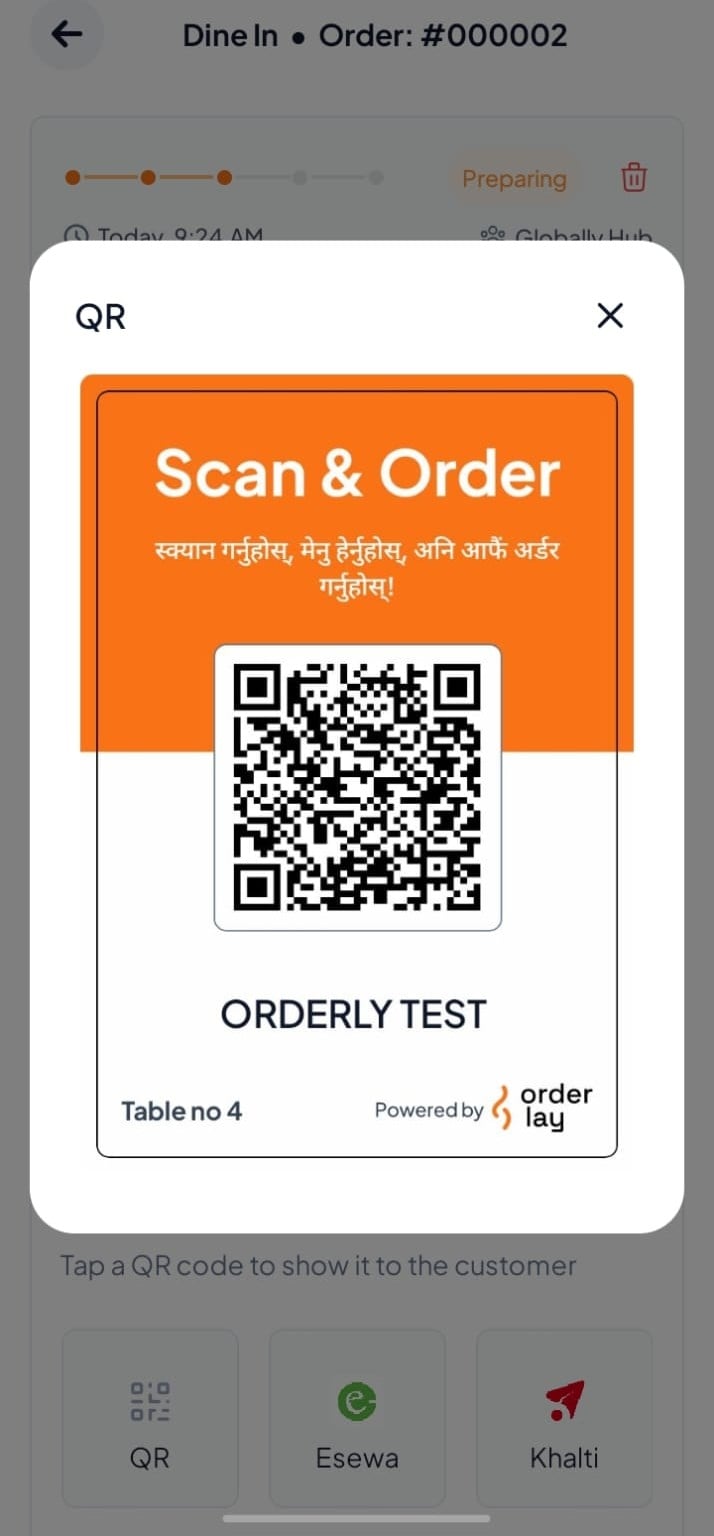
Step-By-Step-Guide
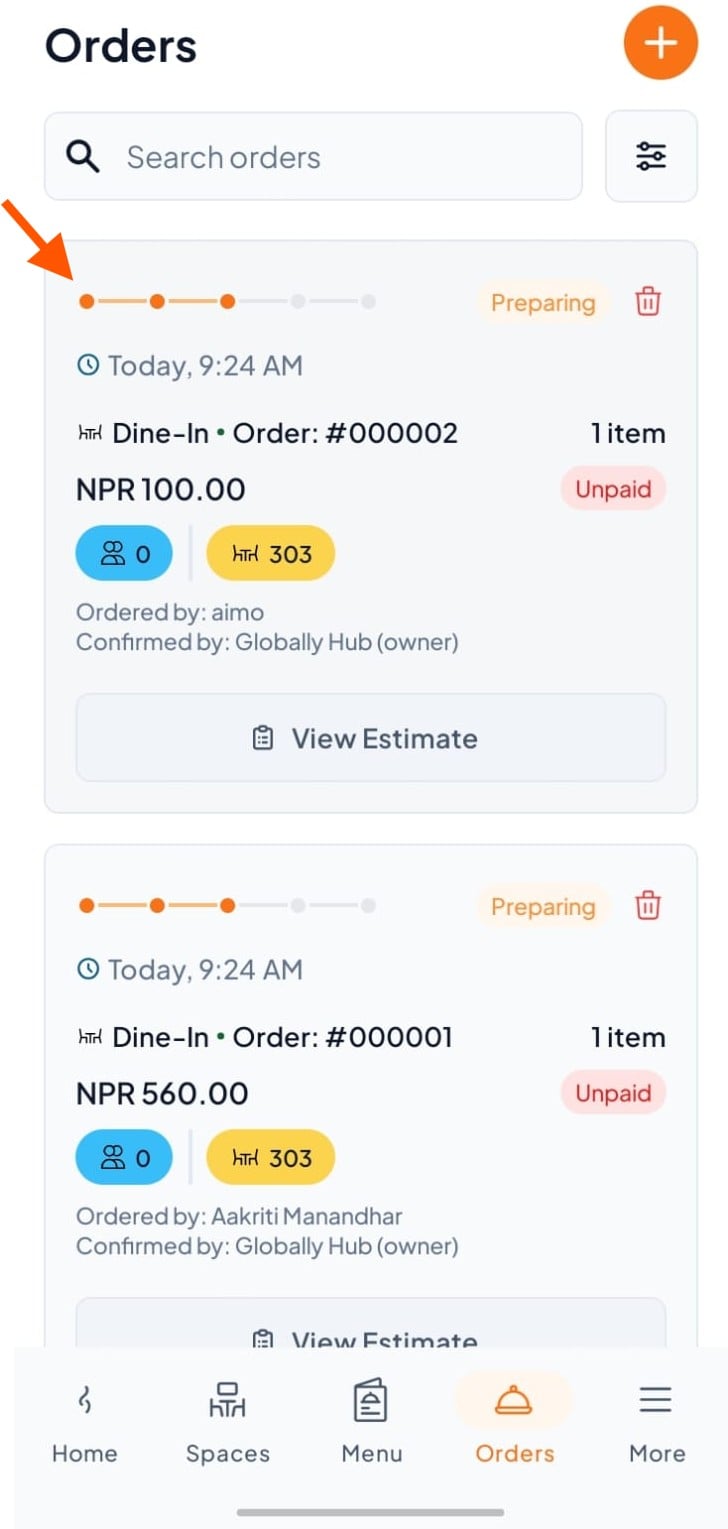
Step 1: Select an Order
Go to the Orders section and tap on any order (e.g., Order #000002).
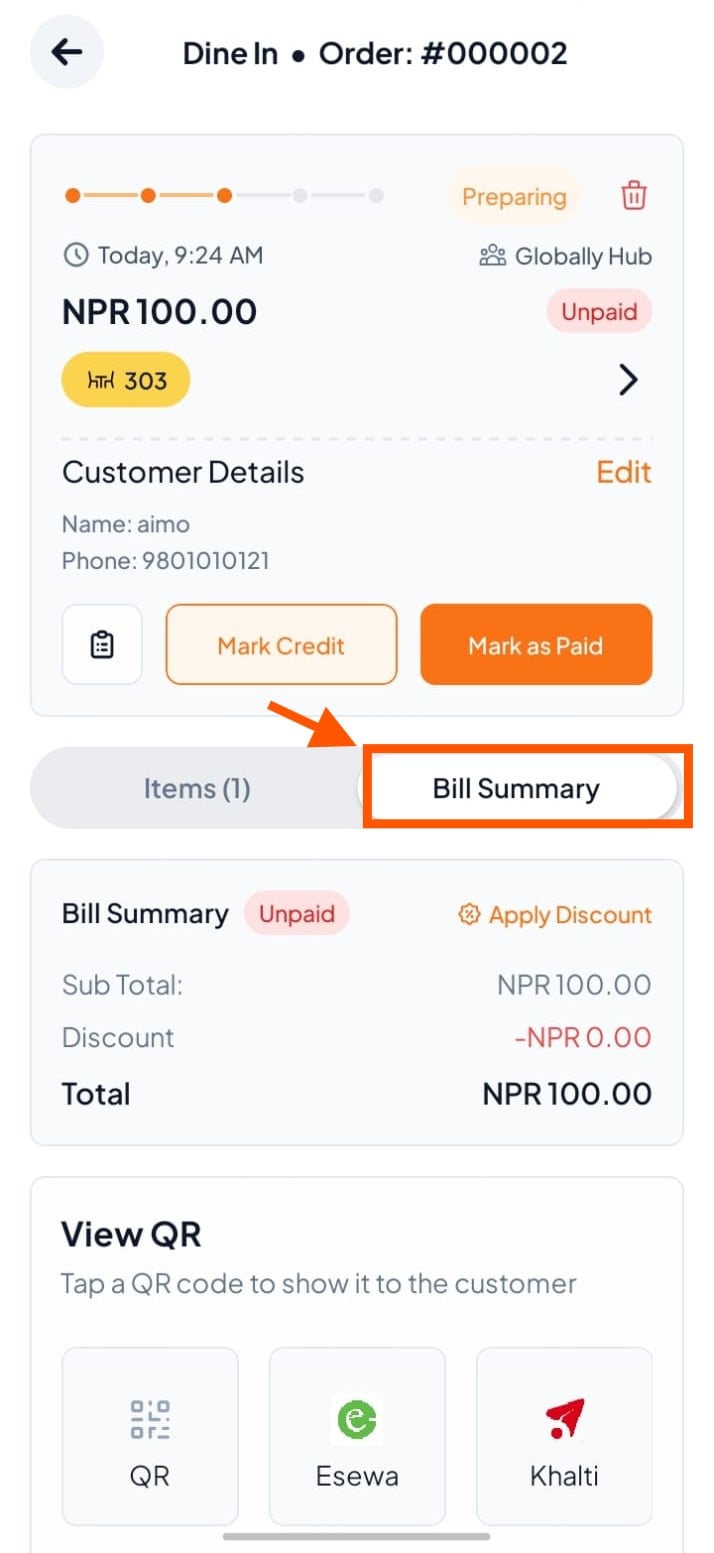
Step 2: Click on Bill Summary
On the order details page, tap on Bill Summary.
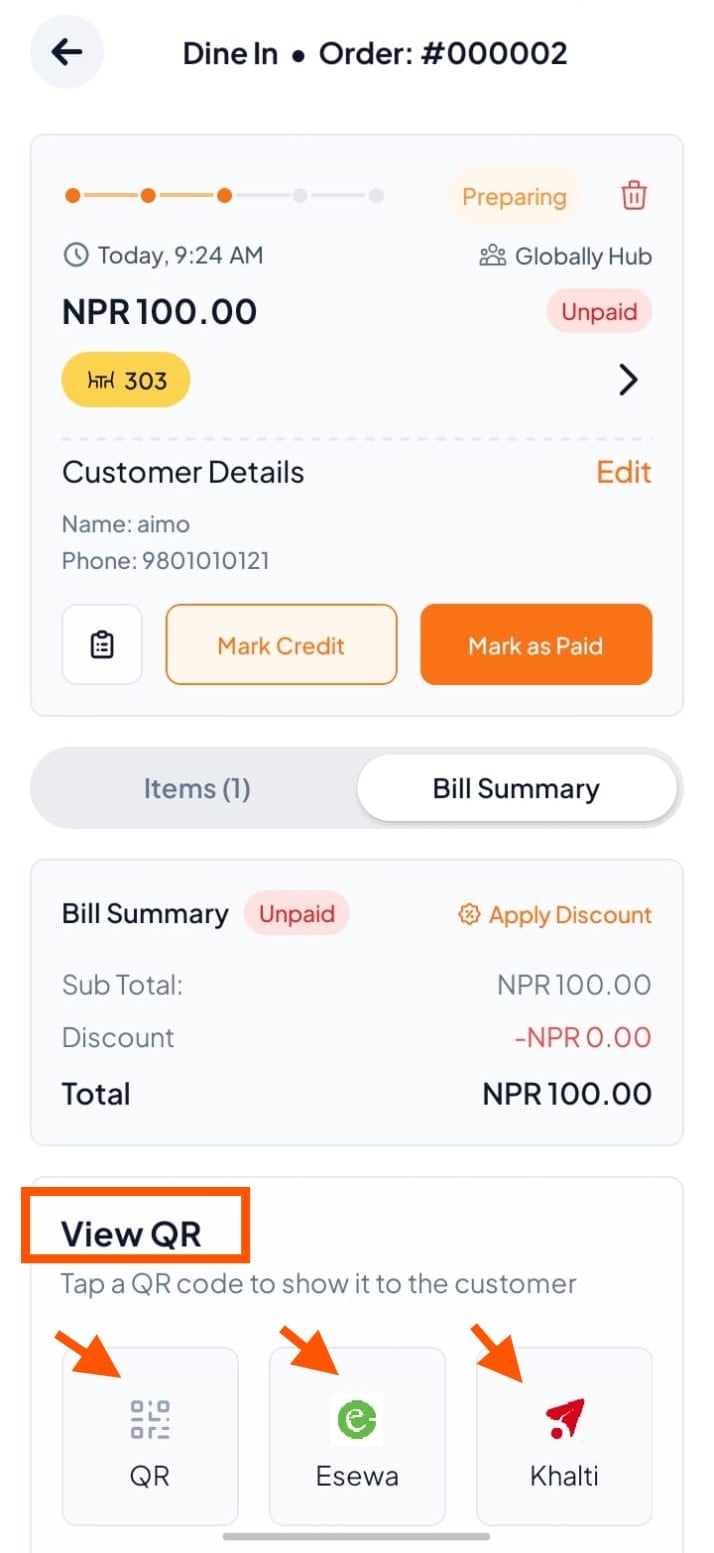
Step 3: Find View QR and Choose a Payment Option
Scroll to View QR and tap any option
Step 4: Show the QR to the Customer