
Step-by-Step-Guide
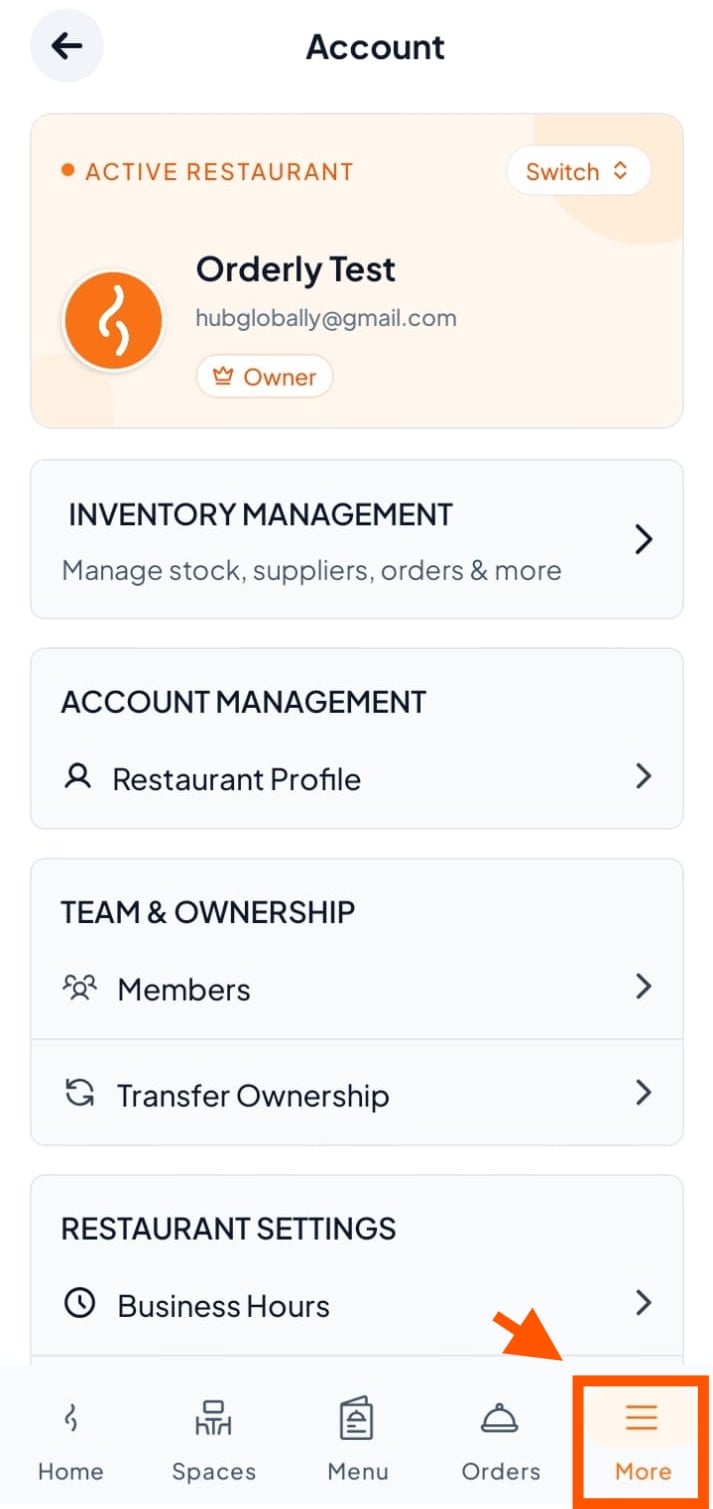
Step 1: Click on "More"
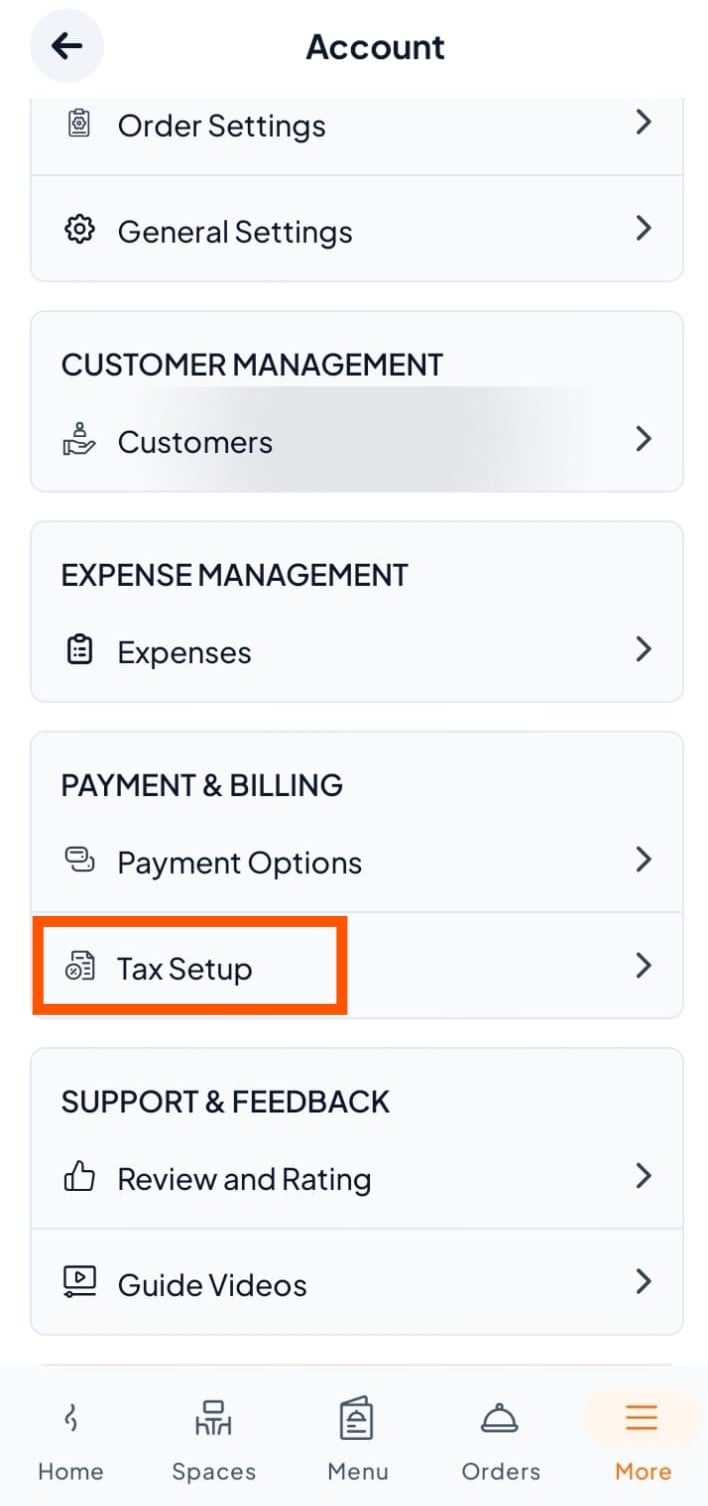
Step 2: Find Payment and Billing
Scroll to Payment & Billing and tap "Tax Setup".
Step 3: Choose Your Country and Add Tax Details
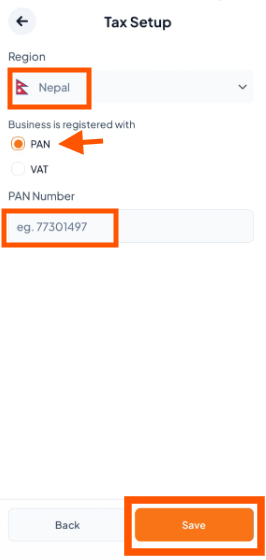
If you have a PAN (no VAT)
Select your country.
Choose PAN.
Enter your PAN number.
Tap Save.
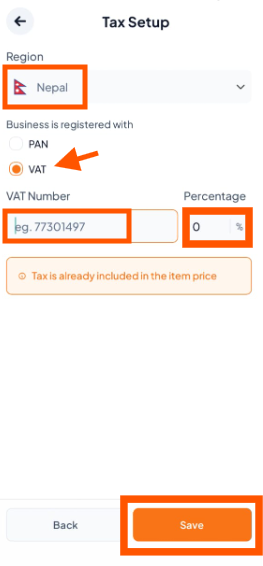
If you have VAT (no PAN):
Select your country.
Choose VAT.
Enter your VAT number.
Set the correct tax percentage.
Tap Save.

Make sure your tax numbers and percentages match your official business documents. Wrong details can cause reporting errors or legal issues.