Step-By-Step-Guide
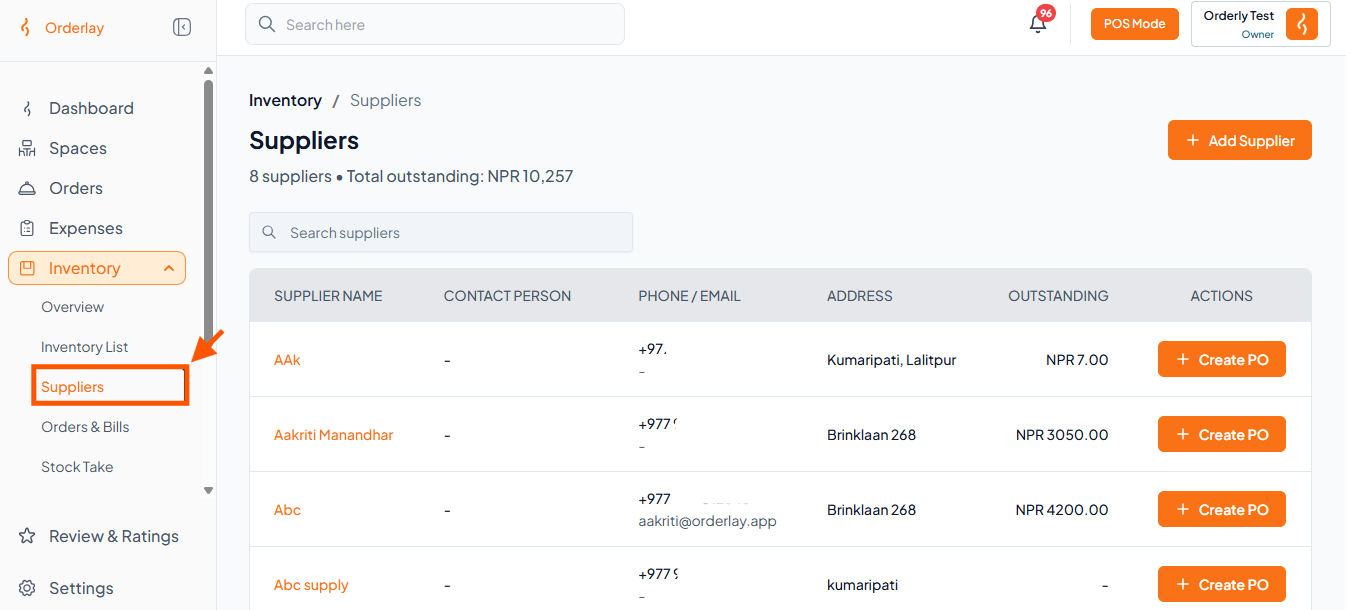
Step 1: Navigate to Suppliers
From the left-hand menu, go to Inventory and click on "Suppliers"
Step 2: Create a Purchase Order
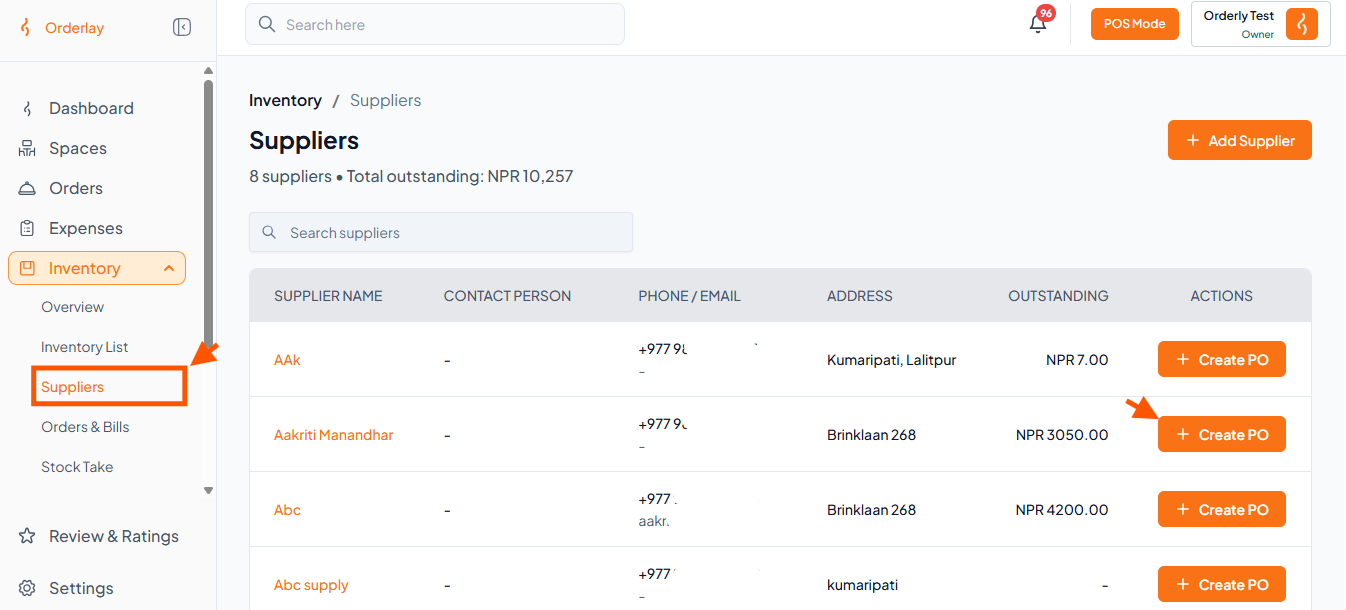
Locate the supplier you want to order from in the supplier list.
Click the + Create PO button next to the supplier's name..
Step 3: Enter Item Details
Select Item: Choose the item you want to order (e.g., Black Pepper).
Enter Quantity: Specify the quantity (e.g., 5g).
Add Notes: Optionally add any notes for the supplier (e.g., "Better Quality").
Add More Items: Click + Add Row if you need to add multiple items to the same purchase order.
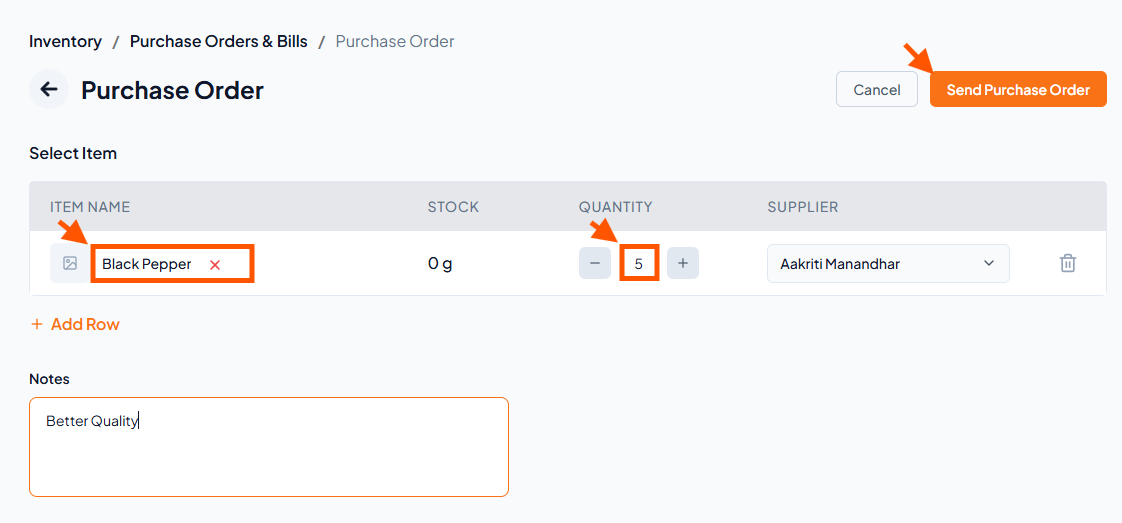
Once all details are entered, click Send Purchase Order.
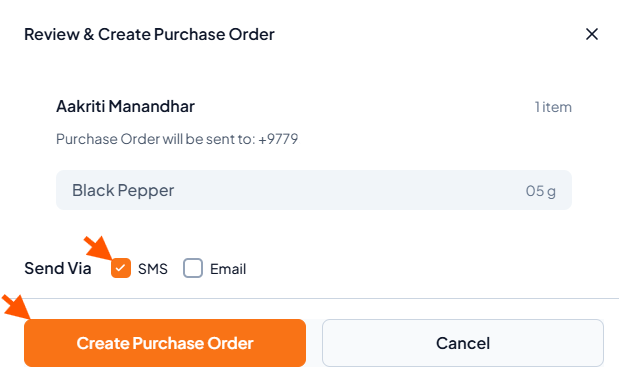
Step 4: Review and Send
Confirm the supplier and item details.
Choose how you want to send the purchase order:
SMS
Email
Click Create Purchase Order to finalize and send.
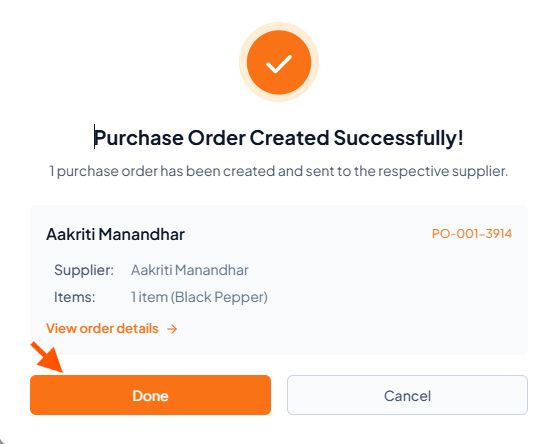
Step 5: Click Done to return to the supplier list.