Step-By-Step-Guide
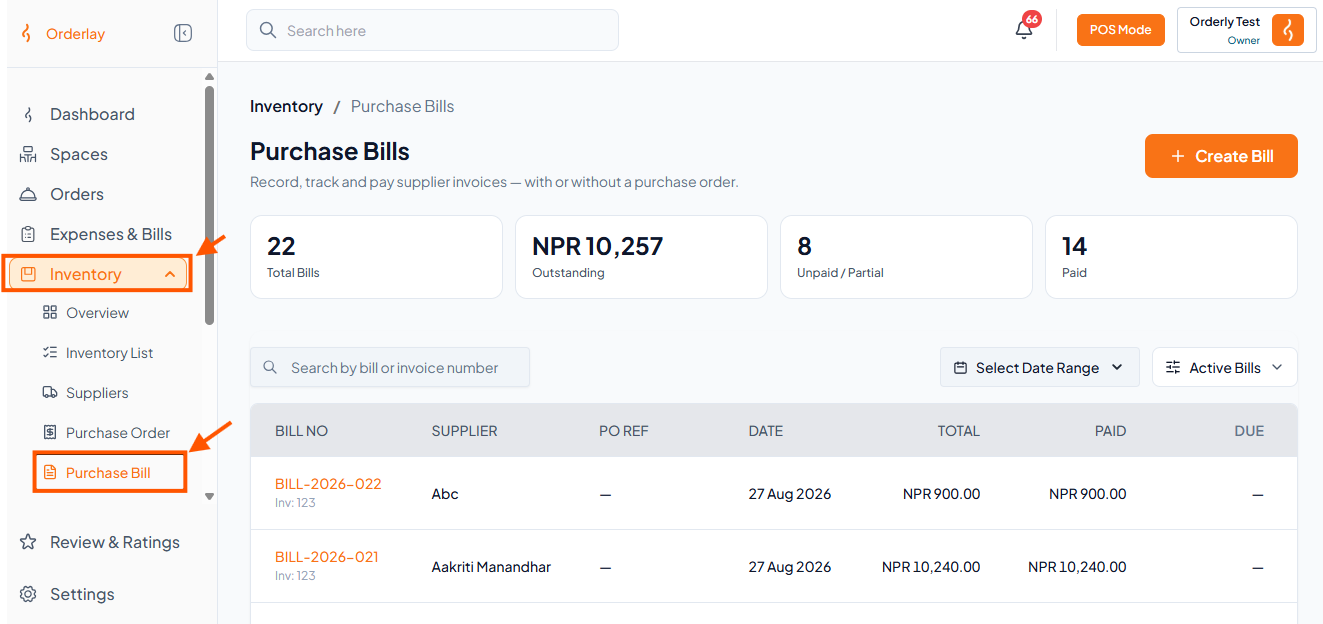
Step 1: Go to Inventory → Click Purchase Bill
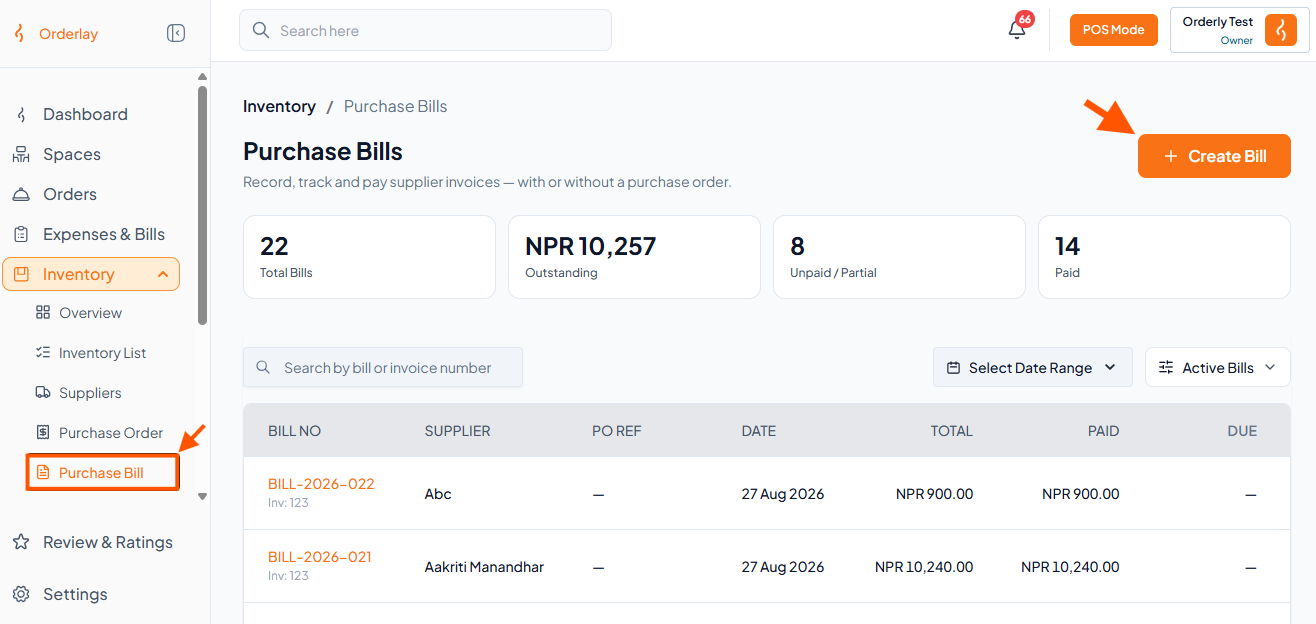
Step 2: Click the "Create Bill" button
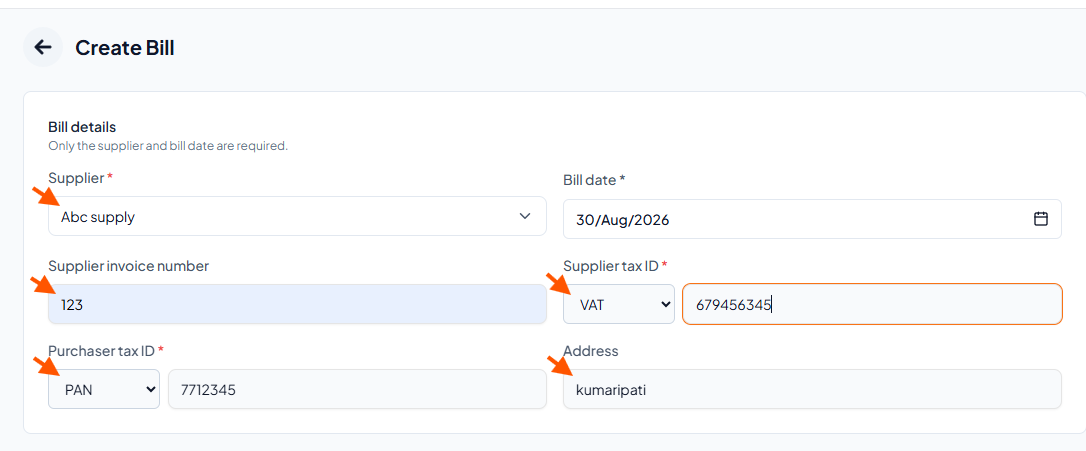
Step 3: Fill in bill details
Supplier name (required)
Bill date (required)
Supplier invoice number
Supplier tax ID
Purchaser tax ID
Address
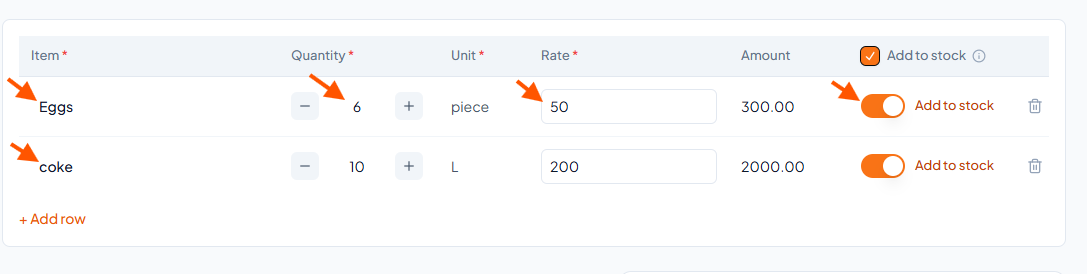
Step 4: Add items you purchased
Enter item name, quantity, unit, and rate
Toggle "Add to stock" ON if you want to add items to inventory
Click + Add row to add more items
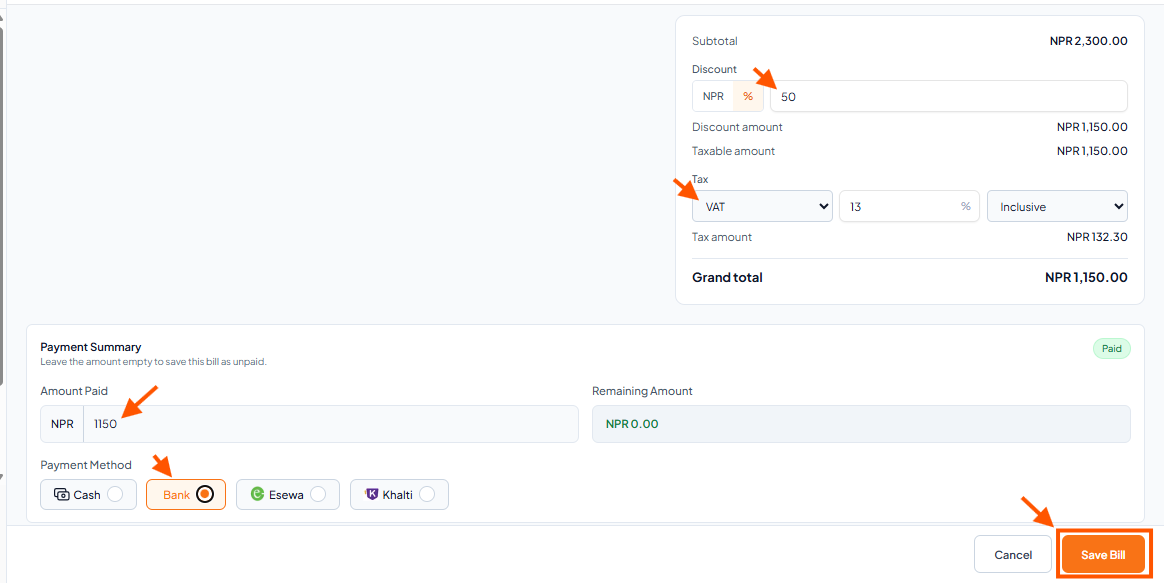
Step 5: Enter discount, tax & payment
Discount – Enter amount in NPR or %
Tax/VAT – Select tax rate (e.g., VAT 13%)
Amount Paid:
Full amount = Paid in full
Partial amount = Partially paid
Leave empty = Unpaid
Payment Method – Select Cash, Bank, Esewa, or Khalti
Click "Save Bill"