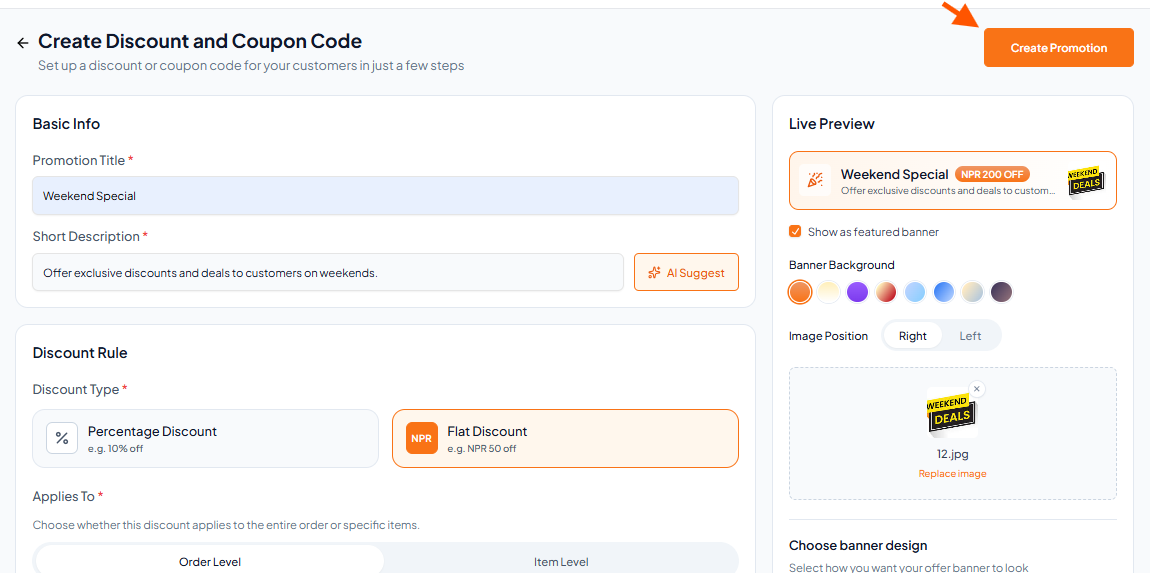
Step-By-Step-Guide
Step 1: Click on Percentage Discount
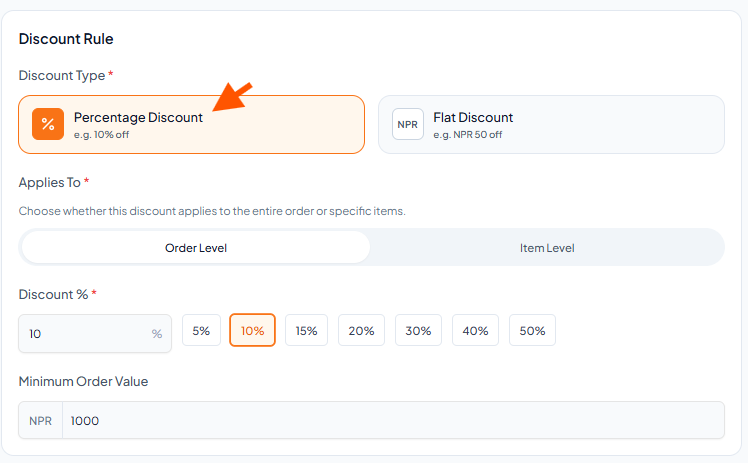
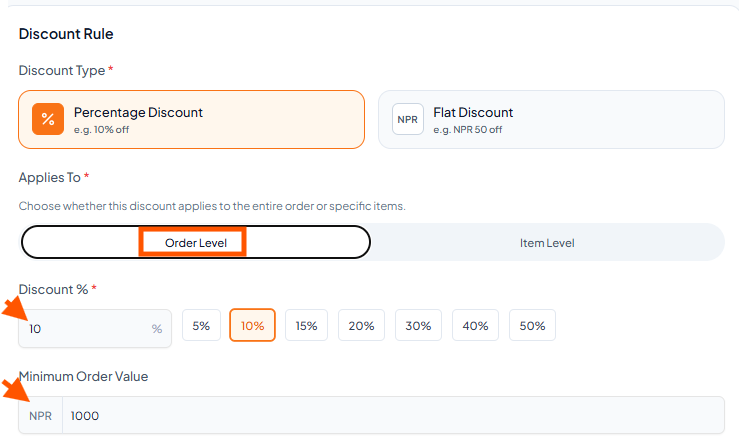
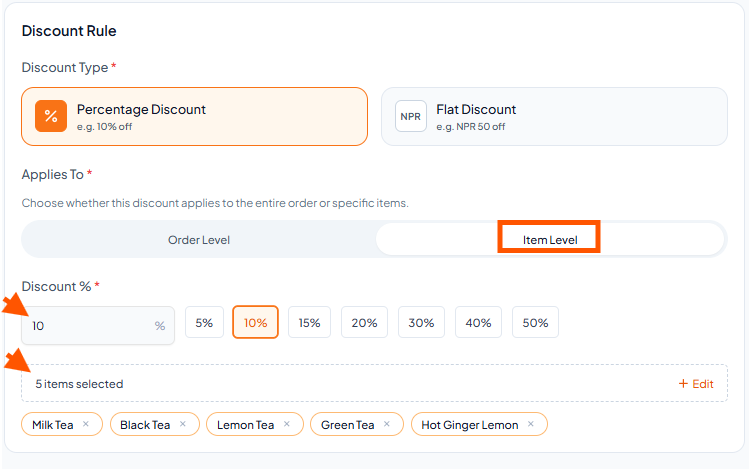
Step 2: Select Order Level or Item Level Discount
a. Order Level: Enter the discount percentage and set the Minimum Order Value.
For example, if the minimum order value is NPR 1,000 and the discount is 10%, customers will get 10% off when their order reaches NPR 1,000.
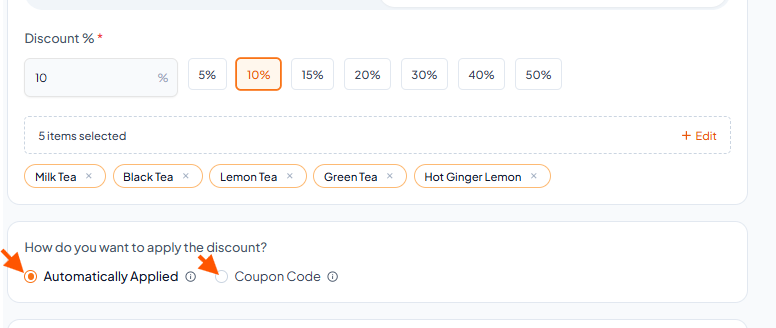
b. Item Level: Select "Item Level", enter the discount percentage, then choose the items to apply the discount to.
Step 3: Choose how customers receive the discount
Automatically Applied: Discount is added automatically.
Coupon Code: Customers enter a coupon code to get the discount.
Step 4: Schedule the Promotion
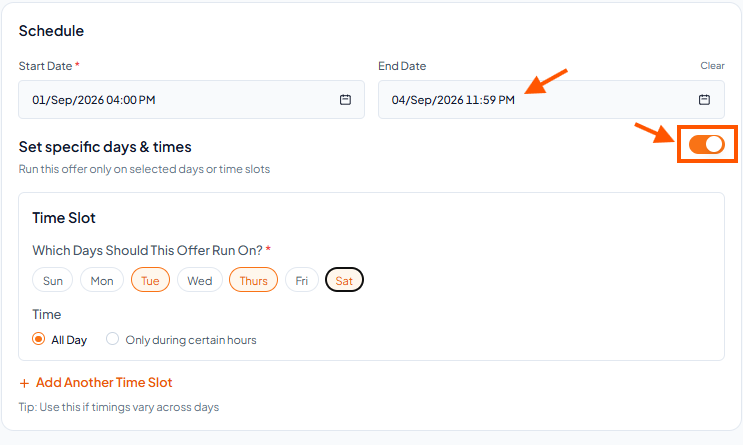
Start Date & End Date: Set the dates for when the offer will be active.
Set specific days & times: Toggle this on if you want the offer to run only on specific days.
Select the Days (Sun, Mon, Tue, etc.).
Select the Time (All Day or Only during certain hours).
Click "Add Another Time Slot" if timings vary on different days.
Step 5: Click the "Create Promotion"