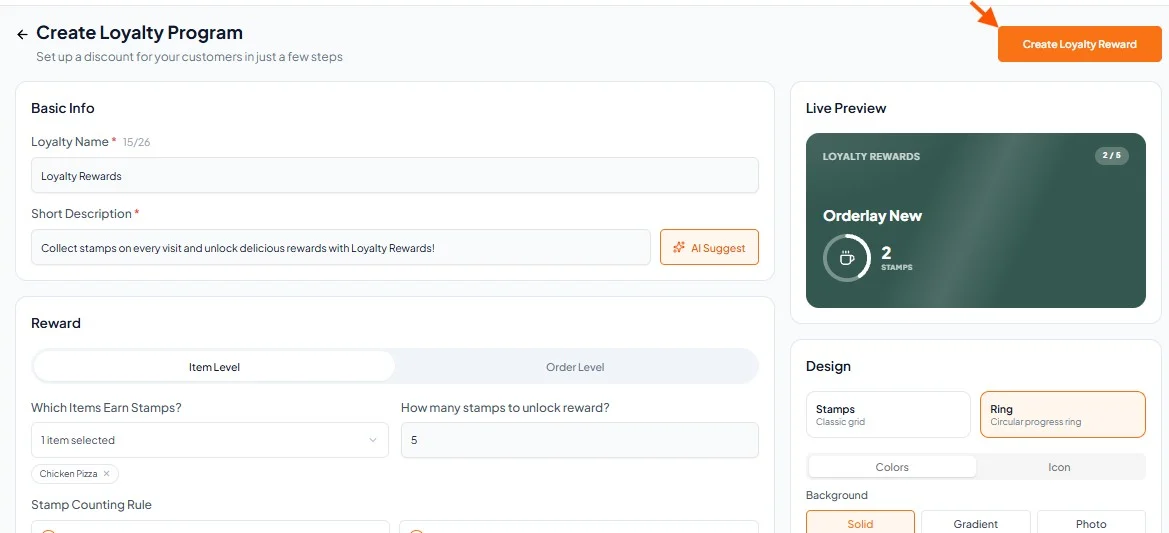
Step-By-Step-Guide
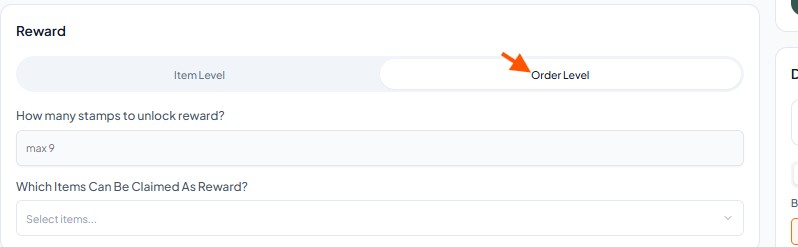
Step 1: Click On Order Level
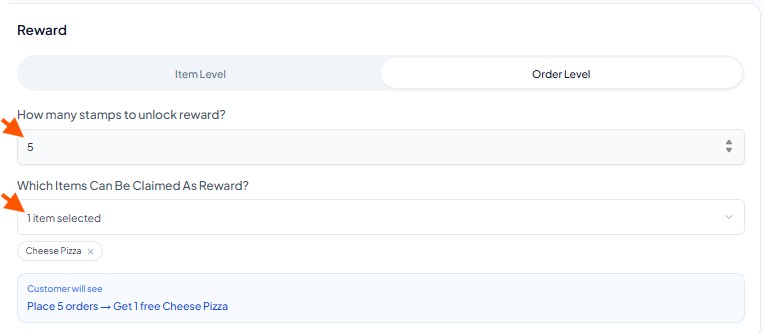
Step 2: Select Stamp Count and reward item
Set the number of stamps required to unlock the reward and select the item customers can claim.
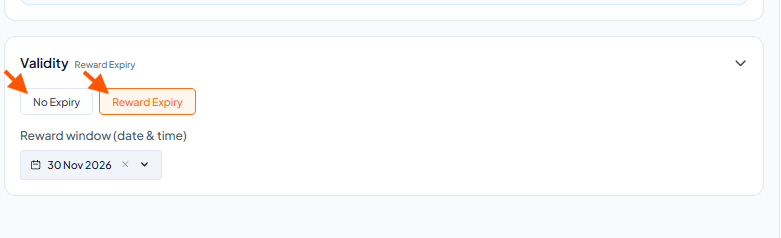
Step 3: Select the "Validity"
Choose No Expiry if you don't want the loyalty to end, or select Reward Expiry to set a specific date range.
Step 4: Finalize
Click the "Create Loyalty reward"