company logo

Help center

Go to Orderlay
All collections2. Knowledge BaseAI Assistant (Chatbot)Profit & Loss (P&L) Report — Know If You Are Really Making Money

Profit & Loss (P&L) Report — Know If You Are Really Making Money

Many owners know how much they sold but not how much they actually kept. The P&L report answers this. It is a full report covering your revenue, your expenses and your daily trend.

Warning: Orderlay Lens can only provide accurate insights based on the data recorded in Orderlay. Ensure all sales, expenses, inventory, and menu costs are recorded and updated.

Step-By-Step-Guide

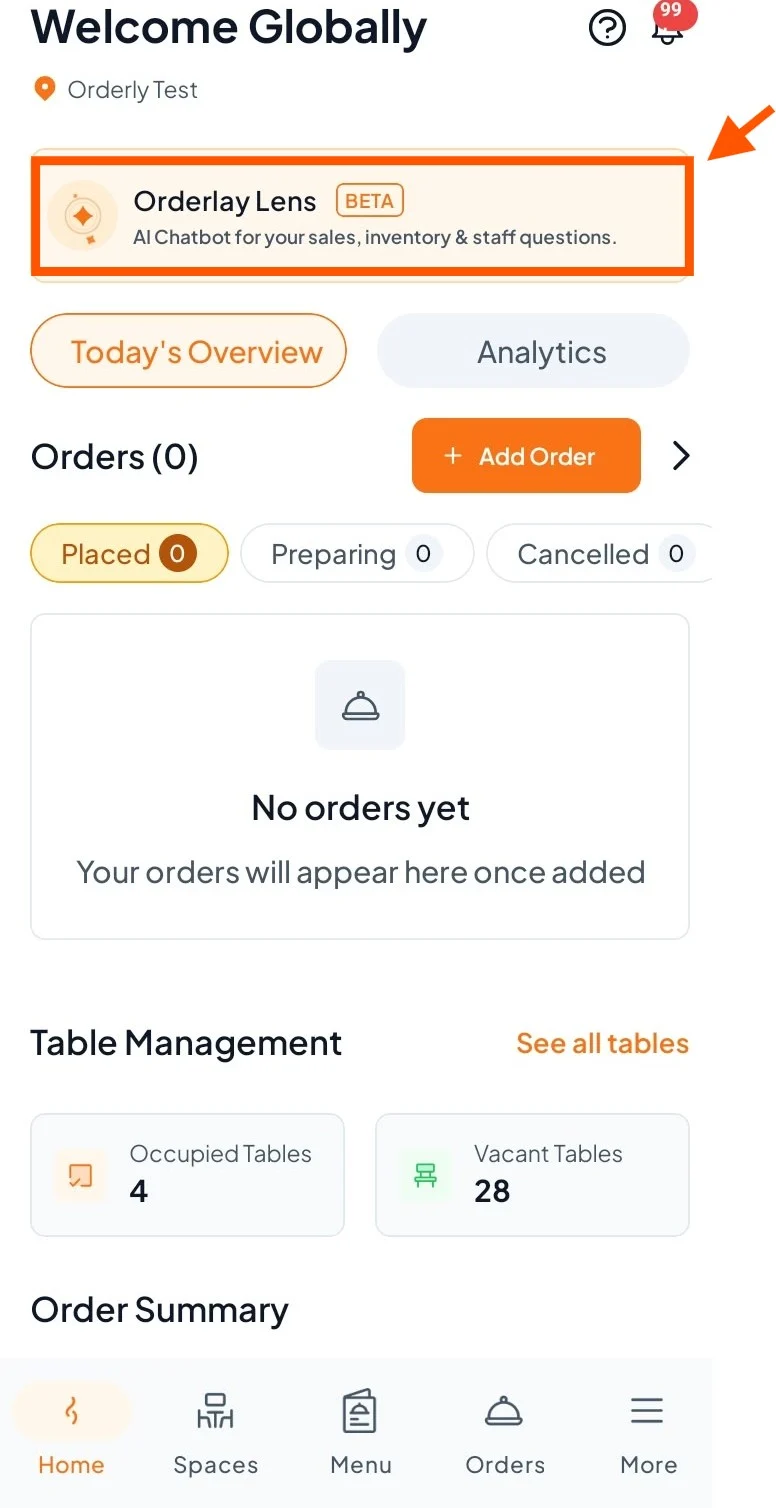
Step 1: On your dashboard, click "Orderlay Lens".
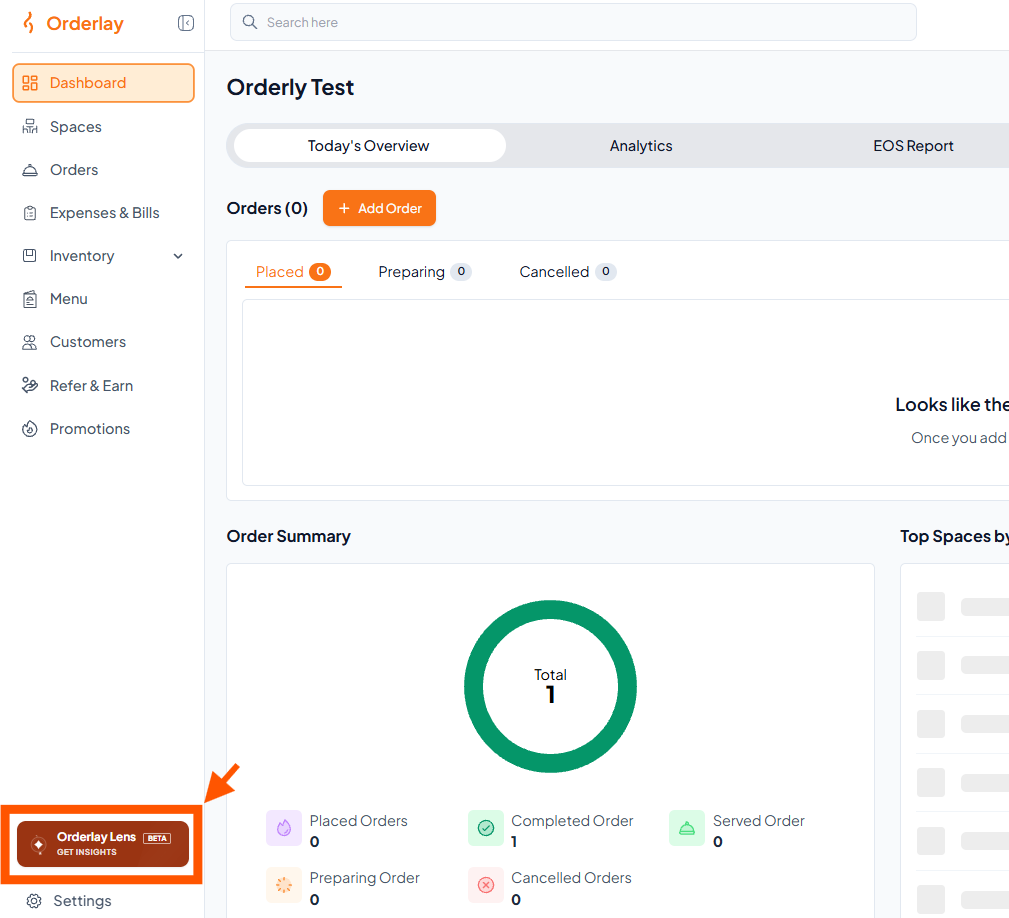
On Web:

Orderly Test dashboard with Order Summary; an orange arrow and box highlight the Orderly Lens sidebar button. Visible: Orderly, Search here, Dashboard, Spaces, Orders, Expenses & Bills.

On App:

Step 2: On the Lens home screen, find the "Operations Launchpad" section.
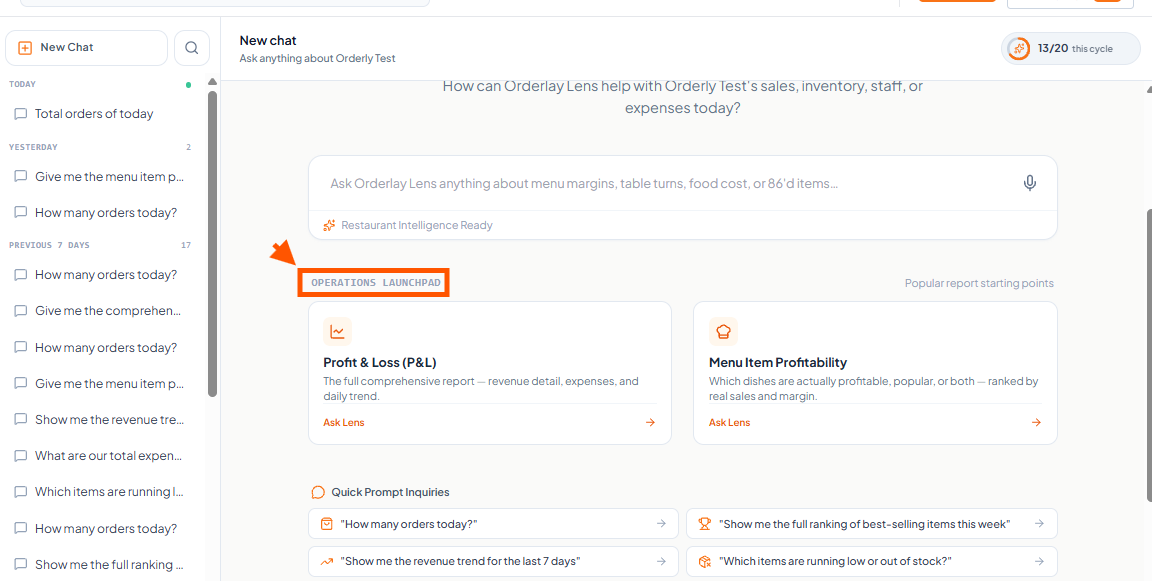
Orderly Lens New chat screen shows report cards and quick prompts, with an orange arrow pointing to the OPERATIONS LAUNCHPAD heading. Visible: New chat, Ask anything about Orderly Test, 13/20 this cycle, Restaurant Intelligence Ready, OPERATIONS LAUNCHPAD, Popular report starting points.

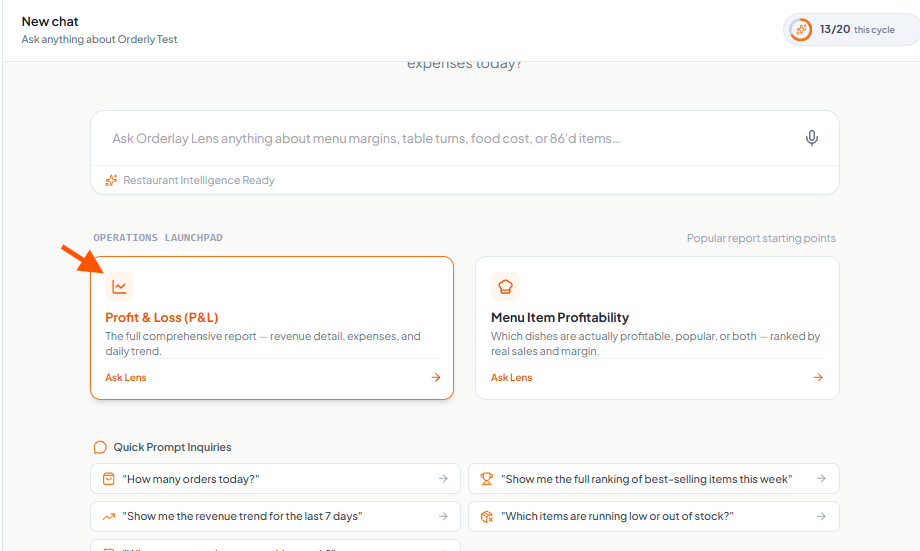
Step 3: Click the Profit & Loss (P&L) card

info icon
Note: For accurate results, make sure all your data is updated in Orderlay.
Orderly Test new chat screen shows a Profit & Loss (P&L) report card outlined in orange, with an orange arrow pointing to it. Visible: New chat, Ask anything about Orderly Test, 13/20 this cycle, Ask Orderly Lens anything about menu margins, table turns, food cost, or 86’d items..., Restaurant Intel

Step 4: Select the date range and click "Generate Report".
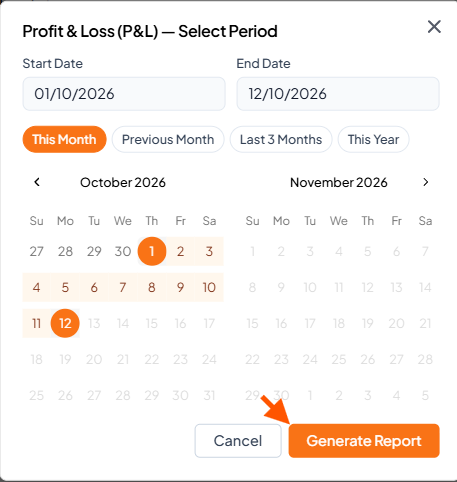
Profit & Loss (P&L) Select Period dialog shows date fields, preset range buttons, October and November 2026 calendars, and an arrow pointing to Generate Report. Visible: Profit & Loss (P&L) — Select Period, Start Date, 01/10/2026, End Date, 12/10/2026, This Month.

Step 5: View the AI-generated report and click "Download" if you want to save the report.
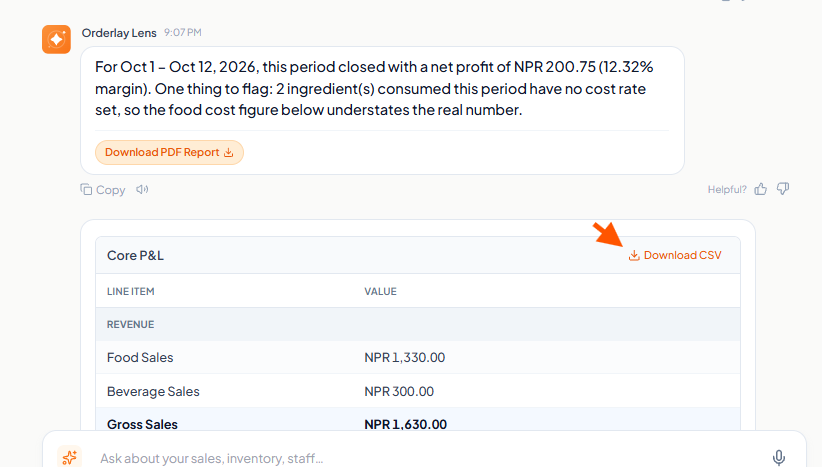
Orderly Lens report shows an October 1–12, 2026 profit summary above the Core P&L table; an orange arrow points to Download CSV. Visible: Orderly Lens, For Oct 1 – Oct 12, 2026, this period closed with a net profit of NPR 200.75 (12.32% margin)., Download PDF Report, Core P&L, Download CSV, LINE ITE

Did this answer your question?
😞
😐
😁