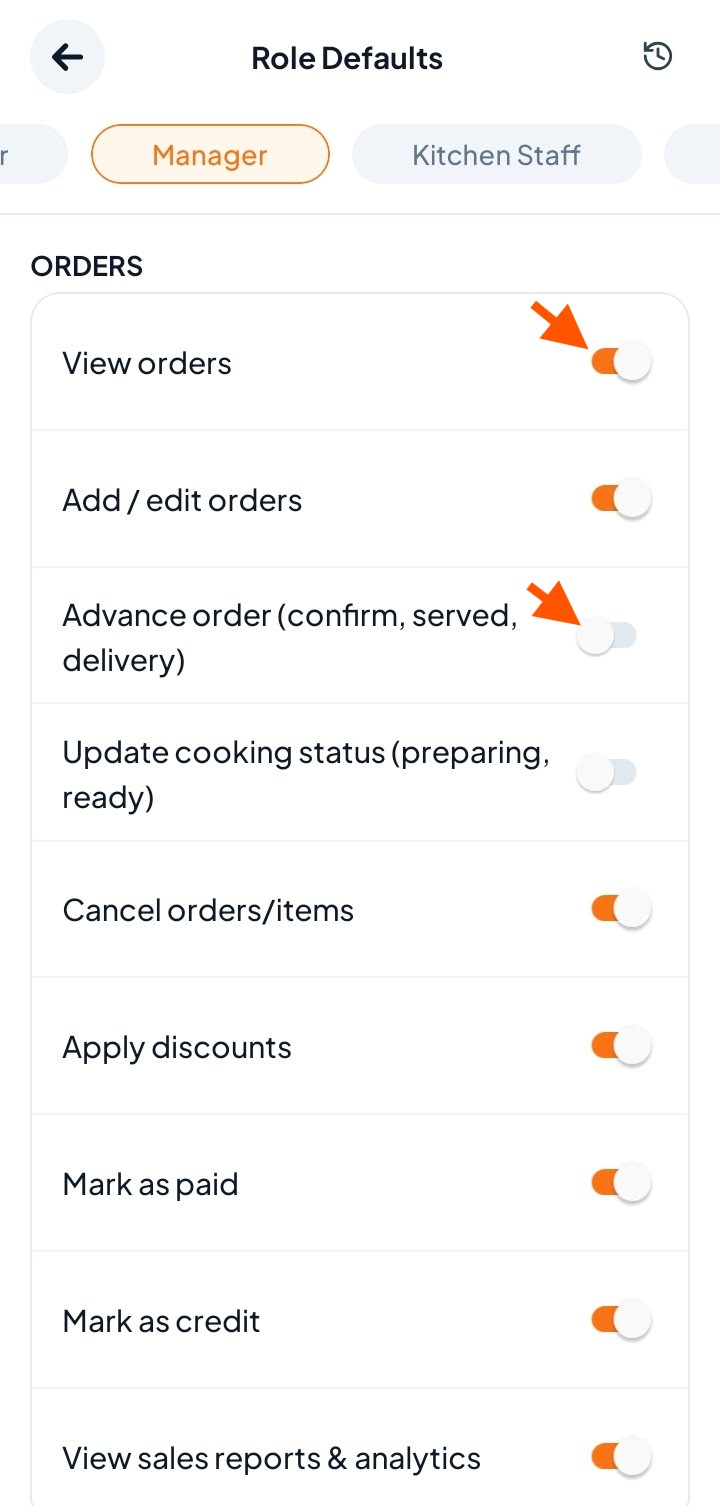
Who can change Role Defaults?
Owner: can change permissions for every role.
Manager: can also change permissions, but only the permissions the Manager has been given. If a Manager does not have a permission, they cannot give it to anyone else.
Step-By-Step-Guide
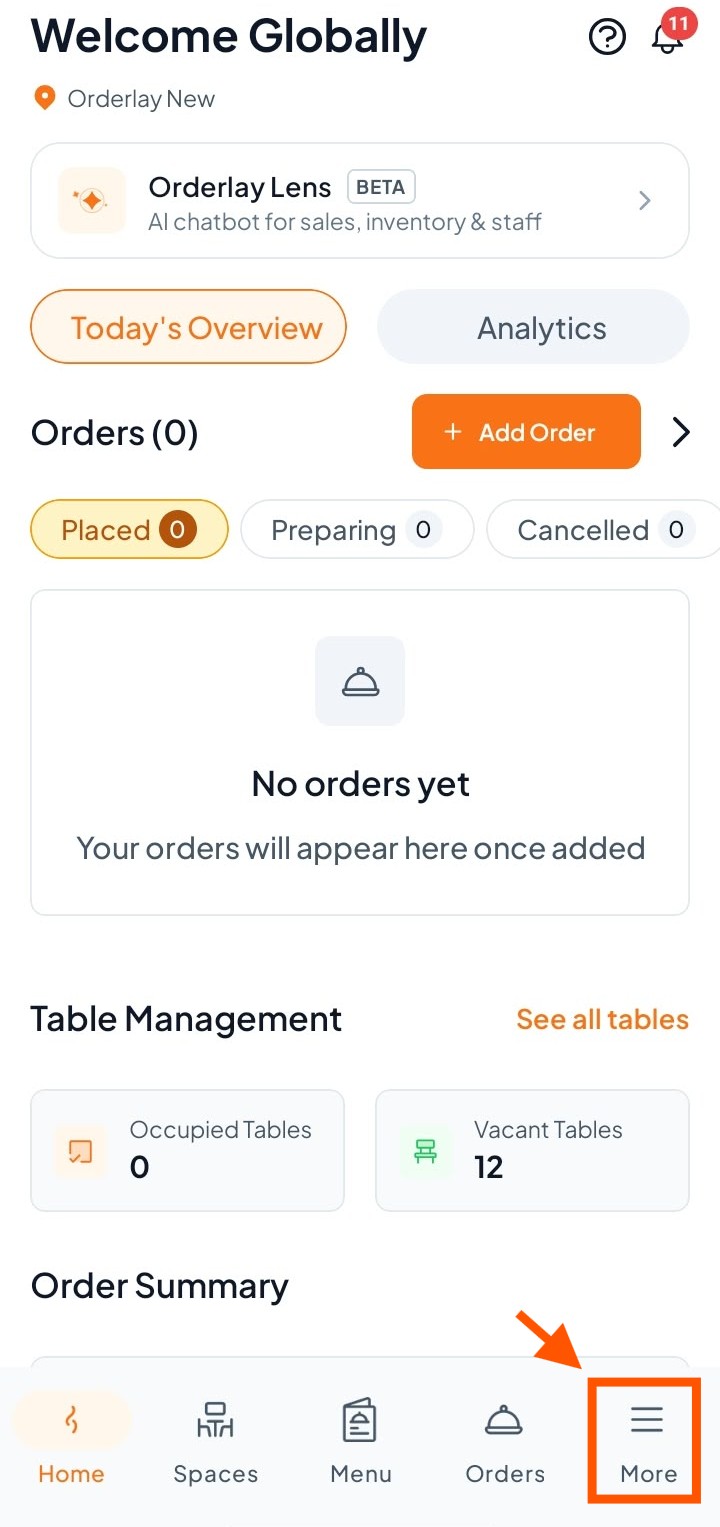
Step 1: On the bottom menu of the app, tap More
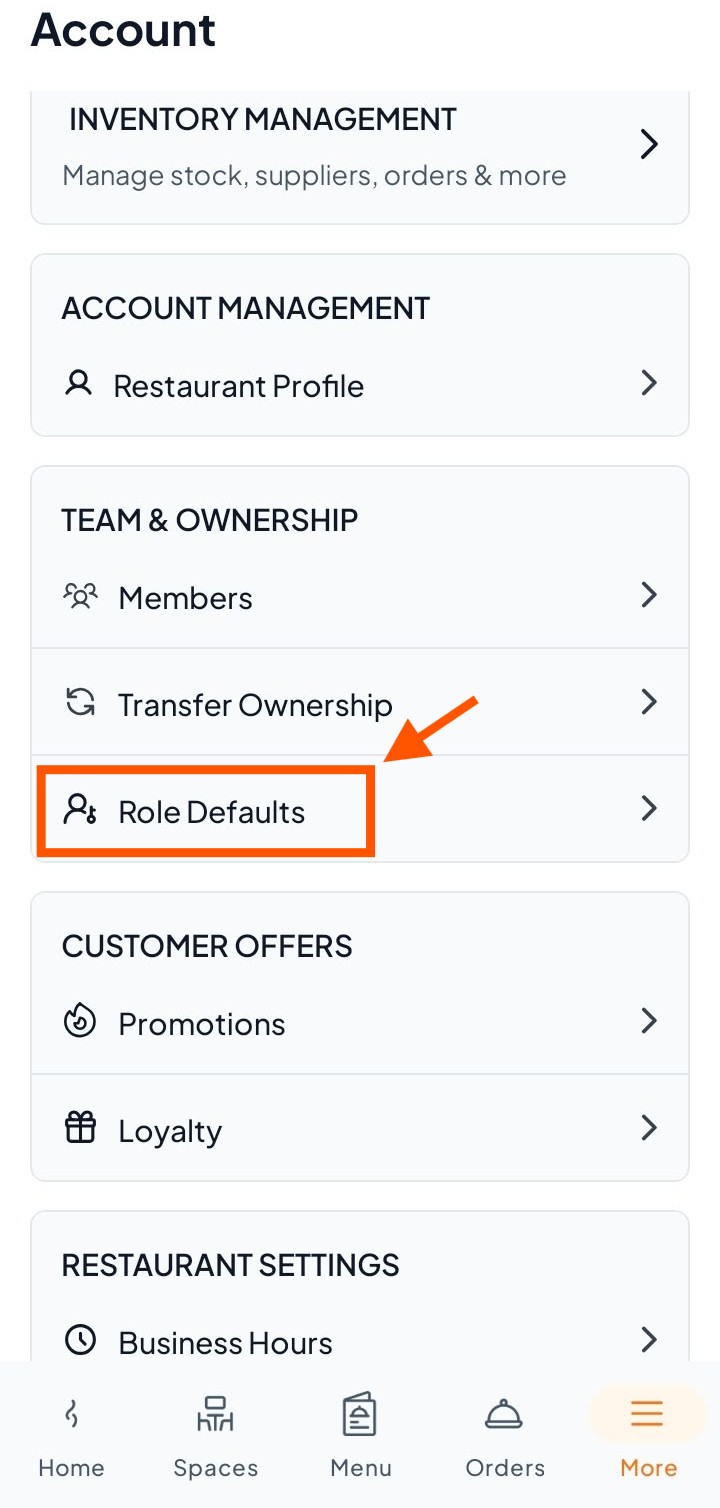
Step 2: Find and open Role Defaults
Scroll down the Account page until you see the section Team & Ownership
Click "Role Defaults"
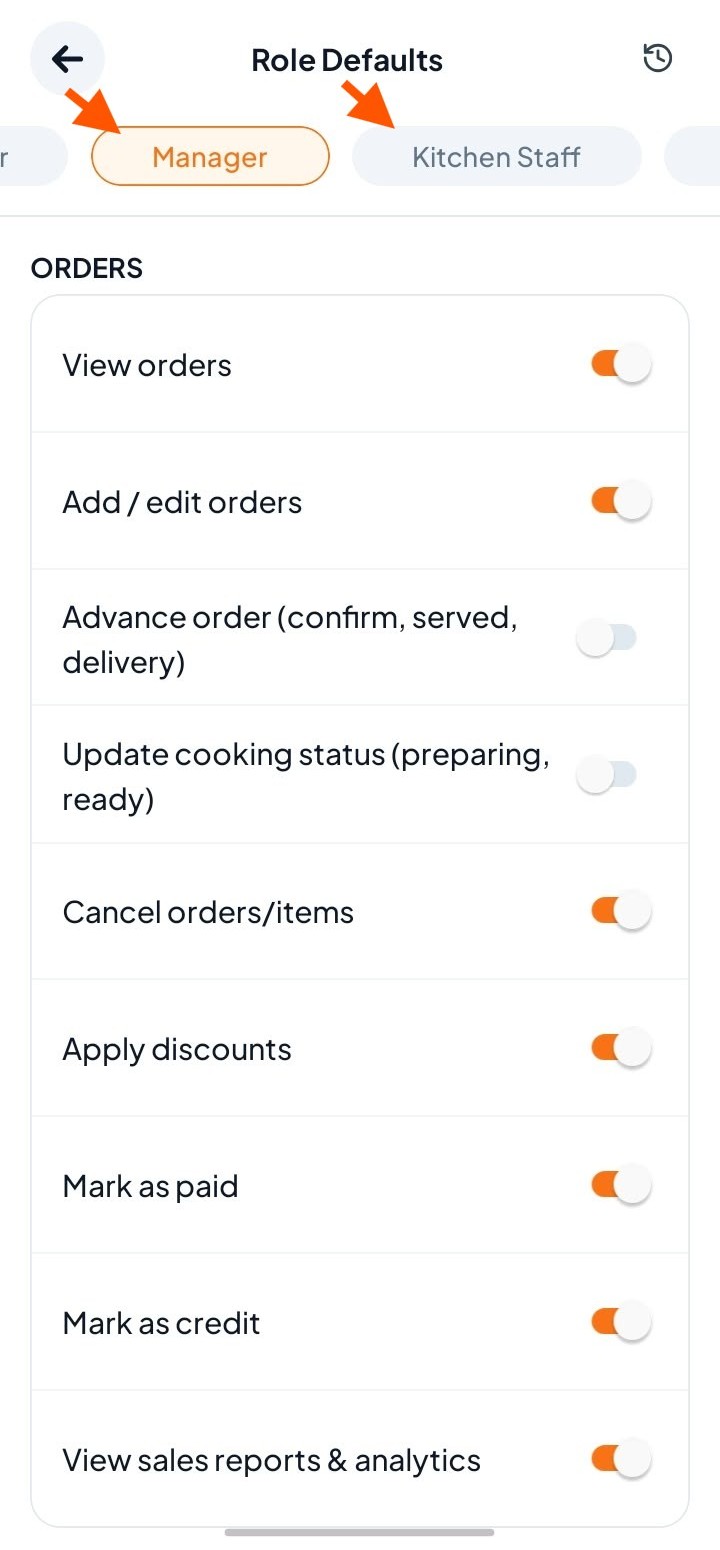
Step 3: Select the role you want to set permissions for.
Swipe left or right to view all available roles.
Step 4: Turn permissions ON or OFF
ON: this role is allowed to do this.
OFF: this role is not allowed to do this.