company logo

Help center

Go to Orderlay
All collections2. Knowledge BaseOrders & OperationsManaging OrdersApply a Discount to an individual Item (Web)

Apply a Discount to an individual Item (Web)

Apply a discount to an individual item.

Step-By-Step-Guide

Step 1: Select the Order or Table
There are two ways to access the order you want to discount:

  • Option A (From Spaces): Go to the Spaces section and select the occupied table where you want to apply the discount (e.g., Table No. 4).
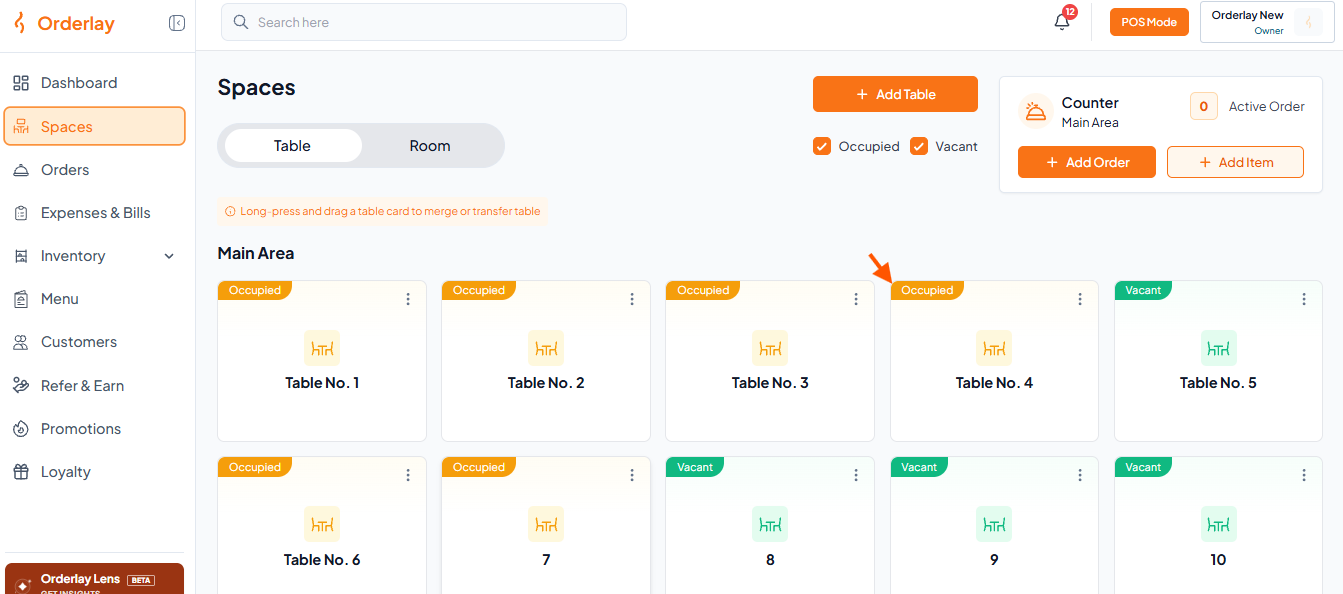
Orderlay Spaces screen in Table view shows Main Area table cards; an orange arrow points to the Occupied status on Table No. 4. Visible: Orderlay, Dashboard, Spaces, Orders, Expenses & Bills, Inventory.
  • Option B (From Orders): Go to the Orders section and click on the specific order where you want to apply the discount (e.g., Order #000001).
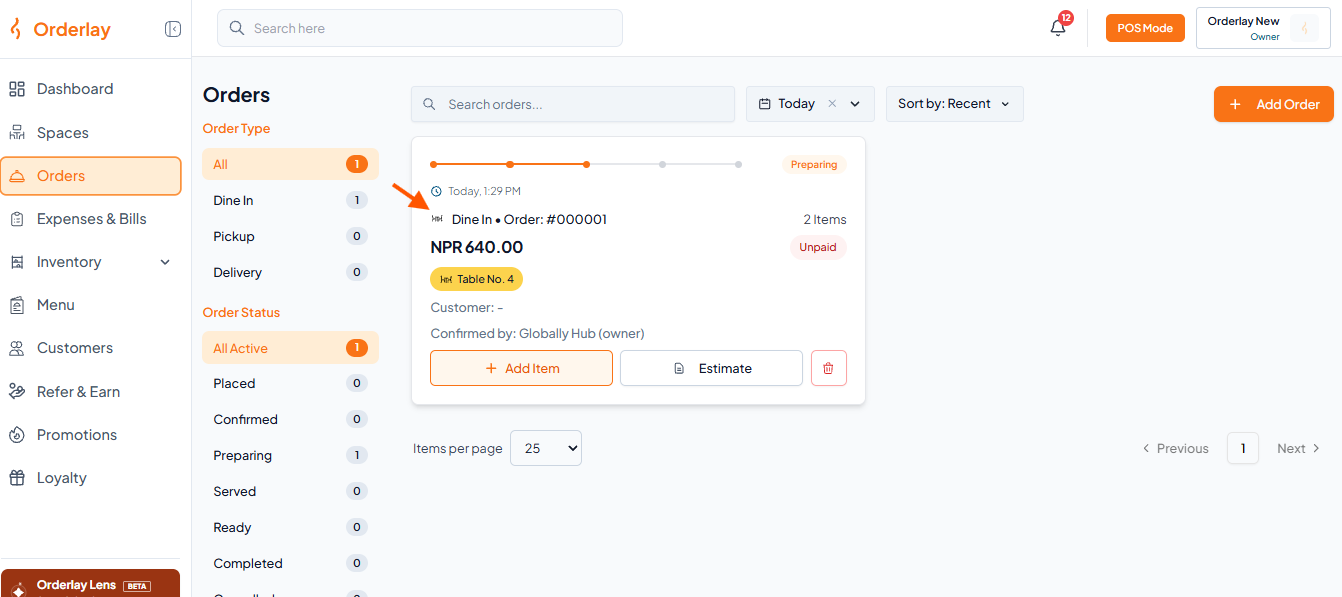
The Orderlay Orders screen shows a preparing dine-in order card, with an orange arrow pointing to the dine-in order type line. Visible: Orders, Order Type, All, Dine In, Pickup, Delivery.

Step 2: Open Apply Discount

  • Option A (During Order Creation): Click the Discount button below the selected item.
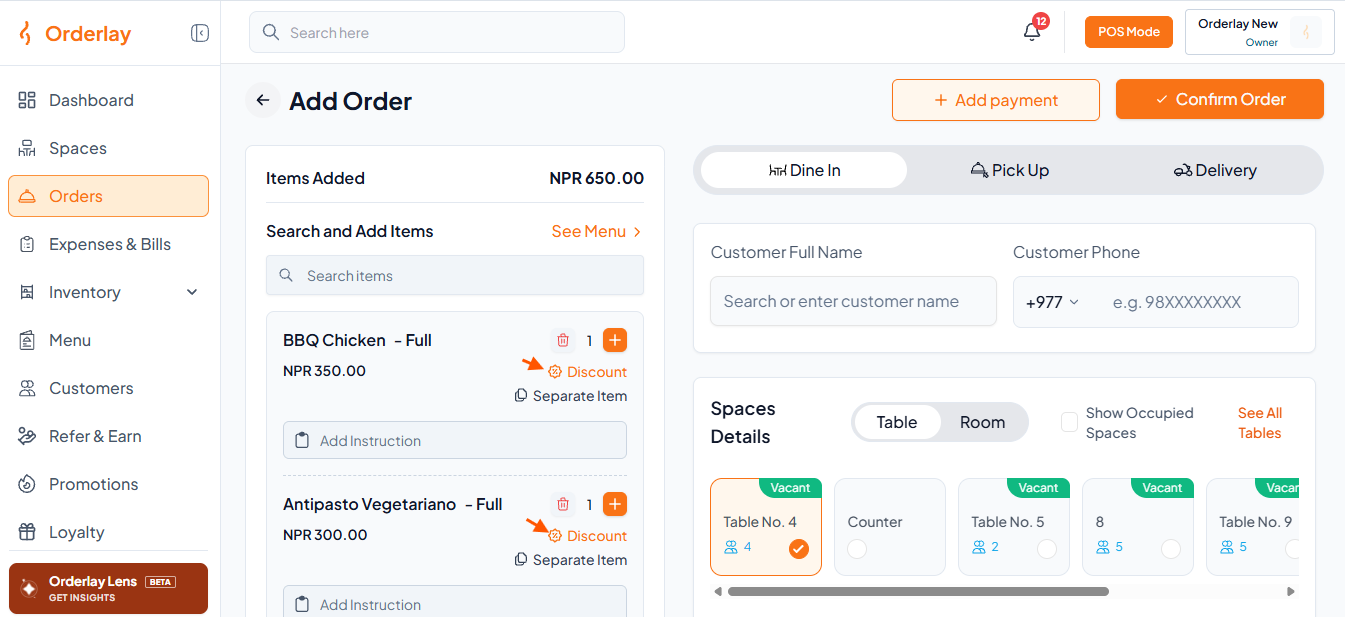
The Orderlar POS Add Order screen shows item totals and discounts, dine-in, pickup and delivery options, customer fields, and selectable tables. Visible: Add Order, Add payment, Confirm Order, Items Added, NPR 650.00, Search and Add Items.
  • Option B (After Placing the Order): Click the Discount button beside the item in Order Details.
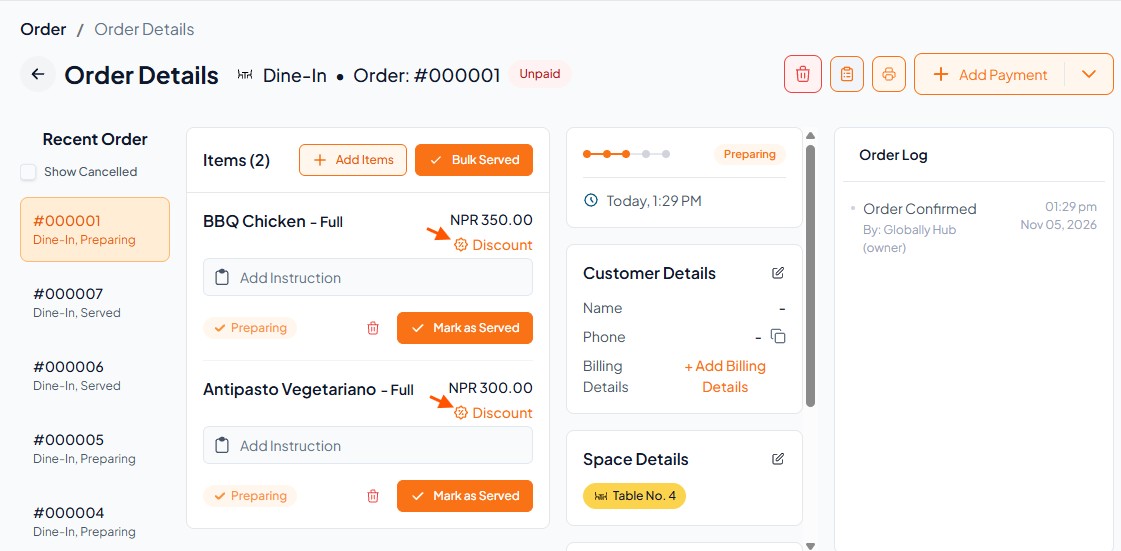
Order Details screen for dine-in order #000001, showing items, preparation status, customer and space details; orange arrows point to Discount labels. Visible: Order Details, Dine-In, Order: #000001, Unpaid, Recent Order, Items (2).

Step 3: Choose Discount Type

  • You will see 2 options โ€“ choose between Amount or Percentage.

  • Enter the discount amount and click "Apply Discount"
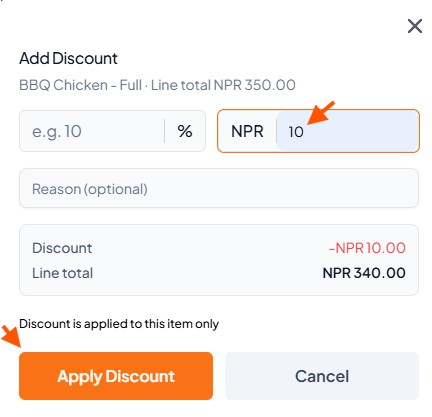
Add Discount screen for BBQ Chicken, with arrows pointing to the NRP 10 amount field and the item-only discount note. Visible: Add Discount, BBQ Chicken - Full ยท Line total NPR 350.00, e.g. 10, %, NPR, 10.

Step 4: Verify the Updated Bill Summary
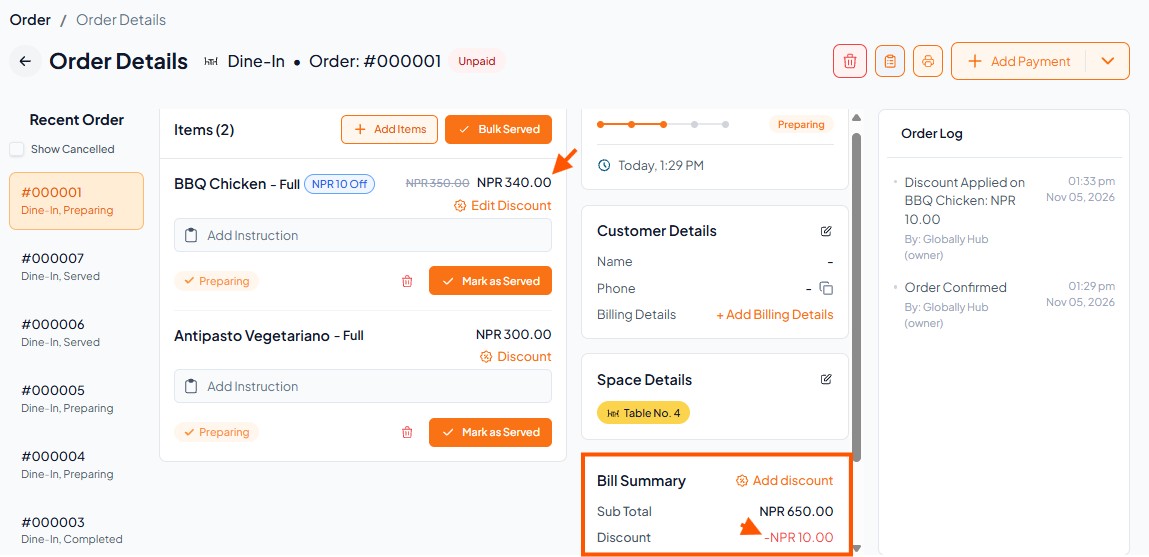
Order Details screen for dine-in order #000001 shows items and bill summary; orange arrows point to the BBQ Chicken price and NPR 10.00 discount. Visible: Order Details, Dine-In, Order: #000001, Unpaid, Items (2), BBQ Chicken - Full.

Did this answer your question?
๐Ÿ˜ž
๐Ÿ˜
๐Ÿ˜