
Step-By-Step-Guide
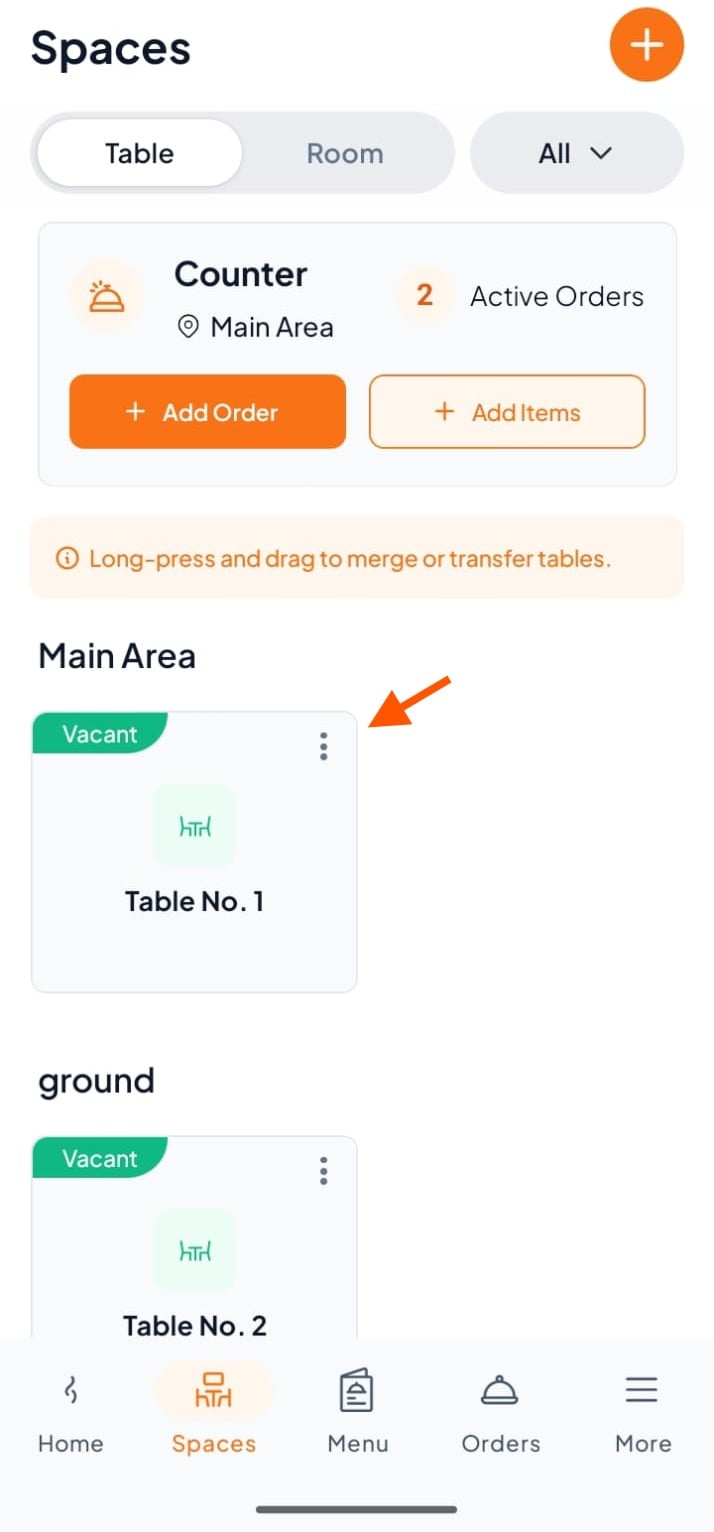
Step 1: Select a Table/Room
In Spaces, tap the table where the customer is sitting to take an order.
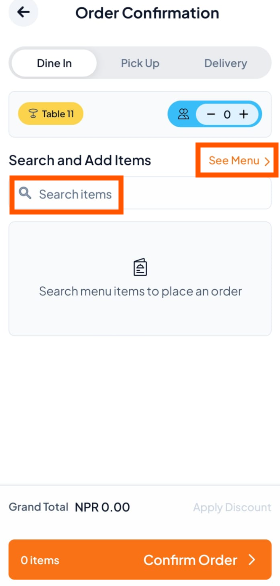
Step 2: Tap "Search Items" or "See Menu" to add items.
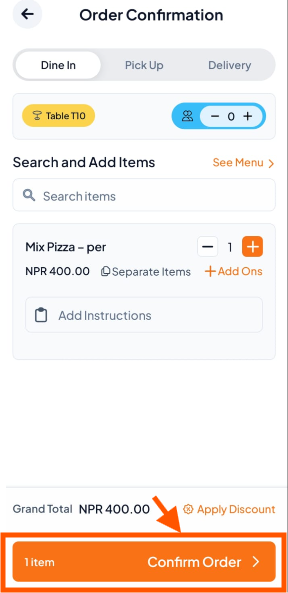
Step 3: Add Menu Items
Add the required menu items to the order.
Tap Add-Ons to add extras (e.g., cheese) if needed.
Add special instructions if required.
Repeat the process for all items.
Finally, Confirm the Order.
Step 4: Track & Complete the Order
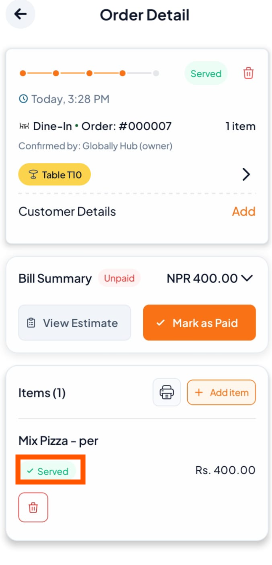
Go to Orders to track status: Preparing → Ready → Served
After serving the food, mark the order as Served to complete it and keep table/room status accurate.

Learn: How to Add New Items to Existing Orders