
Step-by-Step-Guide
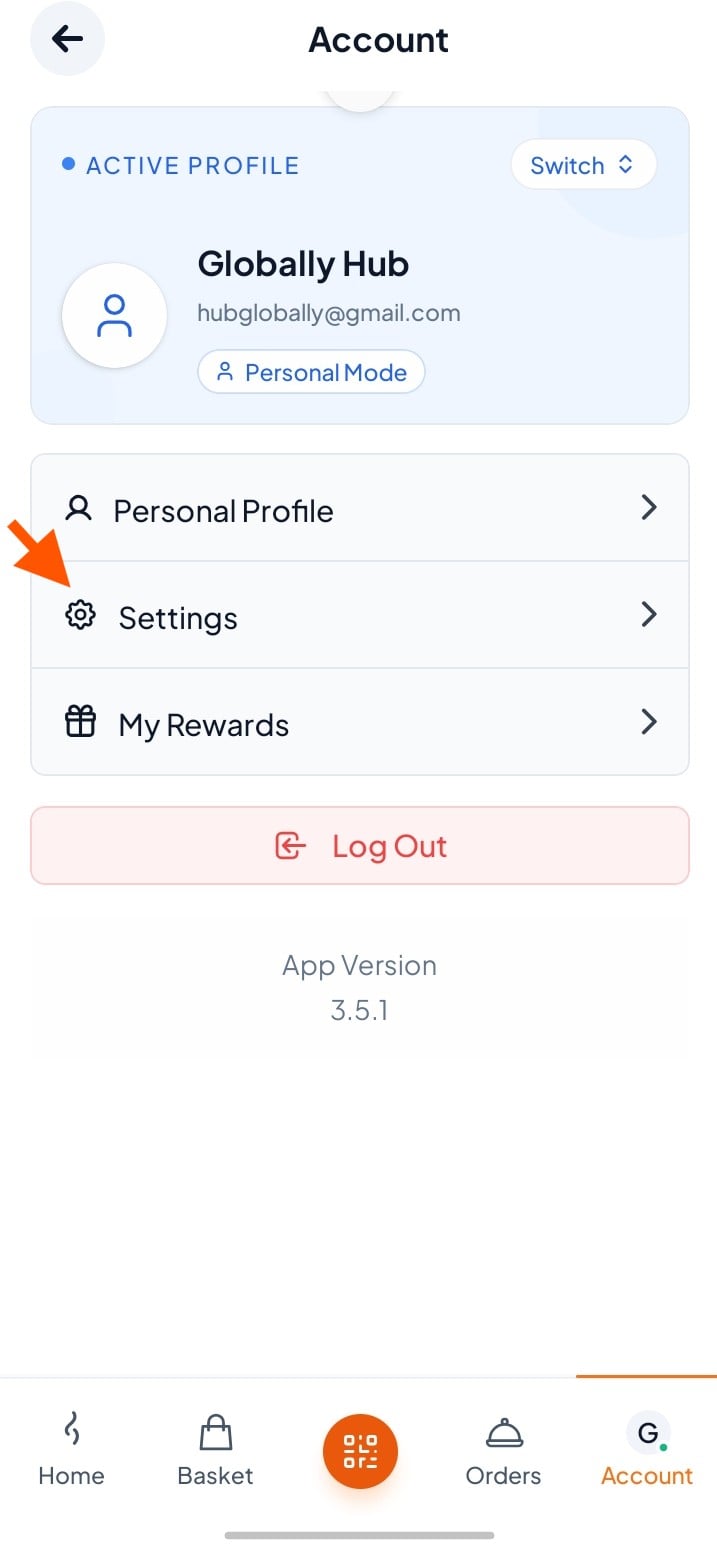
Step 1: Go to Account and tap "Settings".
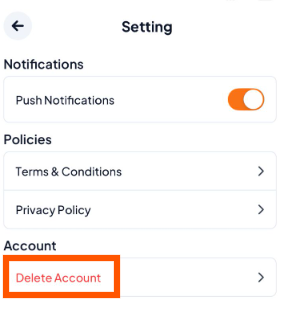
Step 2: On the Settings screen, tap "Delete Account".
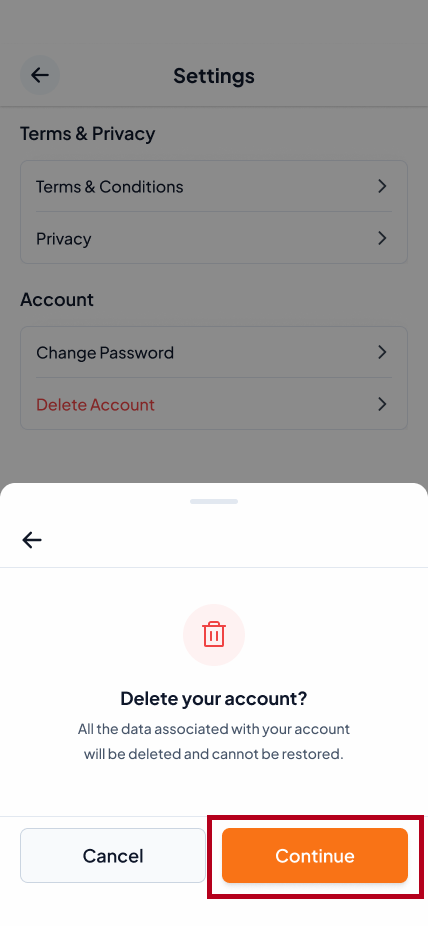
Step 3: A confirmation box will appear. Tap "Continue" to proceed.
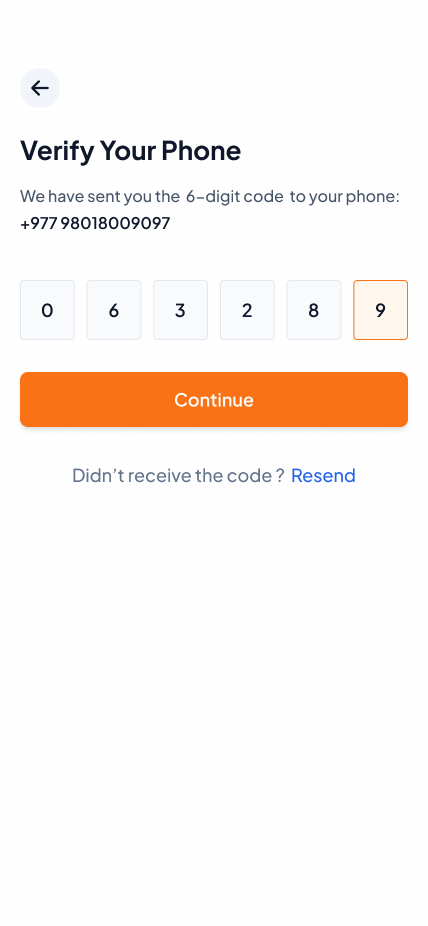
Step 4: Enter the OTP sent to your verified email or phone, then tap "Continue" to complete the process.
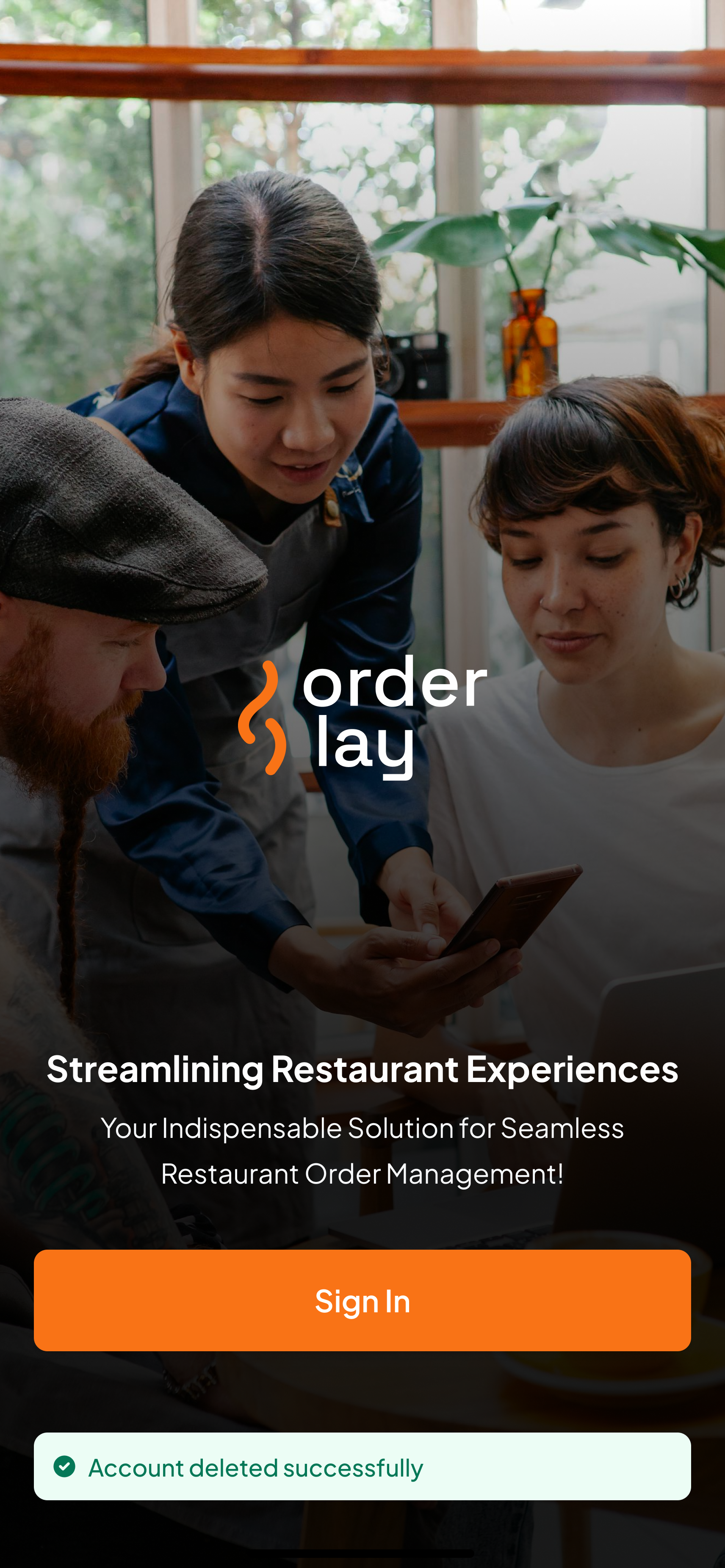
You will be redirected to the Orderlay landing screen with a success message confirming your account deletion.
Your personal account and all associated data are permanently deleted.
We'd love to hear more about your experiences, good or bad. You can always reach out to us via the chat widget below.

If you want to delete your restaurant account instead, see
"Deleting Restaurant Account."
"Deleting Restaurant Account."