
Step-By-Step-Guide
Step 1: Add Your Restaurant Logo
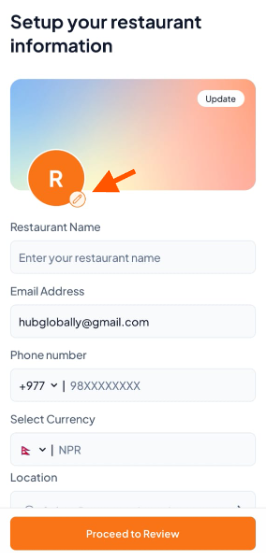
On the Setup your restaurant information screen, tap the small edit icon to select a clear logo from your phone’s gallery.
Step 2: Add Cover Photos
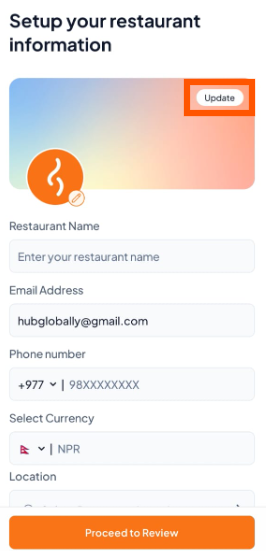
Tap "Update" to upload your restaurant’s cover photos.
Step 3: Add Your Photos
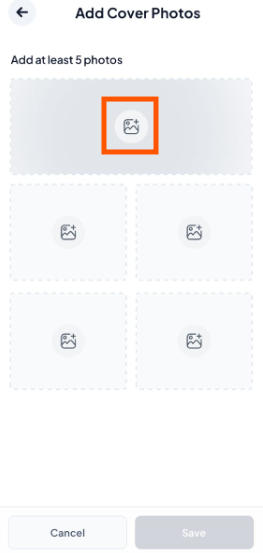
Tap the empty boxes to upload images.
We recommend at least 5 clear photos of your food, dining area, and restaurant front.
Step 4: Save Your Changes
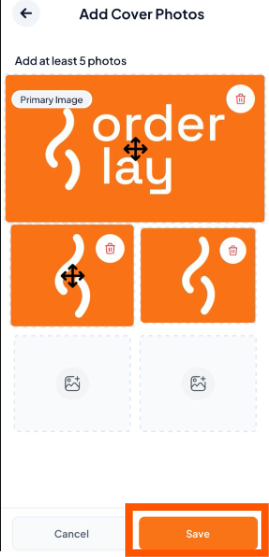
Tap the "Save" button to confirm your selections.

Complete your restaurant account setup by filling in all the required details in
Create Your Restaurant Profile on Orderlay.
Create Your Restaurant Profile on Orderlay.