

Step 1: Check for a Team Invitation
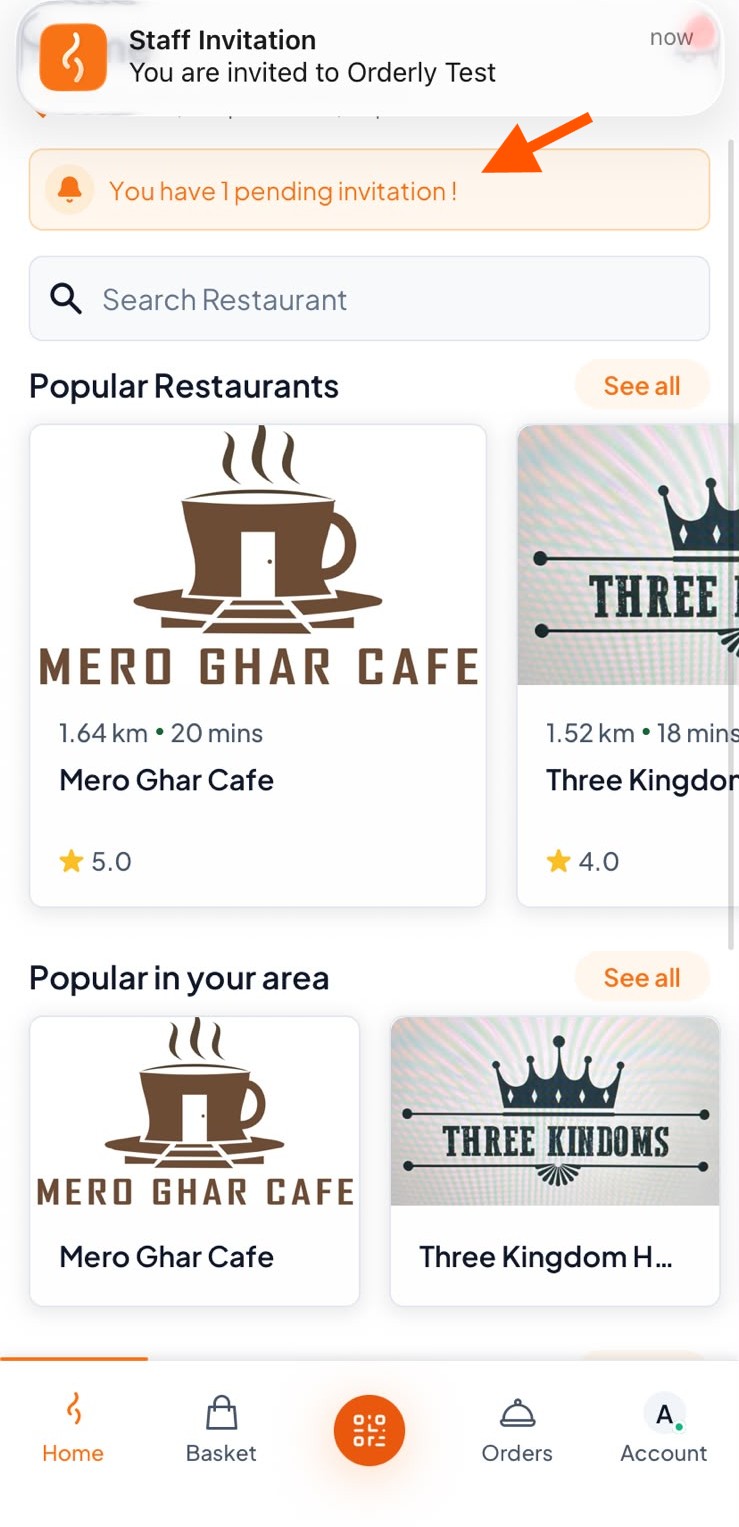
You’ll receive the team invitation in your Orderlay app.
If you don’t see the invitation, pull down to refresh your home screen and click on it.
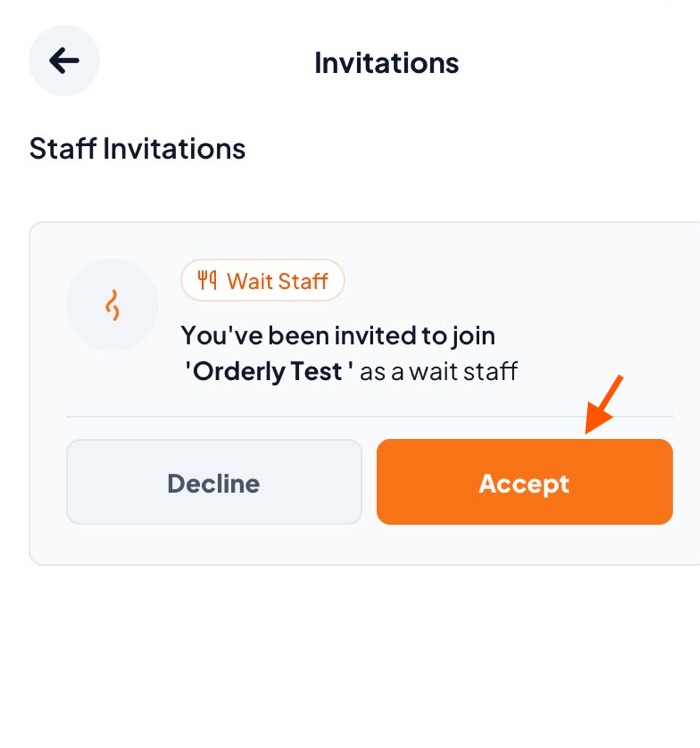
Step 2: Click "Accept"
Step 3: Switch Accounts
After accepting, you’ll see a confirmation message. You are now part of the team!
Switch from your personal account to the restaurant account to start managing the orders.
