
Step-By-Step-Guide
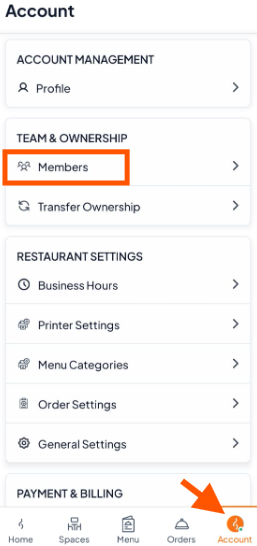
Step 1: Go to the Members Page
In the Account section, click Members.
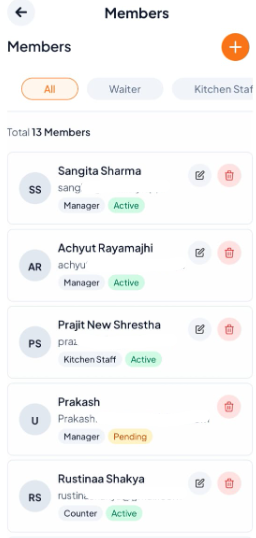
You’ll see a list of all your team members.
Step 2: Find the Member
Scroll or search to locate the member you want to edit or remove.
Step 3: Edit or Remove
To Edit: Click Edit next to their name.
Update their name, role as needed.
Click Save.
To Remove: Click Delete next to their name.
Confirm in the pop-up to remove them from the team.

Step 4: Finish
Click Continue to apply your changes.
Your updates will now be saved automatically.