
Step-By-Step-Guide
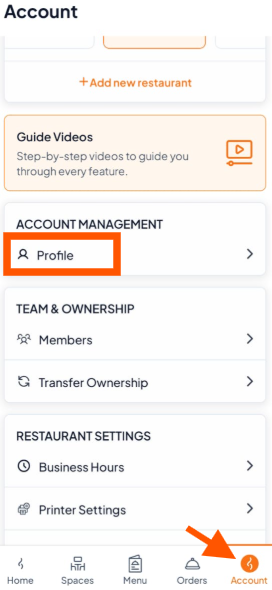
Step 1: Open Profile
Go to the Account tab → Scroll to ACCOUNT MANAGEMENT → Tap "Profile"
Step 2: Tap "Edit Profile"
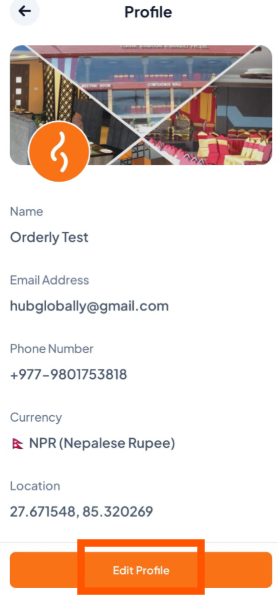
Step 3: Update Information
You can edit:
Restaurant Name
Email Address
Phone Number
Location / Address
After editing, tap "Save" to confirm the changes.
