Step-By-Step-Guide
Step 1: Open Your Profile
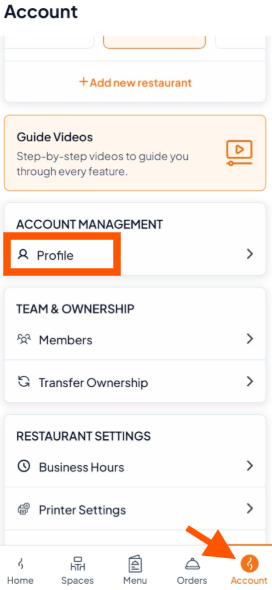
Go to the Account tab and scroll to Account Management.
Tap "Profile" to open your profile settings.
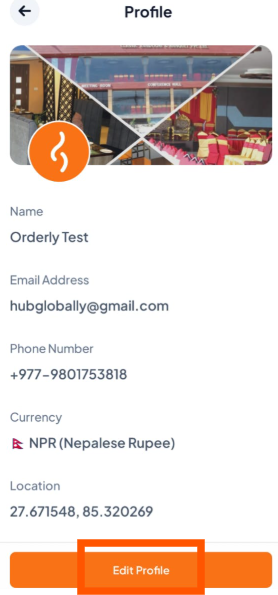
Step 2: Tap the "Edit Profile" button.
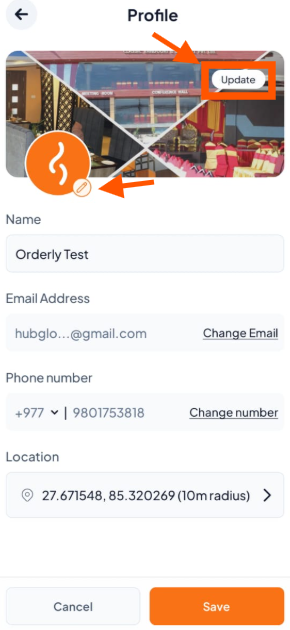
Step 3: Update Images
Click the Update button to change your logo and cover picture.
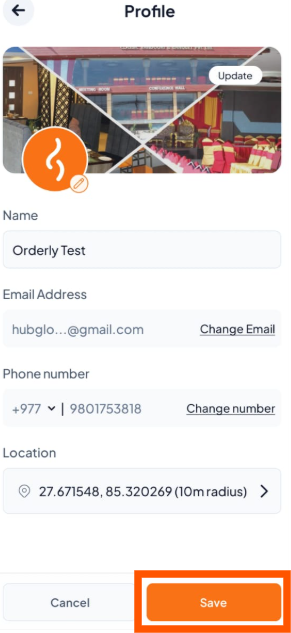
Step 4: Save
Once updated, tap "Save" to apply the changes.