Step-By-Step-Guide
Step 1: Find the Order
Go to the Orders tab and tap the order you want to update.
You can also tap the table where you want to add new items.

Step 2: Add New Items
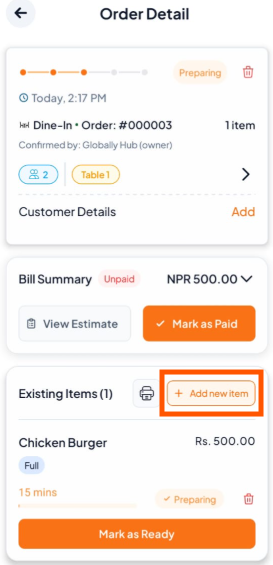
In the Order Detail screen, tap "+ Add new item" under Existing Items.
Step 3: Search or See Menu to Add Items
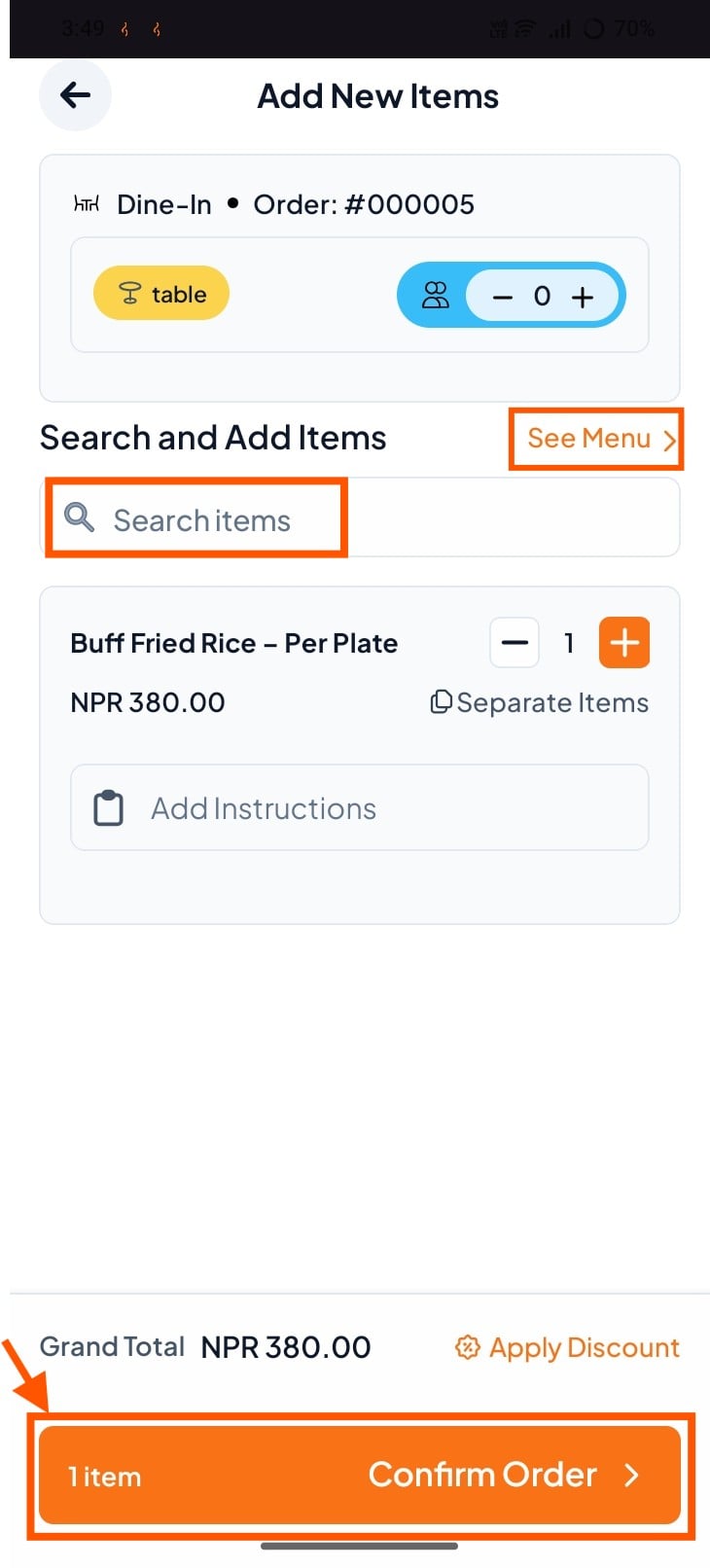
Search or click "See Menu" to add item
Then, click "Confirm"